




ERPNext for trading gives wholesalers, distributors and importers one stock figure and one customer balance. Purchasing, warehouses, price lists, sales and collections all run on the same data. We also add cheques, treasury, point of sale and online store connectors where you need them.
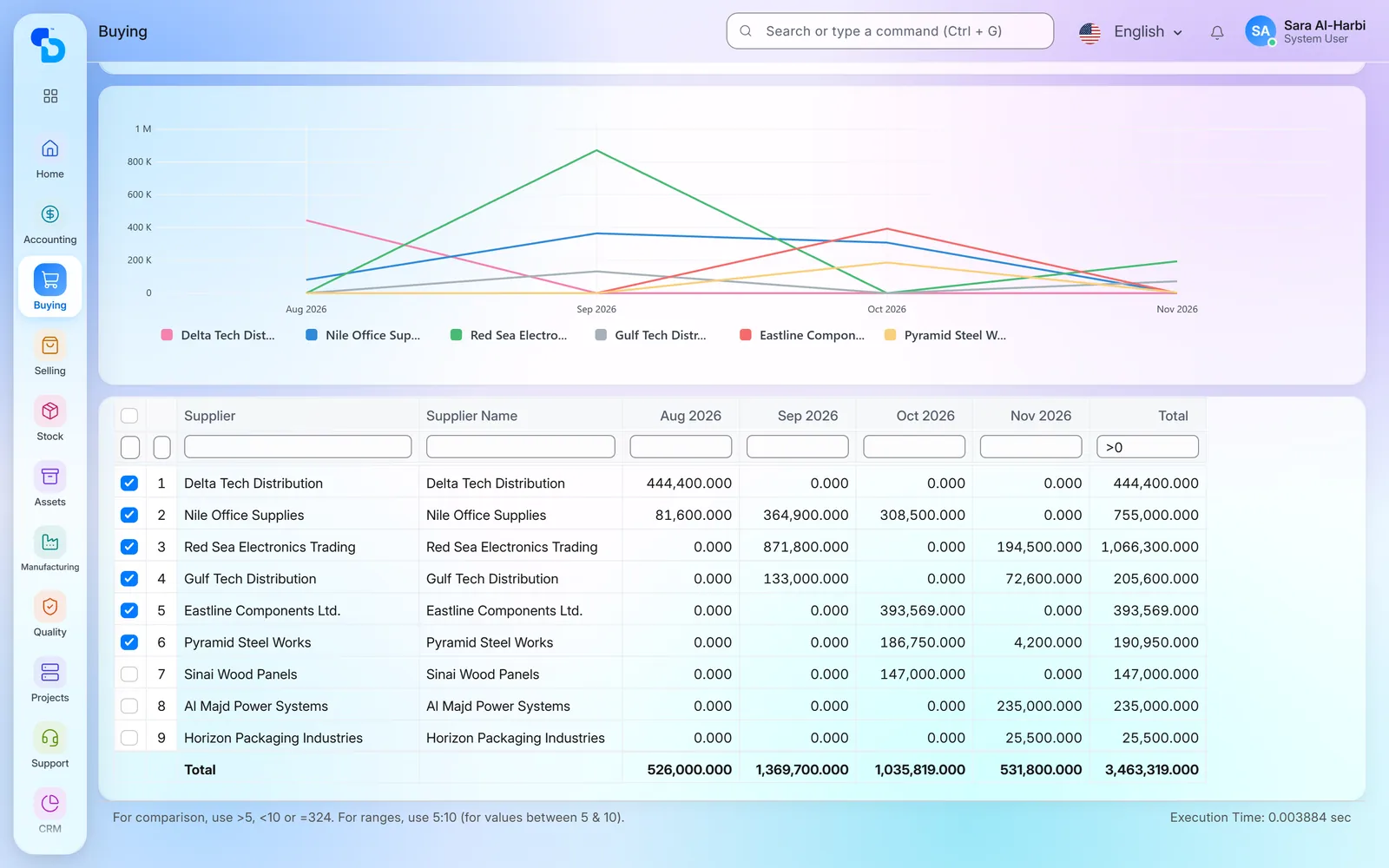
Buyers request quotations, then compare the offers per item in one report.
The accepted offer becomes a purchase order, in either your currency or the supplier’s.
When goods arrive, they enter a warehouse with their batch, and import costs are added to item cost.
Price lists and pricing rules decide what each customer pays.
A sales order checks the stock first, then delivery notes ship it in full or in part.
The invoice posts to the accounts, then goes to the tax authority through our integrations.
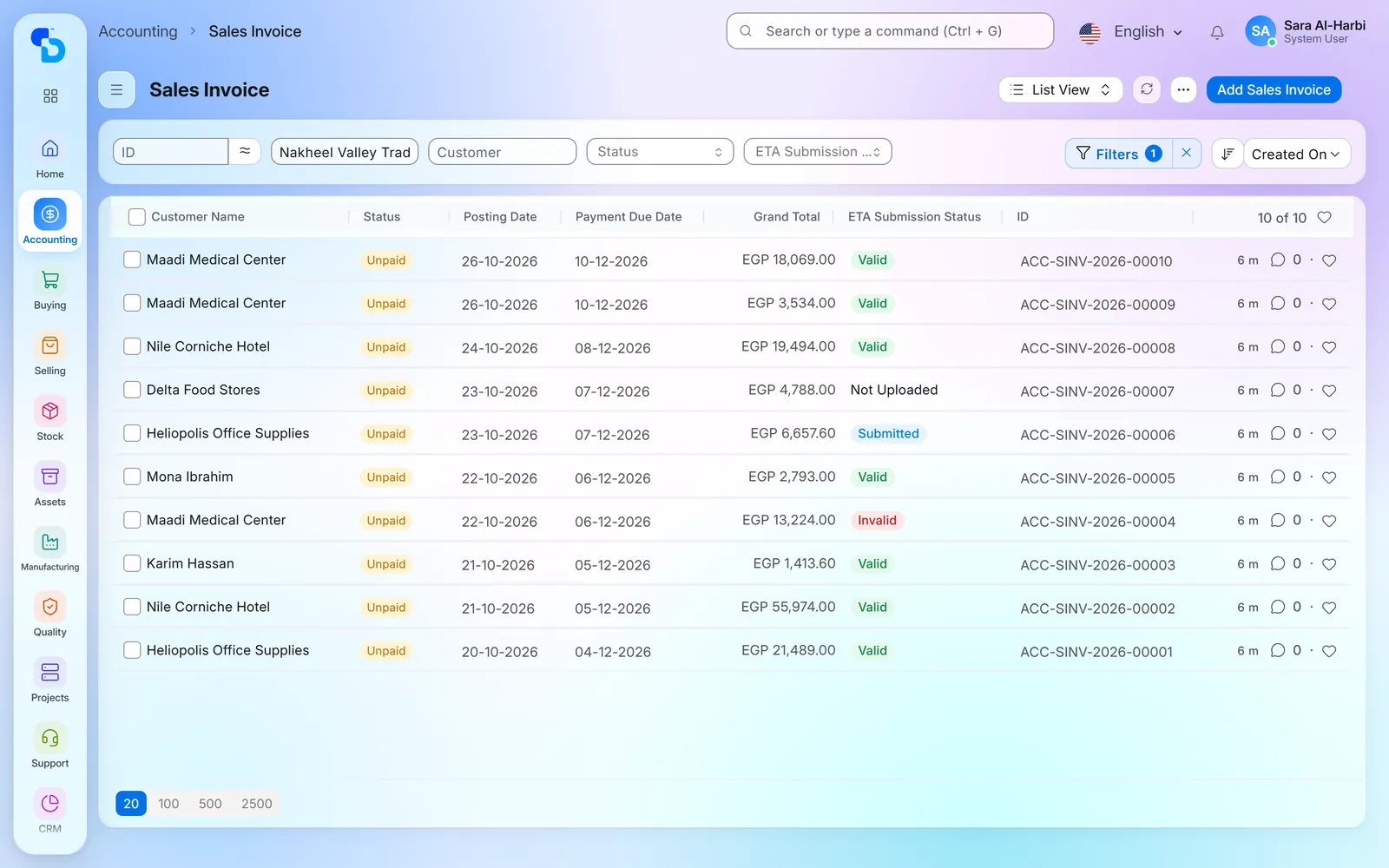
Cash, transfers and cheques settle the invoice, while any unpaid balance shows in receivables ageing.
Sales, the warehouse and finance each keep their own count, but the three rarely agree.
Price lists live in personal files, so the discount depends on who takes the order.
Without batch dates, nobody knows which stock must leave first. So old goods ship late, or not at all.
Freight, customs and clearing often stay in expense accounts, so margins look better than they are.
Overdue invoices and post-dated cheques sit in a notebook or a spreadsheet, so collection depends on who remembers.
Staff re-key store orders and till sales into the books every day, yet store stock and system stock still drift apart.
Eight parts of ERPNext for trading, from the warehouse tree to the e-invoice. We agree each part with your sales, warehouse and finance teams before we set it up.
You read stock per warehouse, per branch or for the whole company, because your branches become a warehouse tree. Each branch is a group, with its stores, showroom and returns warehouse below it. Each item card holds its barcodes, its units of measure with conversion factors, its weight and its default supplier. You also set a reorder level and a reorder quantity per warehouse. When projected stock falls to that level, the system can raise a material request for the buyer.
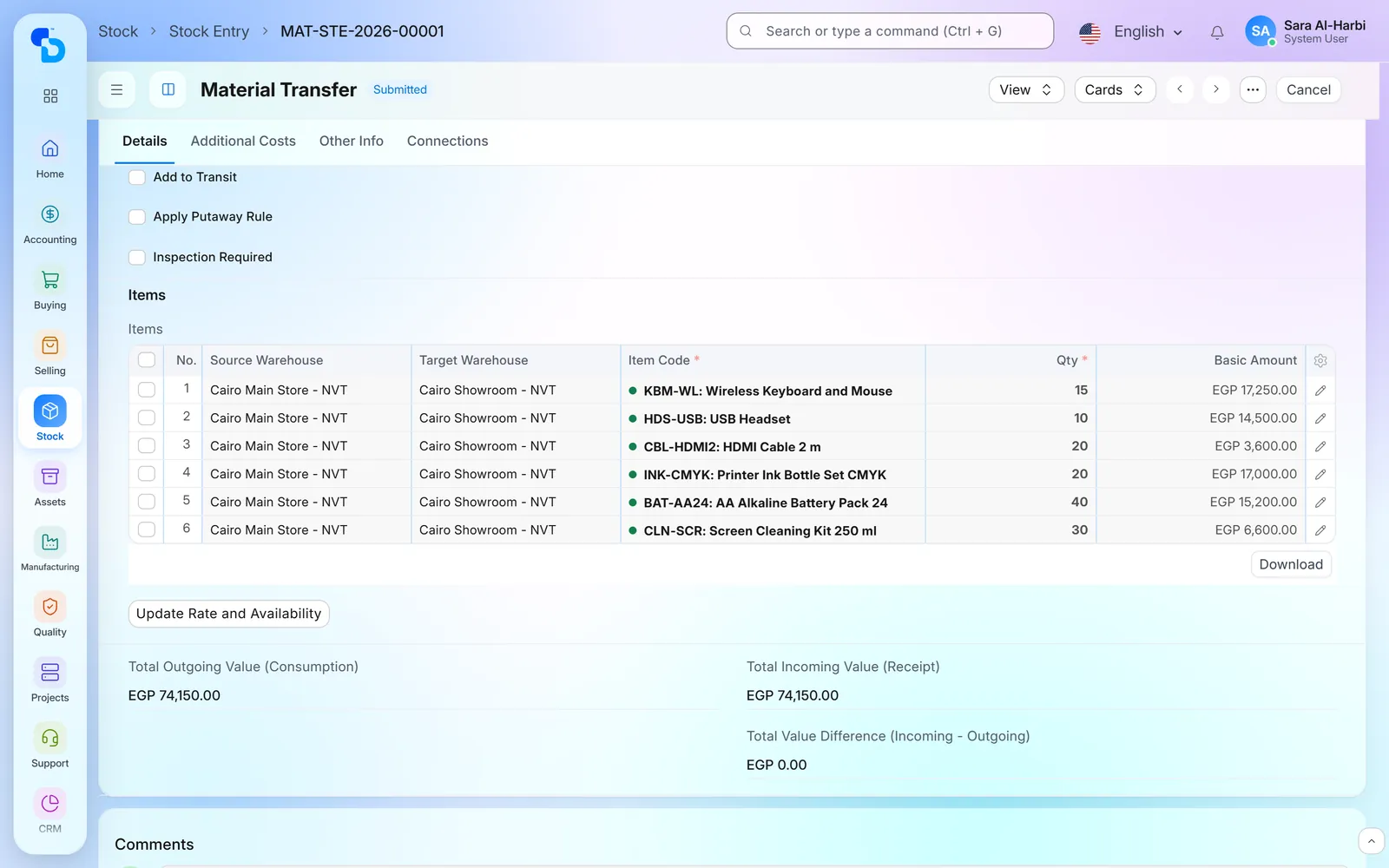
Every stock movement is a document, whether a purchase receipt, a delivery note, a material issue or a material transfer. A transfer names both the source and the target warehouse on each line. For longer routes, goods can first move to an in-transit warehouse, and then the branch receives them. Each submitted document updates the balance and posts its value to the accounts. So the stock ledger lists every movement with its date, its warehouse and its source document.
ERPNext tracks items with a shelf life by batch. The batch number is set when goods are received, either typed from the supplier’s label or created from a series. The batch also carries its manufacturing and expiry dates. Each batch is then followed through transfers and deliveries. The Batch Item Expiry Status report lists every batch with its quantity and the days it has left. The system refuses to deliver from an expired batch, and it can also pick batches by nearest expiry.
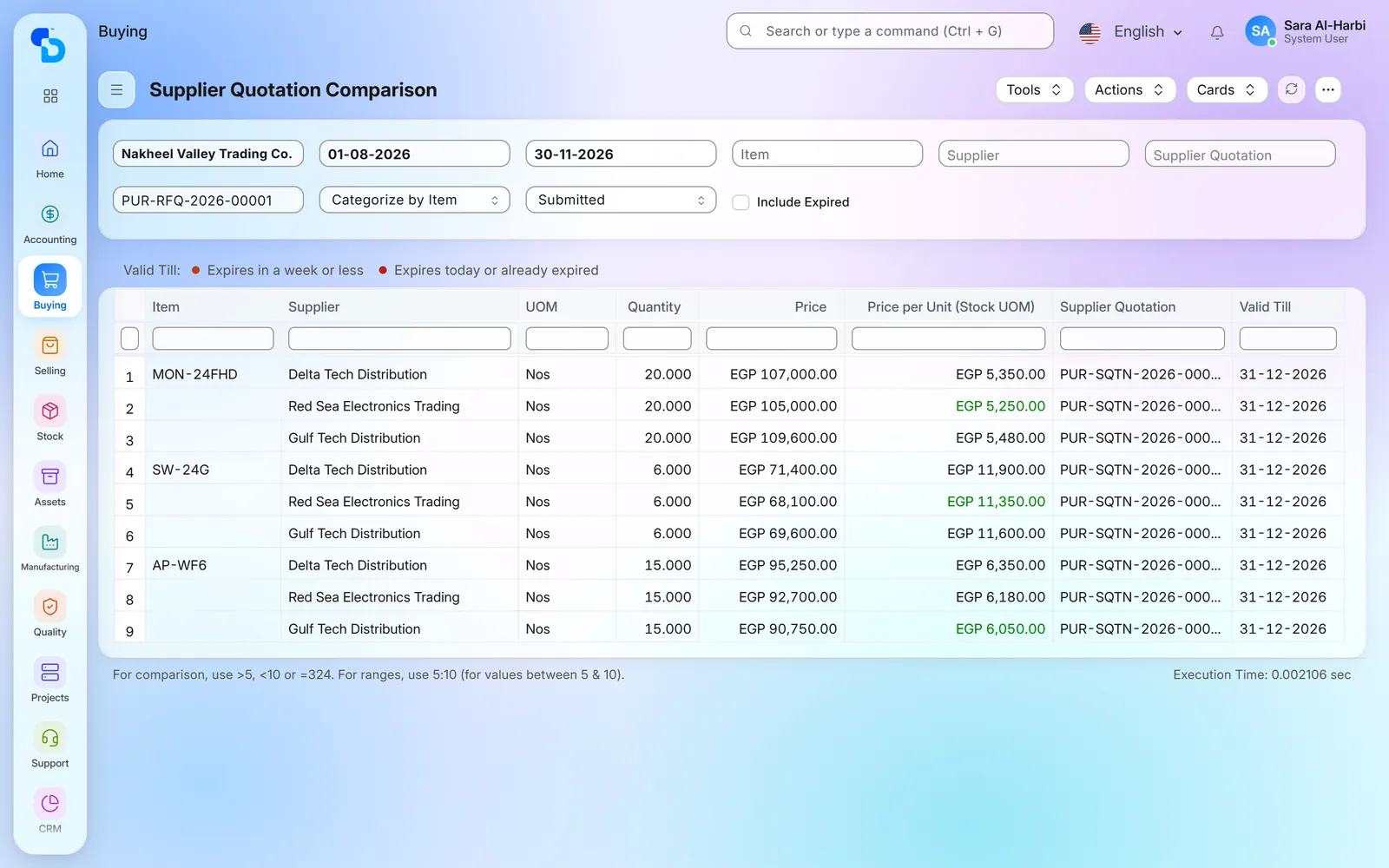
Buying runs as one chain: request for quotation, supplier quotations, purchase order, receipt and invoice. Before you order, the Supplier Quotation Comparison report puts the offers side by side per item. Each document is created from the one before it, so nobody types the order twice. For imports, invoices can be in the supplier’s currency, and landed cost vouchers then add freight, customs and clearing to item cost. The Accounts Payable report ages what you owe, and supplier advances are deducted from the invoice.
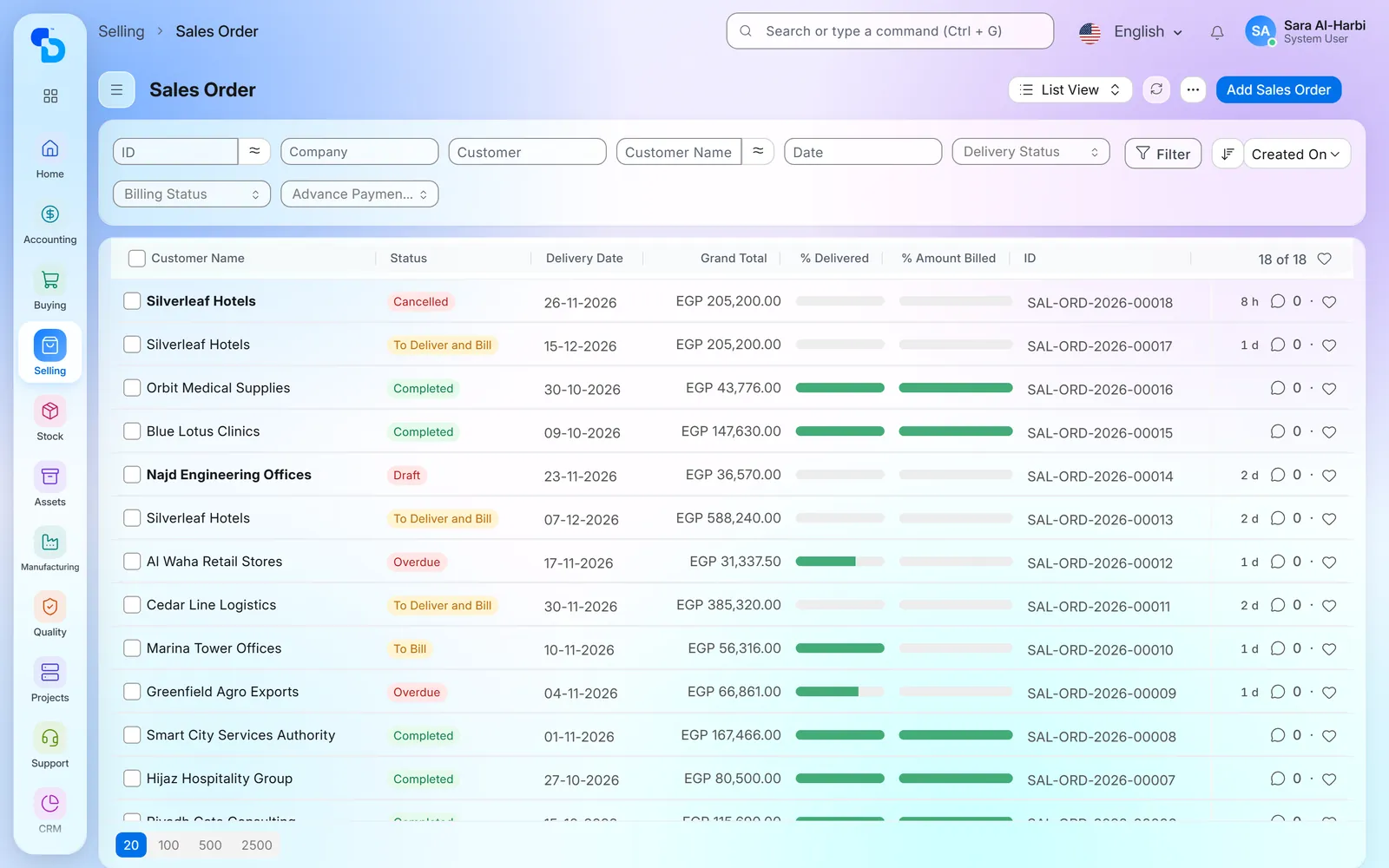
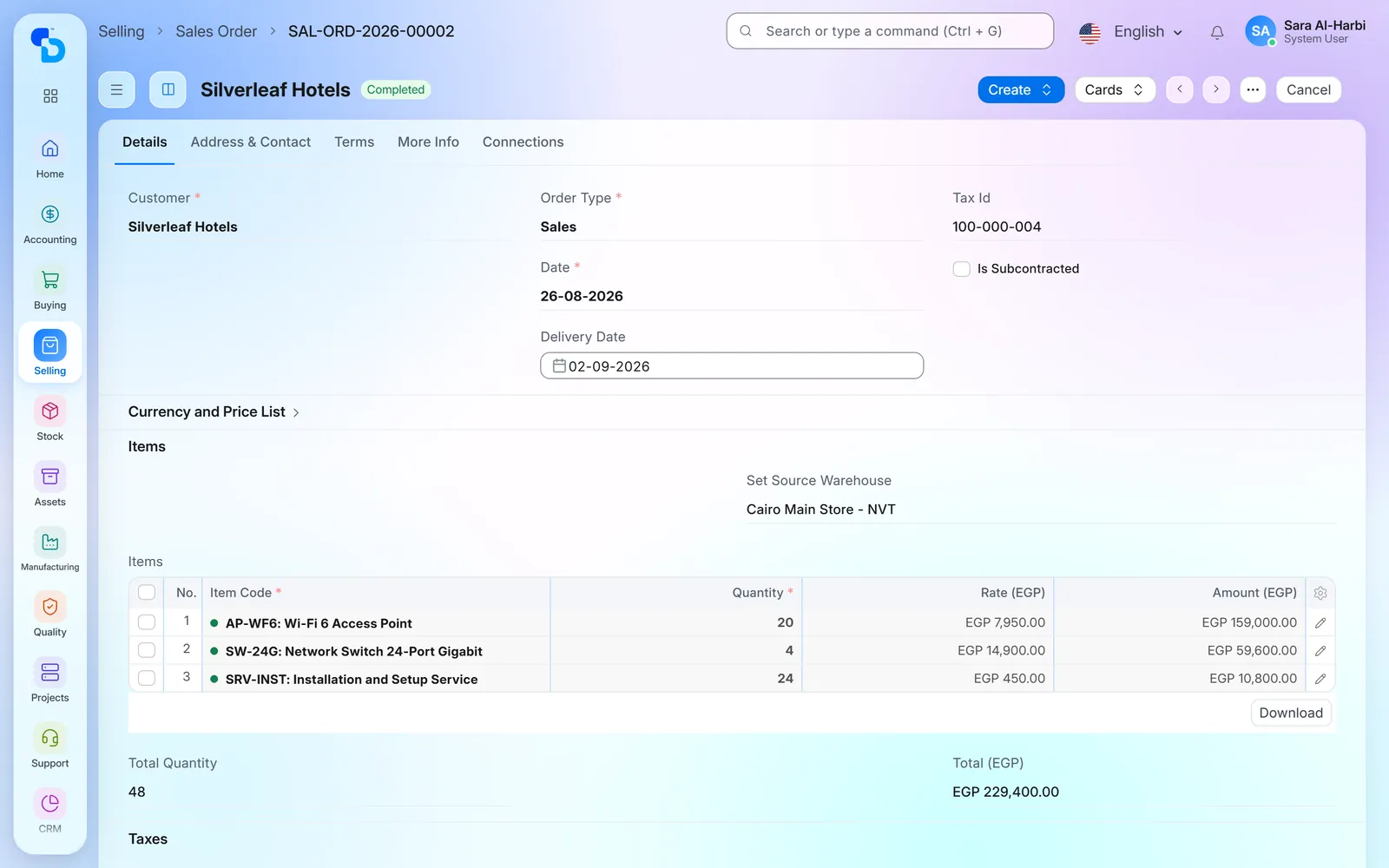
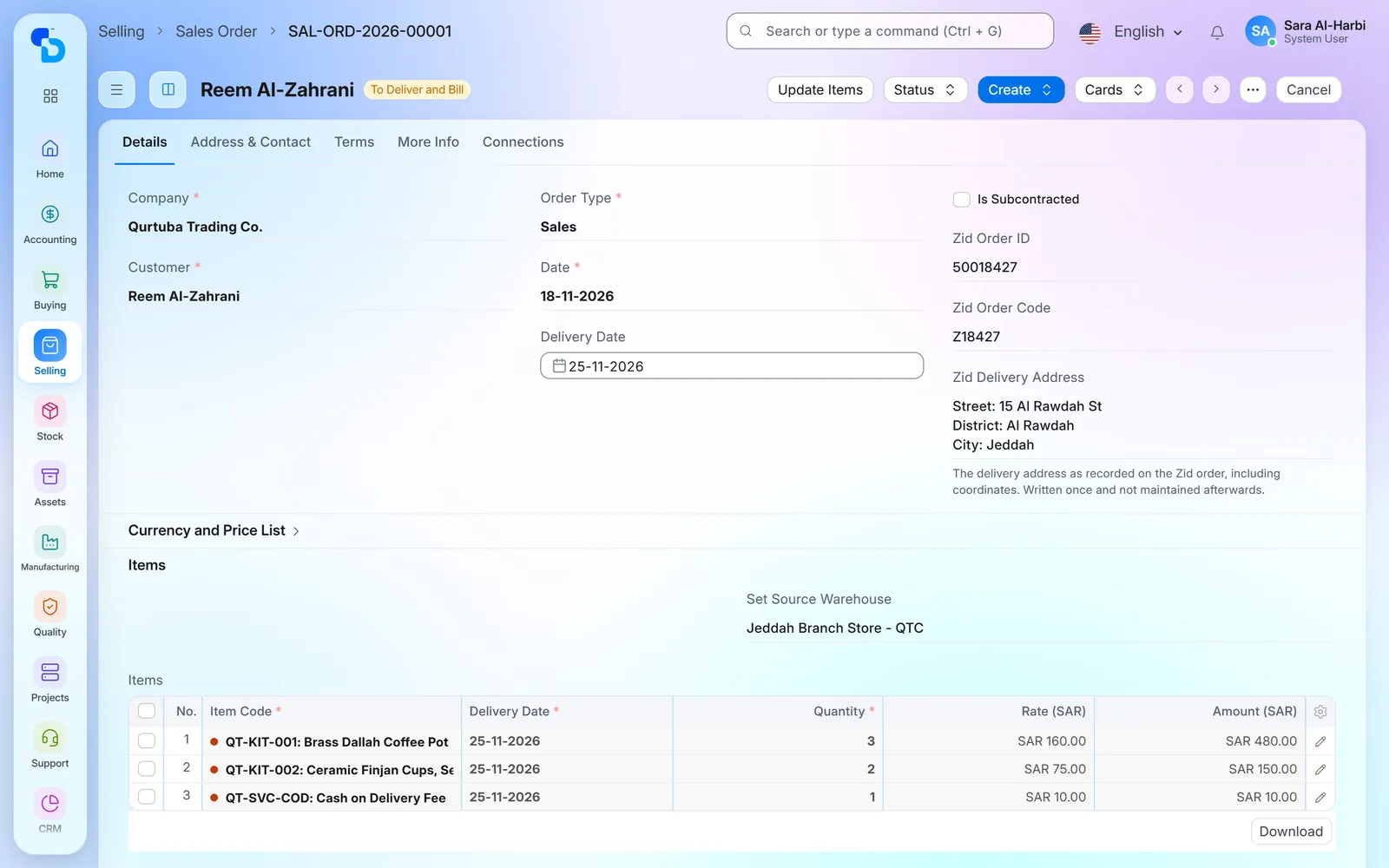
A quotation becomes a sales order without retyping, and the order shows the stock on hand for each line. From the order you then create delivery notes and invoices, in full or in part. Every order carries its status: to deliver, to bill or completed, with the share already delivered. Once stock reservation is switched on, you can also reserve stock for an order, so another sale does not take it. A credit limit on the customer stops a new order when the balance would pass it, unless a credit controller approves.
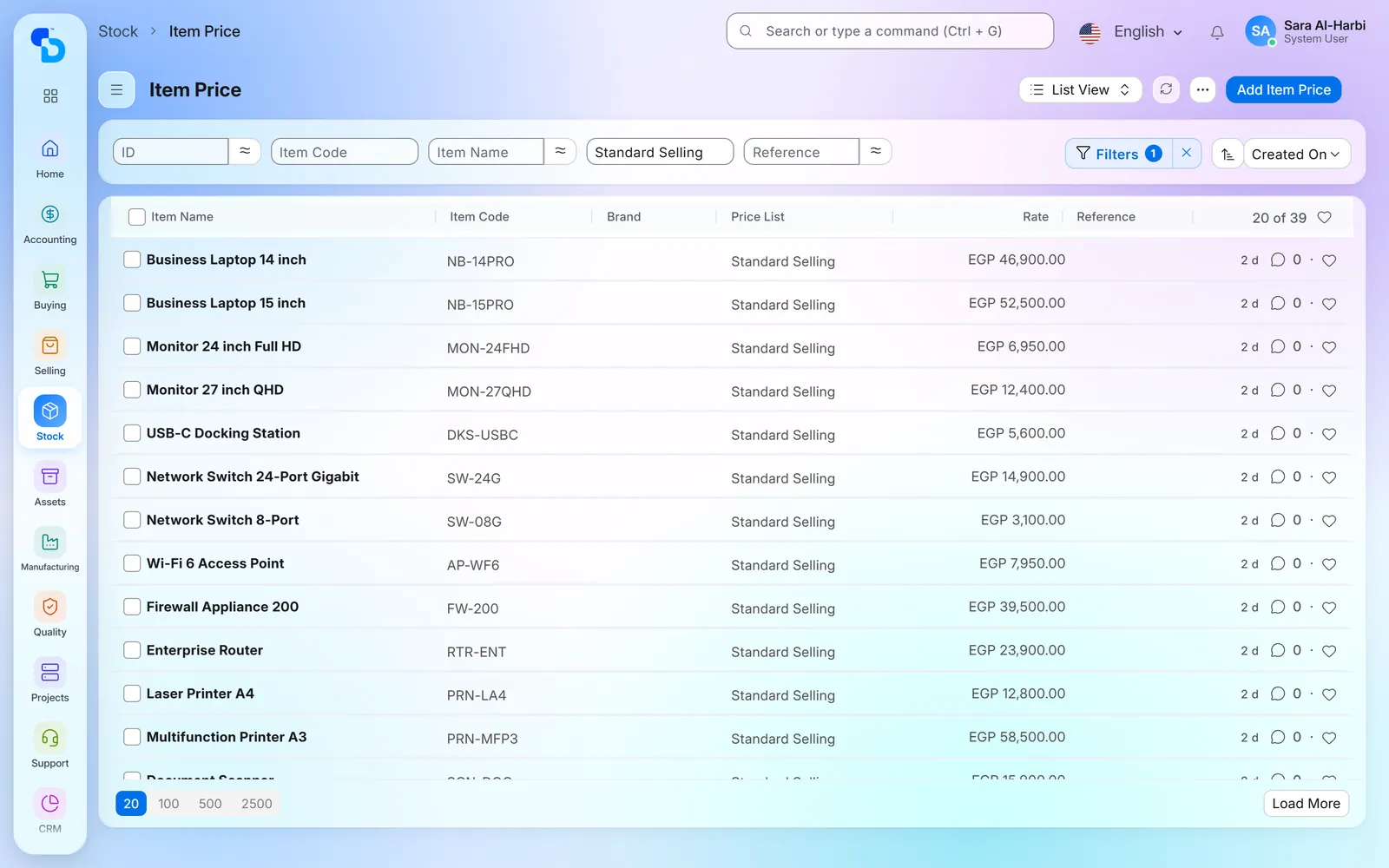
You keep a price list for each way you sell: wholesale, retail, export or another currency. A customer or a customer group has a default list, so the order picks the right prices by itself. Pricing rules then give a discount or a fixed rate by quantity range, item group, customer, territory or date range. For key accounts, an item price can also belong to one customer, with a start and an end date. A maximum discount per item, together with an optional block on selling below the purchase rate, protects your margin.
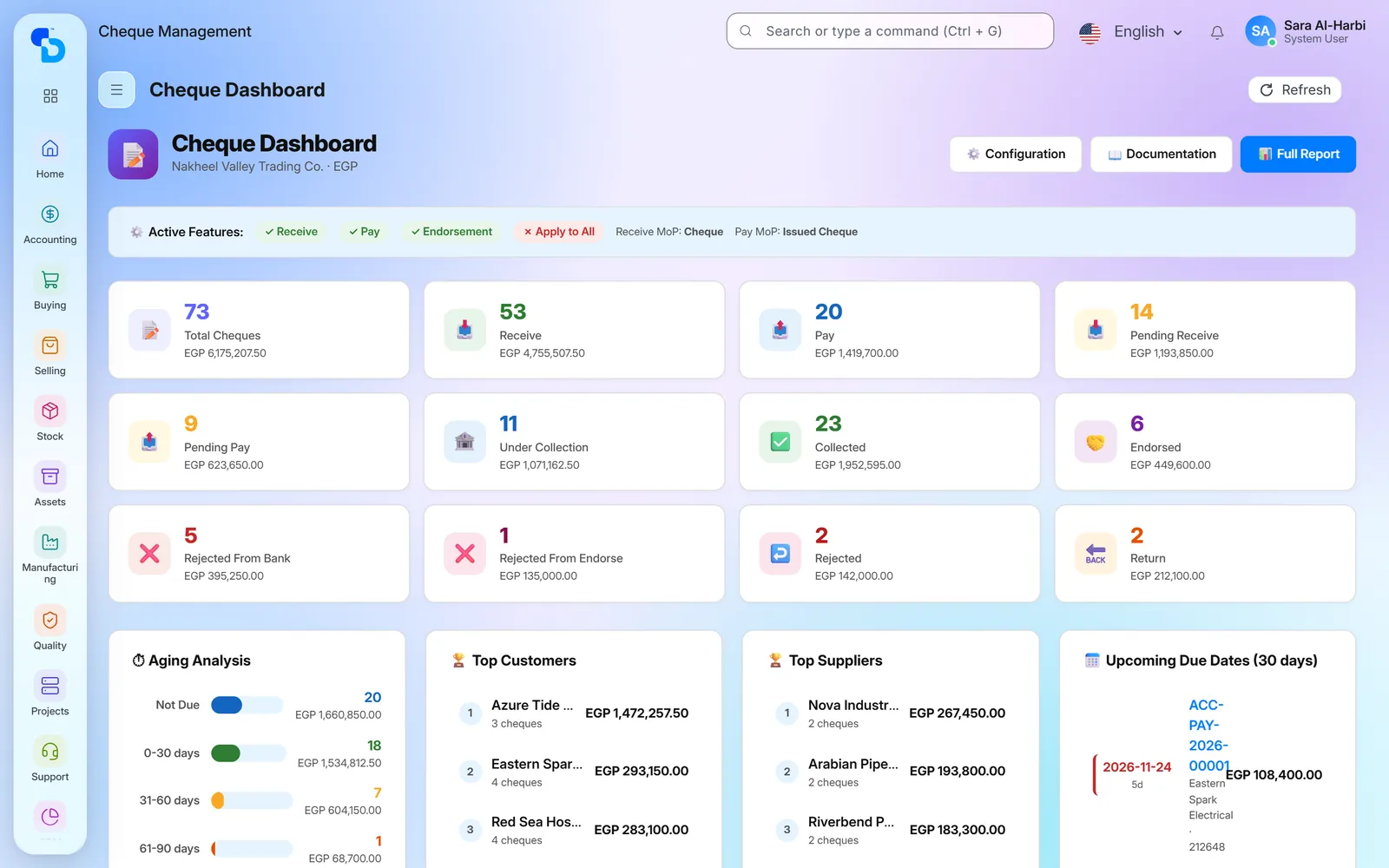
The Accounts Receivable report ages every open invoice in the ranges you set. You can group it by customer, then filter it by sales person or territory. Payments may be partial, and each one reduces the outstanding amount of its invoice. You can also set a schedule for emailing customer statements, once an outgoing email account is connected. For post-dated cheques, our Cheque Management app follows each cheque through deposit, collection, endorsement, bounce and return. Because every step posts its own journal entry, the ledger shows where each cheque is.
Each sales and purchase invoice posts its entries to the general ledger when it is submitted, and stock value follows the goods. So finance closes the month from the documents that sales and the warehouse created. In Egypt, our ETA integration sends invoices, credit notes and POS receipts to the tax authority. It then keeps the returned status and the rejection reason on each document. In Saudi Arabia, our ZATCA Phase 2 integration clears or reports invoices and puts the QR code on the print.
Screens show demo data.
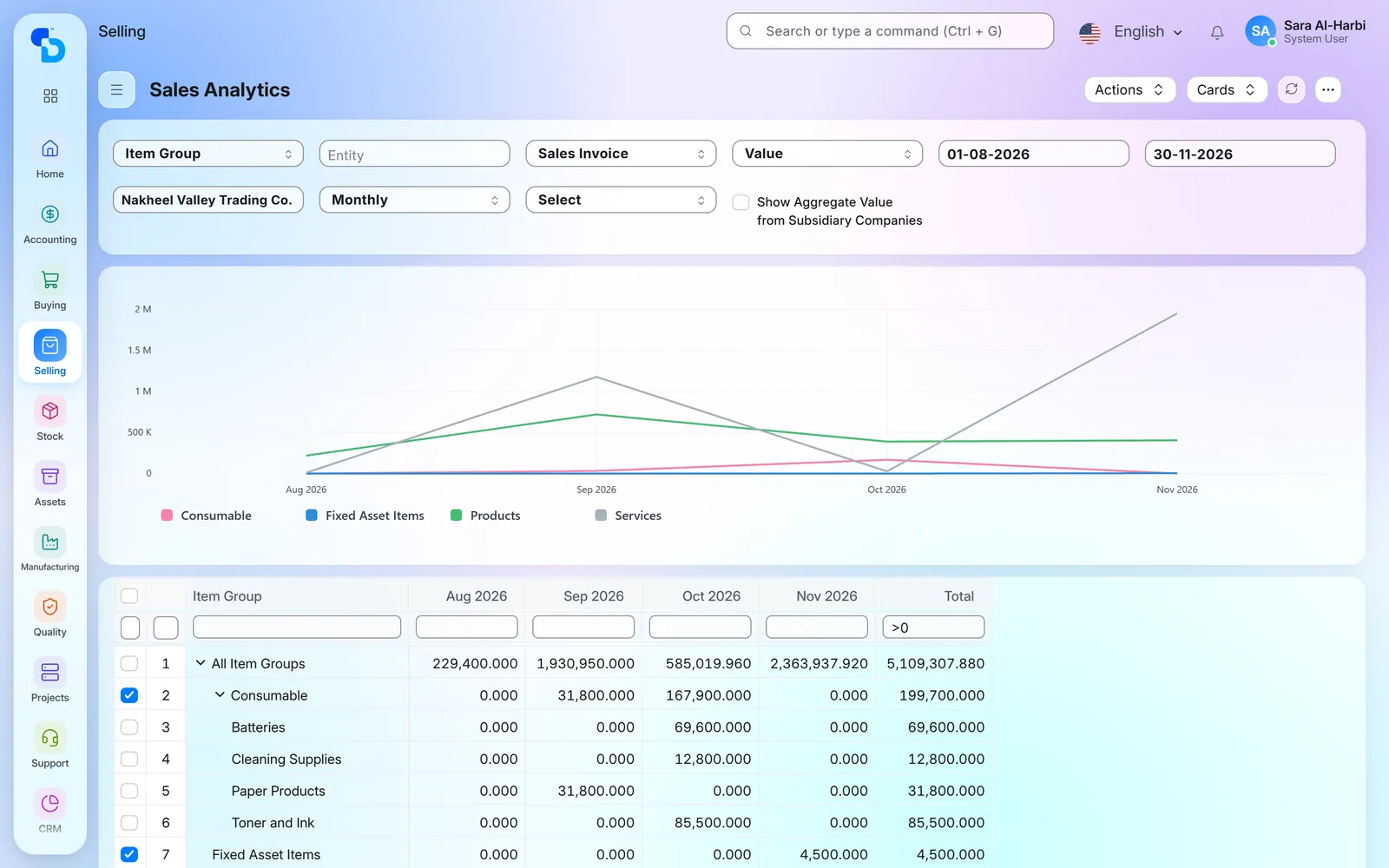
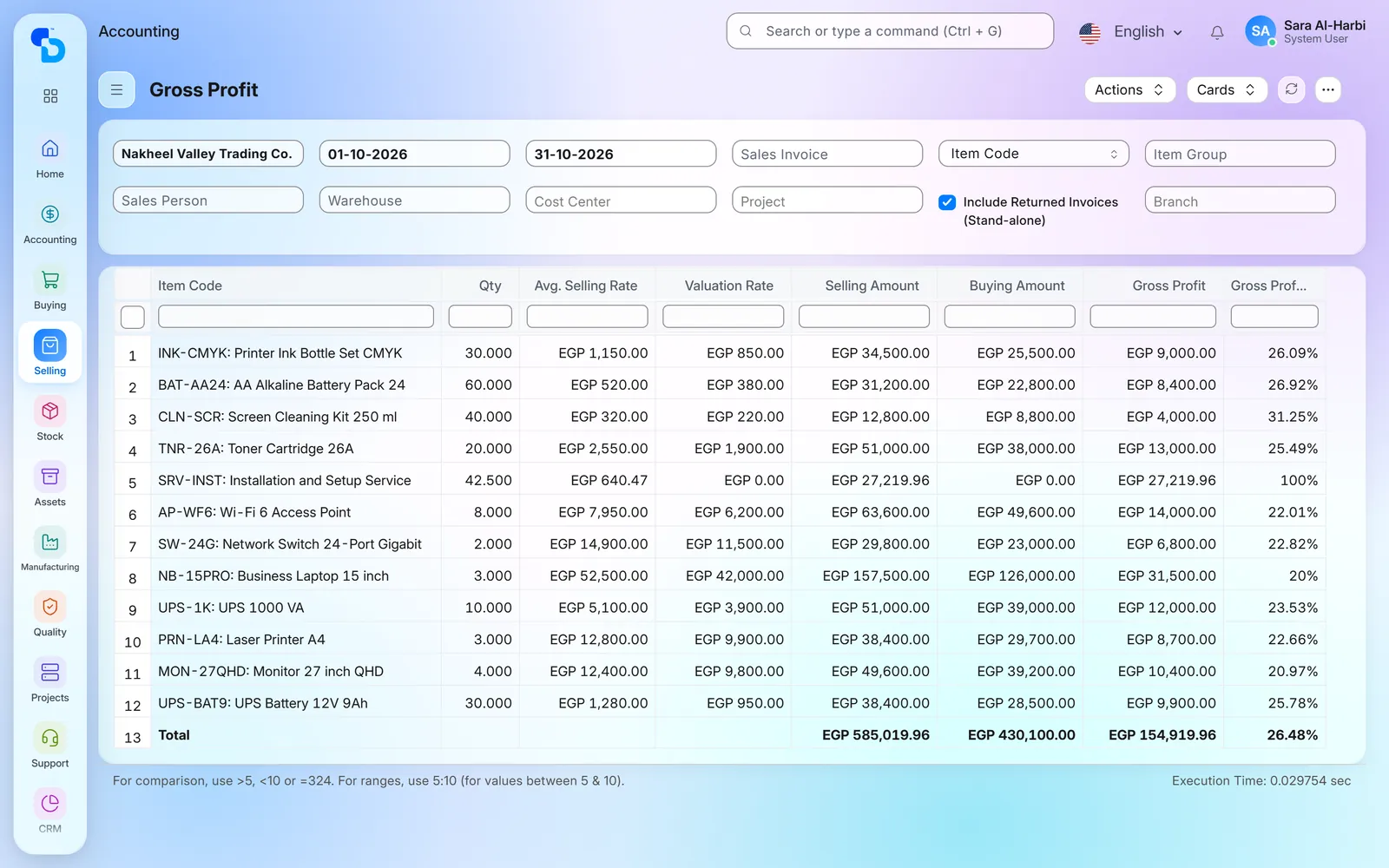
In ERPNext for trading, management reads the business from the same documents. Sales Analytics shows sales by customer, item group or territory, month by month. Gross Profit compares the selling amount with the buying amount per item, customer or sales person. Stock Ageing shows how long stock has been sitting, while Purchase Analytics shows what you buy from each supplier. All four read posted documents, so nobody rebuilds the figures in a spreadsheet.
Screens show demo data.
Quotations, orders, deliveries and invoices with price lists.
Supplier quotations, purchase orders, receipts and landed costs.
Warehouses, batches, transfers and reorder levels.
Receivables, payables, tax and stock value in one ledger.
Cashier shifts, split payments and offers at the counter.
Received and issued cheques from receipt to clearance, with ageing and a dashboard.
Bank loans, overdrafts, cheque discounting and deposits, with limits and due dates.
Expense requests checked against policy and budget, and petty cash custody.
Invoices, credit notes and POS receipts sent to the Egyptian Tax Authority.
Invoices cleared or reported to ZATCA, with the QR code on the print.
Store orders become sales orders, while stock and prices go back to the store.
Orders become sales orders, delivery notes and invoices by your rules.
Sales from external POS systems posted as sales invoices.
Electronics distribution · Egypt
Supplier purchasing, stock and customer sales tied to the accounts.
Furniture retail showroom · Kuwait
Showroom sales, stock and the back office on one system.
Wood trading and pallets · Egypt
Timber purchasing, pallet stock and customer deliveries in one flow.
Yes. Each branch is a group in the warehouse tree, with its own stores and showrooms. So you see stock per warehouse, per branch or for the whole company. A transfer between branches is a document with a source and a target warehouse.
Yes. Batch-tracked items carry an expiry date on each batch, and a report lists what expires in the period you choose, for every item. The system also refuses to deliver from a batch that has already expired.
Yes. Landed cost vouchers add freight, customs and clearing to item cost, by quantity or by amount. Supplier invoices can also be in a foreign currency.
Yes, in three ways. First, a customer group can have its own price list. Second, pricing rules give discounts by quantity range, item group or customer. Finally, an item price can belong to one customer, with a start and an end date.
Yes. Our Zid connector brings orders in as sales orders, then sends stock and prices back. Our Shopify connector turns orders into sales orders, delivery notes and invoices by rules you set. We have also built a PrestaShop link for a trading client.
Yes, through our integrations. In Egypt, invoices and POS receipts go to ETA, and each document keeps its status. In Saudi Arabia, invoices are either cleared or reported to ZATCA under Phase 2.
Yes. Each sales person on an invoice has a contribution share and a commission rate, so standard reports summarise the commission per sales person. For trading clients, we have also built commission reports to their own rules.
It is mostly standard. Purchasing, stock, sales, pricing and accounts are standard ERPNext, set up for your company. But cheques, treasury, expense control and the store connectors are Data Value’s own apps. We also build custom reports where your team needs them.
Bills of materials, production orders and stock for factories.
Surgical loan sets followed from reservation to return.
Units, leases, rent and service charges for malls and commercial towers.
Every industry we have delivered in.
Book a demo, and we will walk through an order from purchase to collection with your items.
Free demo · No commitment

Each one opens a page that shows what we set up for that trade, and where.
All industries →Specific systems we built and extended on ERPNext and Frappe, shown with real screens.
Not sure which fits? We map your process to the right mix in a free demo.
All solutions →