


 ERPNext
Bring your POS sales into ERPNext
Branch and restaurant POS sales reach ERPNext as Sales Invoices with VAT, discounts and payments mapped, so accounts and reports match the tills. It works with Sonic POS, Oracle Simphony and Phills.
- Sonic POS orders to Sales Invoices
- Simphony and Phills days posted
- Daily reconciliation per branch
- Agent and sync health watched

Daily reconciliation: POS totals against what was posted, per branch and day
Problem → outcome
What changes when the tills feed ERPNext
-
Without the connectorDaily sales are keyed in from Z reportsWith the Data Value connectorSales arrive from the POS and are posted as Sales Invoices with VAT, discount, service charge and payments.
-
Without the connectorAccounts and the POS never agreeWith the Data Value connectorA daily reconciliation compares POS totals with what was posted, per branch and day.
-
Without the connectorNobody knows a branch stopped sendingWith the Data Value connectorEach branch agent reports in, and the sync health report shows offline agents, waiting checks and errors.
-
Without the connectorEgyptian e-receipts need data the POS does not sendWith the Data Value connectorSonic orders carry the item codes and data needed for the ETA e-receipt.
What syncs
What moves, and in which direction
POS
Sonic POS · Oracle Simphony · Phills
- Sonic orders and their itemsPOS → ERPNextSonic Order, then Sales Invoicesynced every 15 minutes; invoiced when the order is submitted
- Simphony or Phills checksPOS → ERPNextPOS Staging Recordpushed by the branch agent
- Closed business dayPOS → ERPNextOne Sales Invoice per day or per checkafter the day closes
- TendersPOS → ERPNextPayments by mode of paymentwith the invoice
- Agent heartbeatPOS → ERPNextDevice status and alertsevery few minutes
ERPNext
Sales invoices, payments, VAT and reports
Features
What you get, screen by screen
Real screens from our demo site, with a fictional demo company.

Sonic
Sonic orders in ERPNext
Each Sonic order is saved with its items and totals, and a Sales Invoice is created when the order is submitted.
- Dine-in, takeaway and delivery
- Totals checked against the order
- ETA e-receipt data on each item

Reports
Orders and invoices side by side
A report lists every Sonic order next to the Sales Invoice created from it.
- Filter by branch and date
- Orders not yet invoiced visible
Branches
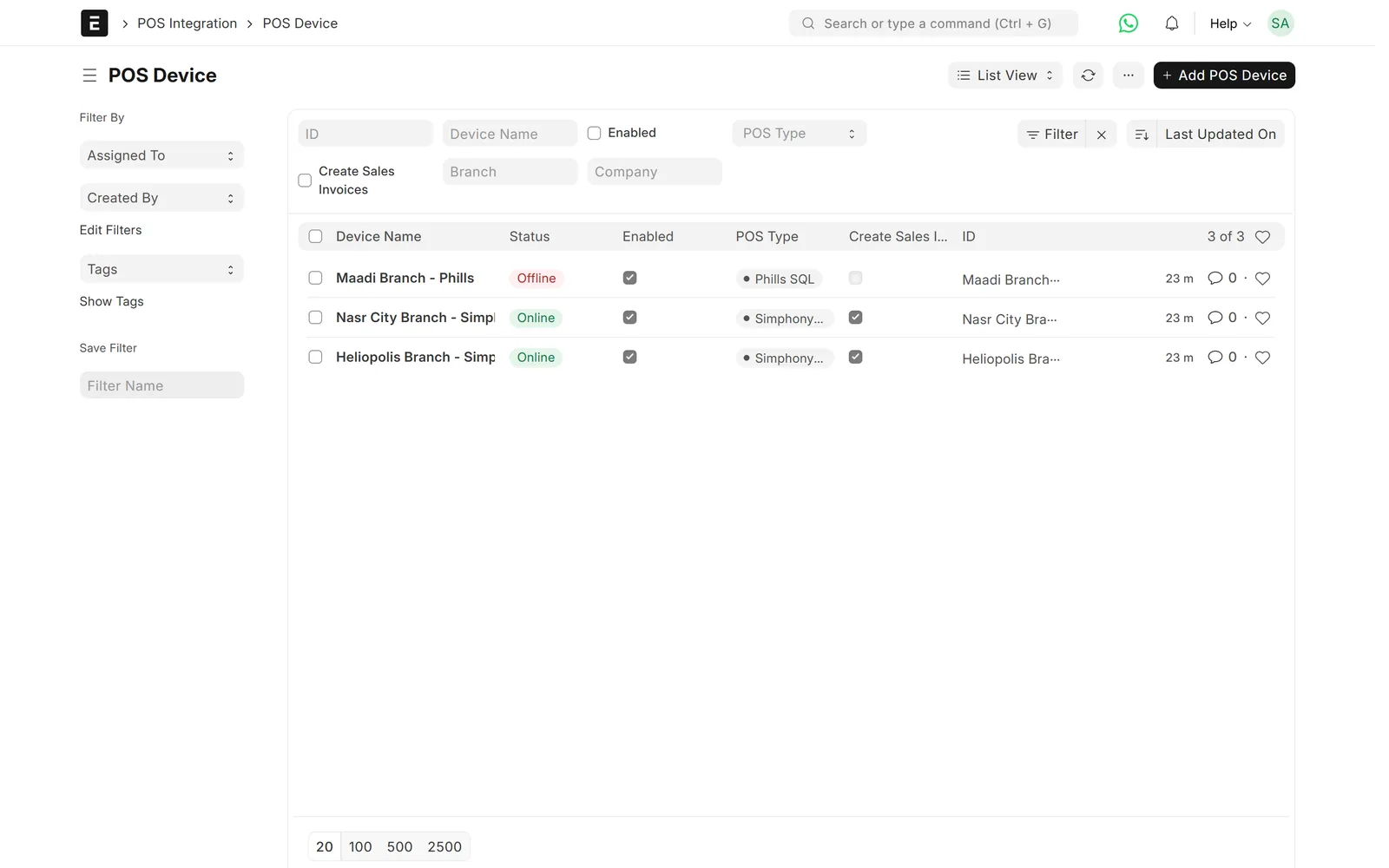
Every branch device in one list
Each branch POS has a device record with its agent status and posting mode.
- Online and offline
- Daily summary or per check
- Account mapping per company

Staging
Every check kept before posting
Checks from the branch are staged, mapped and only then posted, so nothing is posted twice.
- Pending, mapped, posted and error
- Raw POS data kept
- Changes after posting flagged
Posting
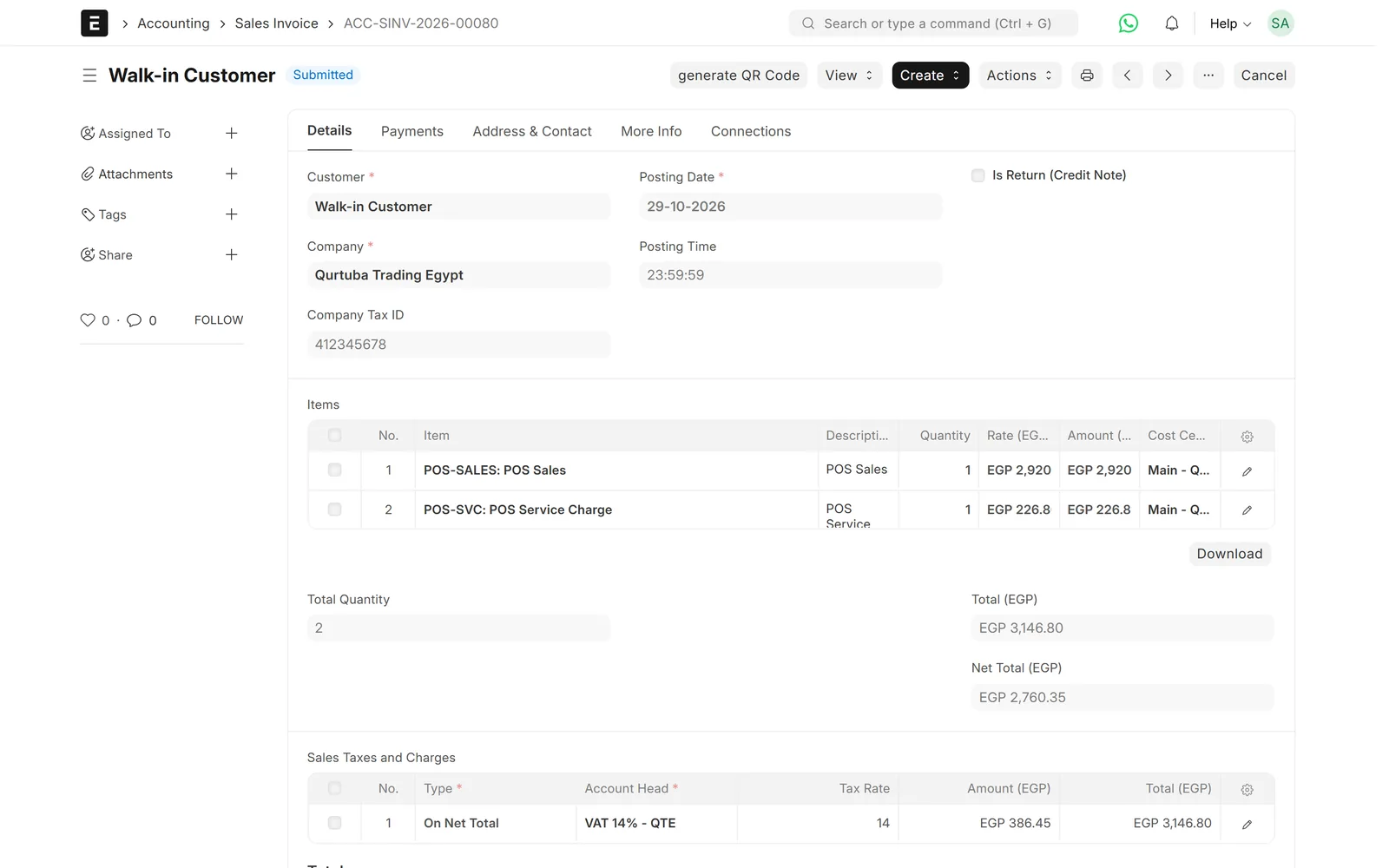
One invoice per closed day
A closed business day is posted as one Sales Invoice with VAT, discounts, service charge and payments.
- Posted only after the day closes
- Rounding within a tolerance
- Late checks posted on the next run
Health
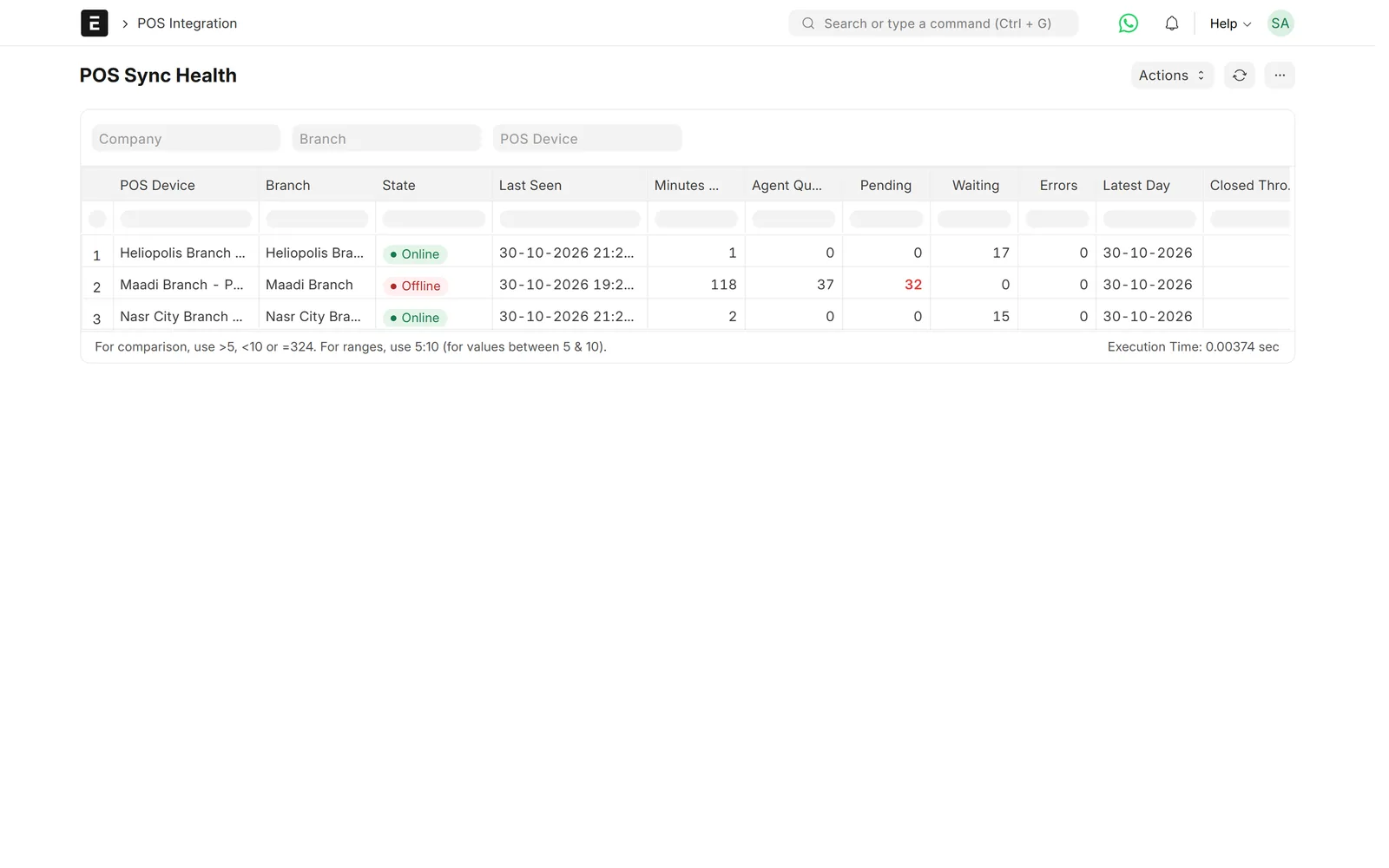
You can see that it is working
The sync health report shows each device’s last contact, waiting checks and errors.
- Offline alerts by email
- Agent version per branch
Limits & versions
What it does not do (yet)
Versions and setup
- ERPNext and Frappe v15.
- Sonic POS: a Sonic account and API access for your branches.
- Simphony and Phills: a small agent on one PC per branch, on the same network as the POS database.
- Items, taxes and payment methods are mapped during setup.
Not covered
- Refunds and voids are not posted automatically by the Simphony and Phills connector.
- Changing menus or prices in the POS from ERPNext.
- Foodics and Marn: separate connectors.
Setup
How we set it up
- ScopeWe go through your current process, the documents you need and the settings on the other side.
- ConnectWe connect Sonic through its API, or install the agent on a branch PC for Simphony and Phills.
- MapWe map items, VAT, discounts, service charge and tenders to your ERPNext accounts and payment methods.
- Test on your dataWe run real cases on a test copy of your site before go-live.
- Go live and supportWe switch it on and support it under a support agreement.
Related
Works together with
Integrations
Related connectors
ERPNext modules
Runs on these modules
Services
We take care of
FAQ
Frequently asked questions
Which POS systems are supported?
Sonic POS, Oracle Simphony and Phills are covered on this page. Foodics and Marn are available as separate connectors.
Is every order an invoice?
For Sonic, a Sales Invoice is created when an order is submitted, by hand or by the scheduled job. For Simphony and Phills, a closed business day is posted as one invoice, or one per check if you prefer.
Does it work with the Egyptian e-receipt?
Sonic orders carry the item codes and data the ETA e-receipt needs, and the ETA integration sends the receipts.
What if a branch PC is offline?
The agent keeps the checks and sends them when it is back. The sync health report shows the branch as offline meanwhile.
How much does it cost?
Prices are on request. They depend on the POS system and the number of branches.
POS connectors ⇄ ERPNext
See your POS sales posted in ERPNext
Book a demo and we will show you orders, closed days and the daily reconciliation on our demo site.
Free demo · No commitment · Prices on request