Maintenance & facilities · After-sales service on ERPNext
Repair tickets from intake to delivery, in one workflow
Data Value's Maintenance & Repair Center app runs every repair job as a ticket that moves through a role-based workflow: walk-in or call-center intake, triage, repair, billing and delivery.
It is built on ERPNext, so quotations, spare-part requests, invoices and stock are real ERPNext documents linked to the ticket, not a separate system to reconcile.
- Serial number and warranty on each ticket
- Role-based workflow, 33 states
- Warranty and customer invoices split
- Check-in receipts with signature

Who it is for
Built for the people who run it every day
- After-sales service centers
- Authorised repair workshops
- Appliance and electronics retailers
- Distributors of serialised products
- Field service teams
- Call-center-led support teams
- Companies on ERPNext
Industry
Part of ERPNext for Trading & Distribution
After-sales repairs linked to the sales, serial numbers and stock of retailers and distributors.
What you get
What you get with Maintenance & Repair Center
9 capabilities in 3 groups, each shown next to its screen in the real system.
Intake & workflow
One ticket per repair, in or out of warranty
Every repair is one ticket, with its device and warranty on record.
- Source (walk-in or call center) and branch
- Customer, item and serial number
- Purchase date, warranty status and expiry date
- Remote, workshop and on-site types, each with an out-of-warranty variant

Intake & workflow
Fast intake from the serial number
Find the customer and the original sale from the serial number.
- Search customers by name, mobile or phone number
- Only delivered serial numbers can be picked
- The sales invoice that delivered the serial is found
- The original purchase is linked to the ticket
Intake & workflow
Role-based repair workflow
A ready-made workflow routes each ticket between the people who handle it.
- 33 states and 52 transitions
- Receptionist, Supervisor and Technical roles
- Remote support, pulling, examination, quote, repair, billing, delivery
- Each role sees only the actions it is allowed to take

Charges & billing
Repair charges with a warranty split
Bill the warranty and the customer separately from one ticket.
- Parts, labour and services on the ticket
- Rate filled from the item's latest selling price
- Flag any line as out of warranty
- A warranty invoice and an invoice for what the customer pays

Charges & billing
Quotations, spare parts and invoices from the ticket
Create the ERPNext documents straight from the ticket.
- A Quotation filled with the ticket's lines
- A Material Request for spare parts
- A Sales Invoice linked back to the ticket
- Standard ERPNext documents, not a separate system

Charges & billing
Status that follows the paperwork
The ticket status follows the documents linked to it.
- A submitted spare-parts request moves it to Pending Spare Part
- A submitted invoice moves it to pending delivery, device pickup or solved
- Applied the next time the ticket is opened
- Each change logged in the ticket's history
Devices, visits & shipping
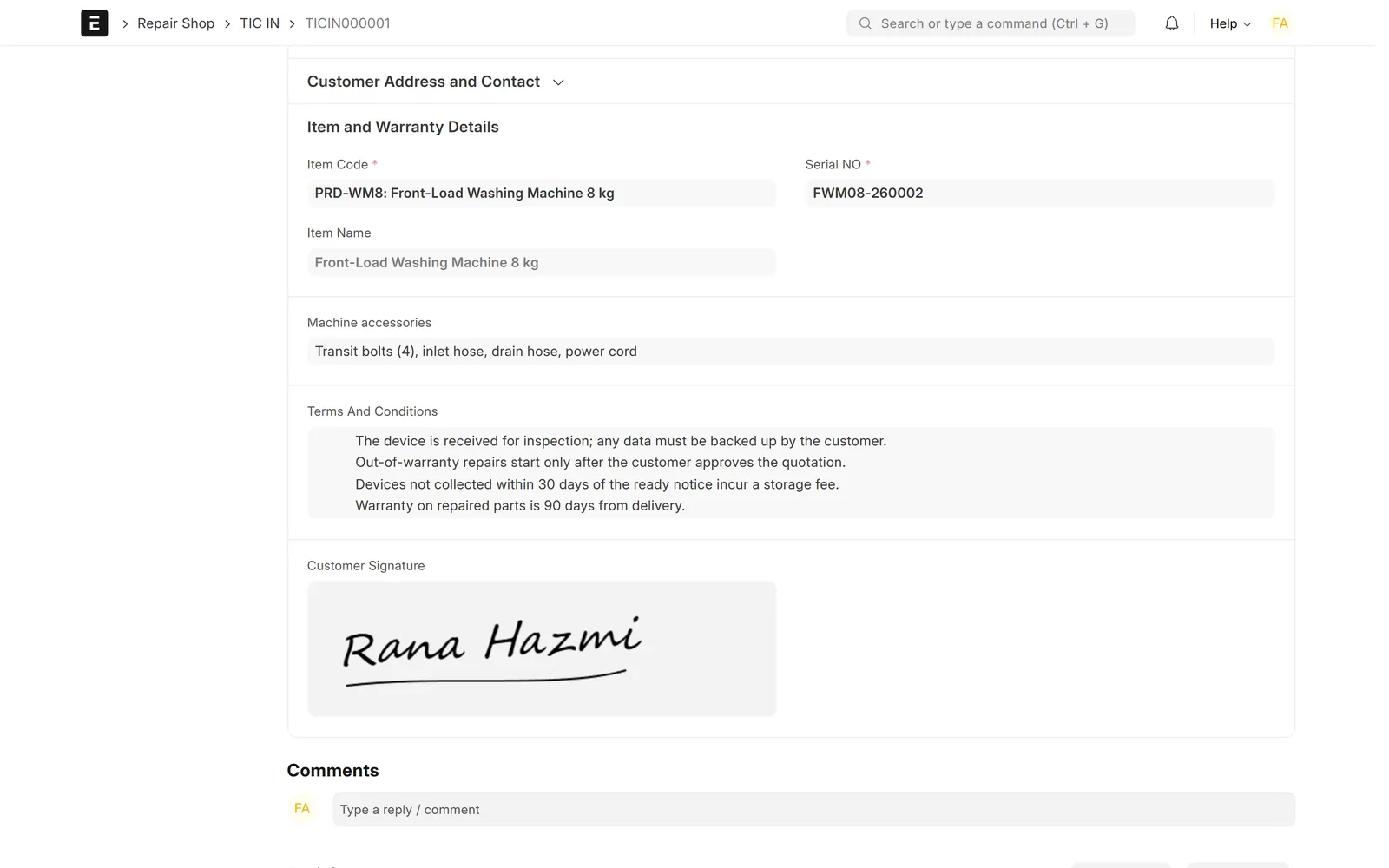
Device check-in and check-out receipts
Record what you received and what you handed back.
- TIC IN and TIC OUT documents
- The device and its serial number
- Accessories handed over and your terms and conditions
- The customer's signature

Devices, visits & shipping
On-site technician visits
Schedule field repairs as technician visits.
- Technician, date and time
- Job notes on the visit
- Submitting adds the job to the technician's to-do list
- The visit stays linked to the ticket

Devices, visits & shipping
Pickup and delivery shipments
Move devices to and from the customer with a tracked shipment.
- Pickup from the customer, or delivery after repair
- Addresses, carrier and shipment ID
- Shipping cost and tracking status
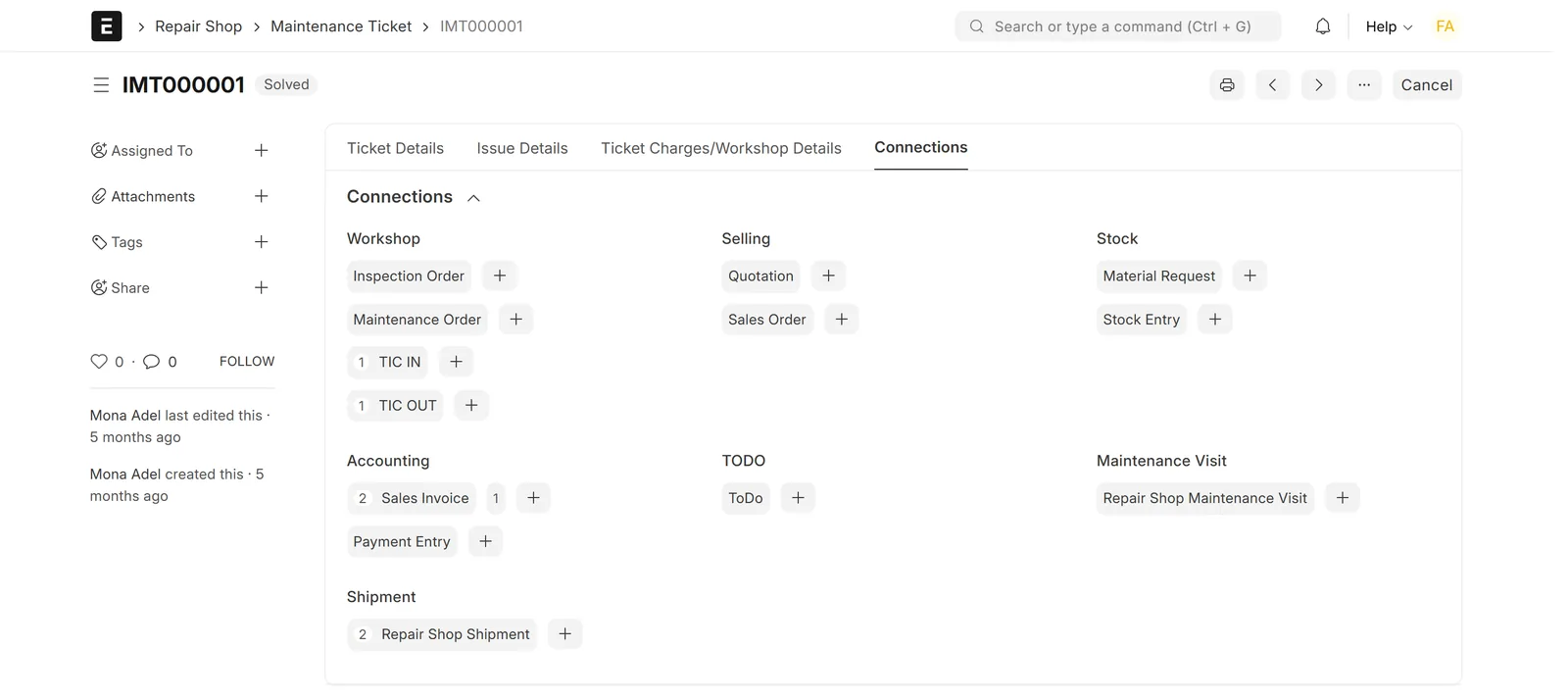
- Every linked document in the ticket's connections panel

Screens show demo data.
Challenges vs. solutions
Common challenges, and how Maintenance & Repair Center answers each one
| Challenge | How Data Value solves it | Traditional approach |
|---|---|---|
| Checking whether a repair is under warranty | Each ticket records serial number, purchase date, warranty status and expiry, and the supervisor approves or rejects cover | Asking the customer for paper receipts |
| Finding the original sale | The app looks up the sales invoice that delivered the serial number and links it to the ticket | Searching old invoices by hand |
| Tickets stuck between staff | A role-based workflow with 33 states, where each role sees only the actions it may take | Notes, phone calls and whiteboards |
| Disputes over device condition and accessories | Check-in and check-out receipts with accessories, terms and the customer's signature | Handwritten receipts |
| Warranty and paid work on one bill | An out-of-warranty flag on each charge line, then separate warranty and customer invoices | Splitting the bill by hand |
| Parts and invoices outside the repair record | Quotations, material requests and invoices created from the ticket, linked to it, and moving its status when submitted | Separate systems reconciled by hand |
| Field visits and device transport | Visits added to the technician's to-do list, and shipments with carrier, shipment ID and tracking status | Phone calls and courier slips |
Why Data Value
Why teams choose it
Built on ERPNext
Quotations, material requests, sales invoices and stock are real ERPNext documents linked to the ticket.
A workflow you can adjust
It is a standard Frappe workflow, so states, actions, roles and conditions can be adjusted during implementation.
Warranty billing built in
Out-of-warranty lines are flagged on the ticket and billed apart from the warranty invoice.
Every document on the ticket
Check-in, check-out, quotations, invoices, visits and shipments appear in one connections panel.
Workshop and field together
Workshop tickets use check-in and shipments; field tickets use technician visits.
Runs in Arabic
Right-to-left through the Frappe Framework, with the repair terms set up in Arabic during implementation.
How it works
From setup to daily use
- Open the ticketthe receptionist or call-center agent finds the customer and serial number, and records the issue and warranty status.
- Route itthe supervisor chooses remote support, a workshop repair or an on-site visit, and approves or rejects warranty cover.
- Repair and quotethe device is checked in or a visit is scheduled, and the technician lists parts and labour, requesting spare parts or sending a quotation when needed.
- Bill and deliverthe ticket creates the warranty and out-of-warranty invoices, the device is checked out or shipped back, and the ticket is closed with a recorded reason.
Related
Works together with
FAQ
Frequently asked questions
Do I need ERPNext?
Yes. The app is built on ERPNext and uses its customers, items, serial numbers, quotations, material requests and sales invoices. It was tested on Frappe and ERPNext version 15.
Can the workflow be changed to match our process?
Yes. It is a standard Frappe workflow, so states, actions, roles and conditions can be adjusted during implementation. Data Value configures it with you.
How are warranty repairs billed?
Each charge line on the ticket can be flagged as out of warranty. The ticket then creates a warranty invoice for the covered lines and a normal invoice for the lines the customer pays.
Does it calculate warranty expiry automatically?
No. Warranty status, purchase date and warranty expiry date are recorded on the ticket, and the supervisor approves or rejects warranty cover in the workflow.
Does it handle on-site repairs as well as workshop repairs?
Yes. Field tickets are scheduled as technician visits assigned to the technician, while workshop tickets use check-in, check-out and pickup or delivery shipments.
Is it available in Arabic?
The system runs in Arabic with a right-to-left layout through the Frappe Framework. The repair-specific terms (tabs, statuses, actions and menus) are set up in Arabic as part of the implementation.
See it with your own data
Book a demo and our team will walk you through the system and how it fits your business.
Free demo · No commitment