ERPNext Projects module
Plan the work, log the hours, see the margin
Data Value sets up ERPNext projects for teams that deliver work for clients: tasks and dependencies, timesheets with cost and billing rates, and project costing that ties to invoices.
- Tasks on Gantt and Kanban
- Timesheets with cost and billing rates
- Project costing and gross margin
Module introduction
Projects and tasks
Each project holds its tasks, with expected dates, dependencies and progress. Teams see the plan as a list, a Gantt chart or a Kanban board.
Module introduction
Hours that turn into cost and revenue
Staff log hours against projects and tasks. Activity rates turn the hours into cost and billable amounts, and invoices made from timesheets close the loop.
Module features
What ERPNext projects cover
9 capabilities in 3 groups.
Plan
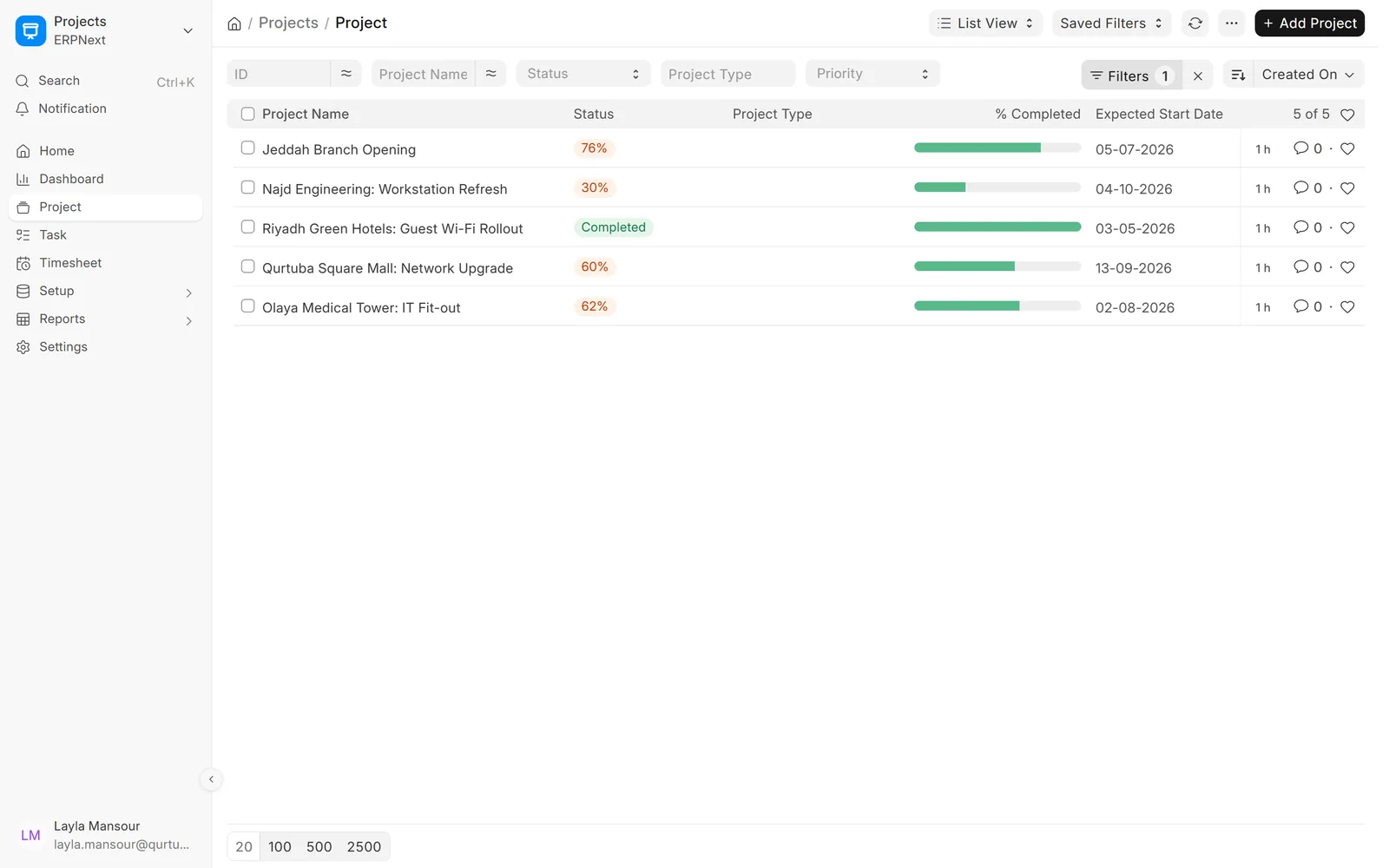
All projects and their progress
See status, completion and start dates for every project in one list.
- Completion from task progress
- Priority, type and department
- Several companies in one system
Plan
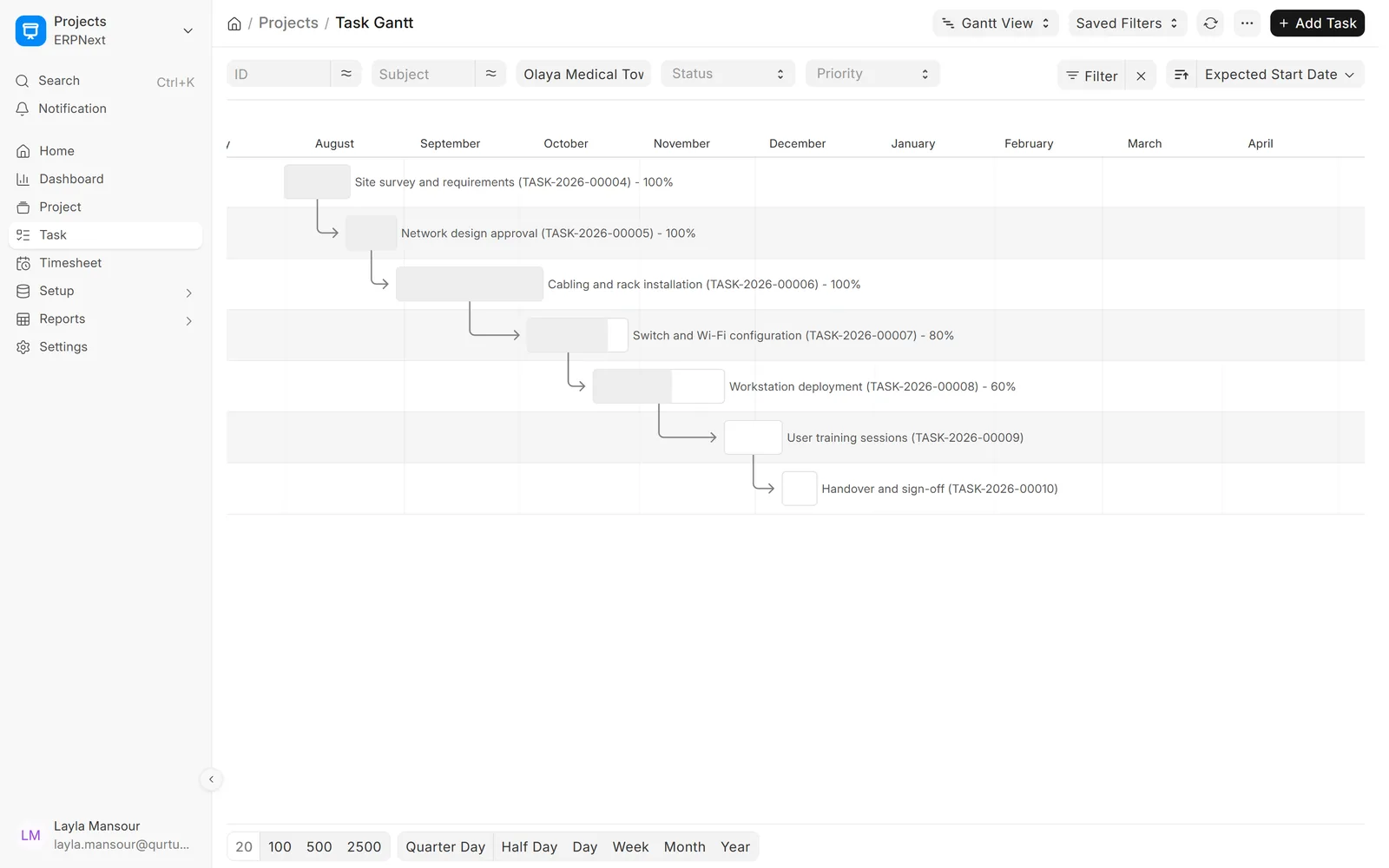
The plan as a timeline
Tasks with their dates and dependencies on a Gantt chart, by day, week or month.
- Dependencies shown as arrows
- Progress on each bar
- Drag to change dates
Plan
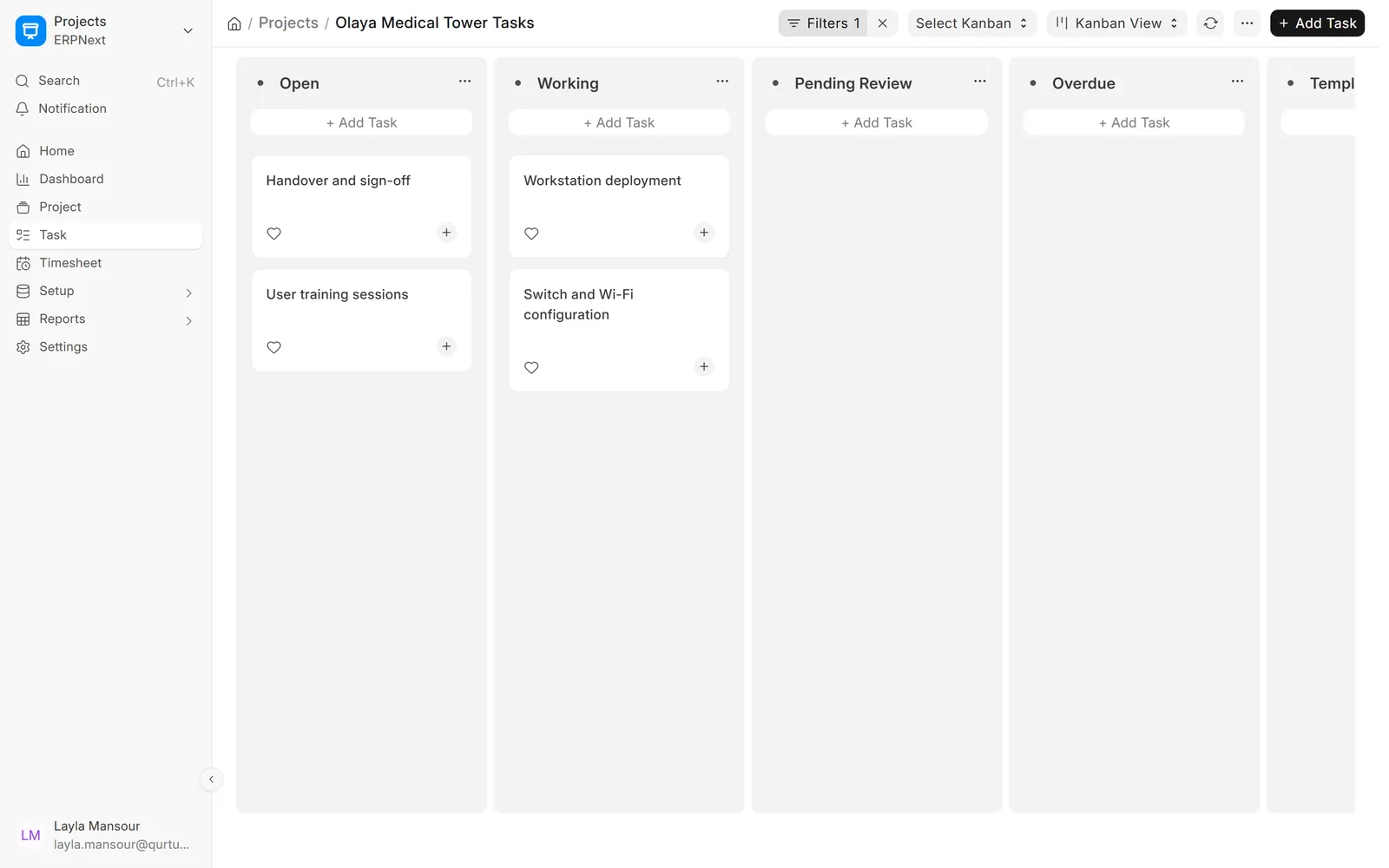
Tasks on a board
Move tasks between Open, Working and Completed on a Kanban board for each project.
- One board per project or team
- Status updated by drag and drop
- Assignments and comments on cards
Track
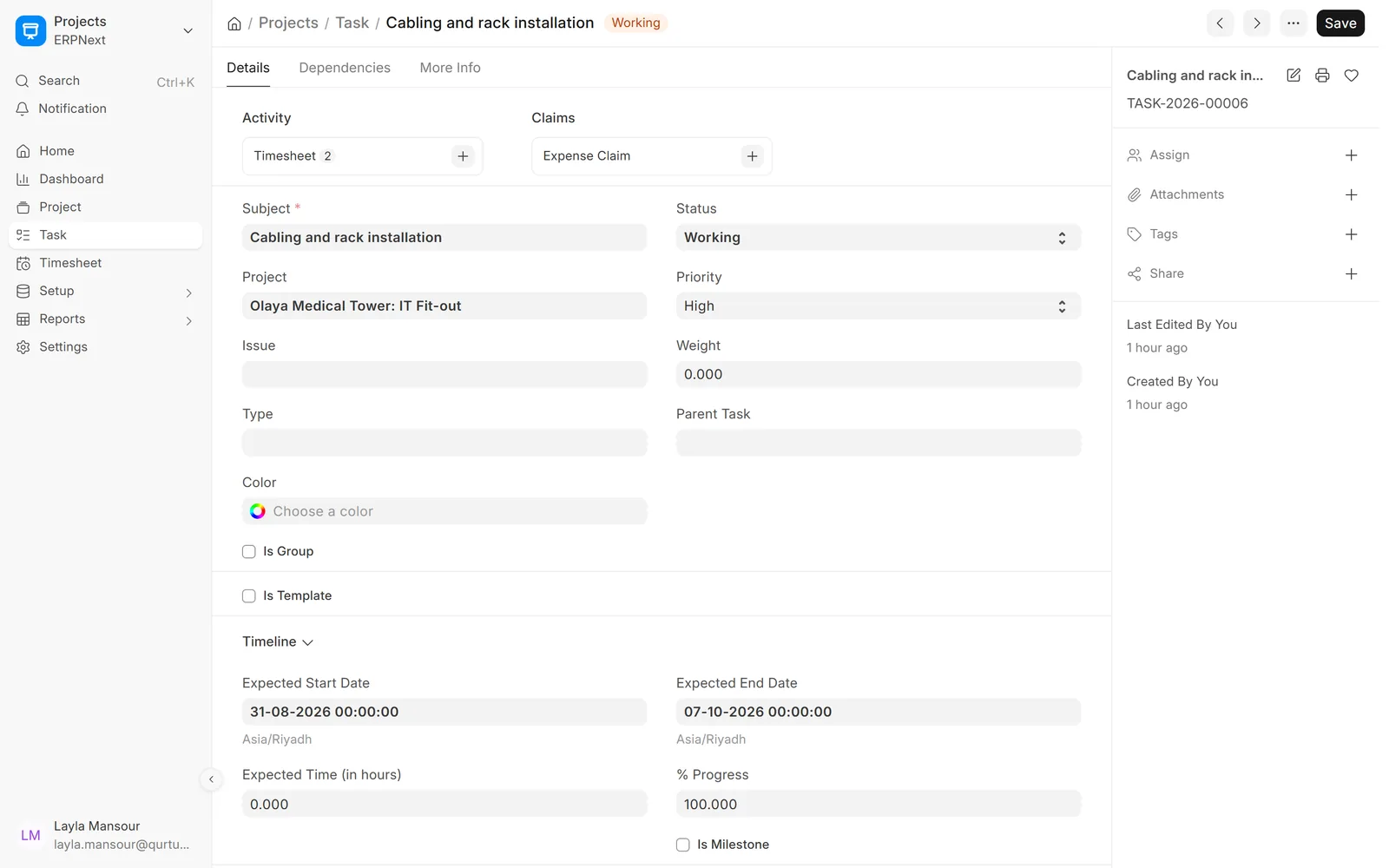
Tasks with dates, weight and progress
Each task carries its expected dates, progress, priority and the timesheets logged against it.
- Parent and child tasks
- Dependencies between tasks
- Expense claims against a task
Track
Hours logged against the work
Staff log hours by activity, project and task, marked billable or not.
- Activity type per row
- Billable hours and rates
- Sales invoice made from timesheets

Track
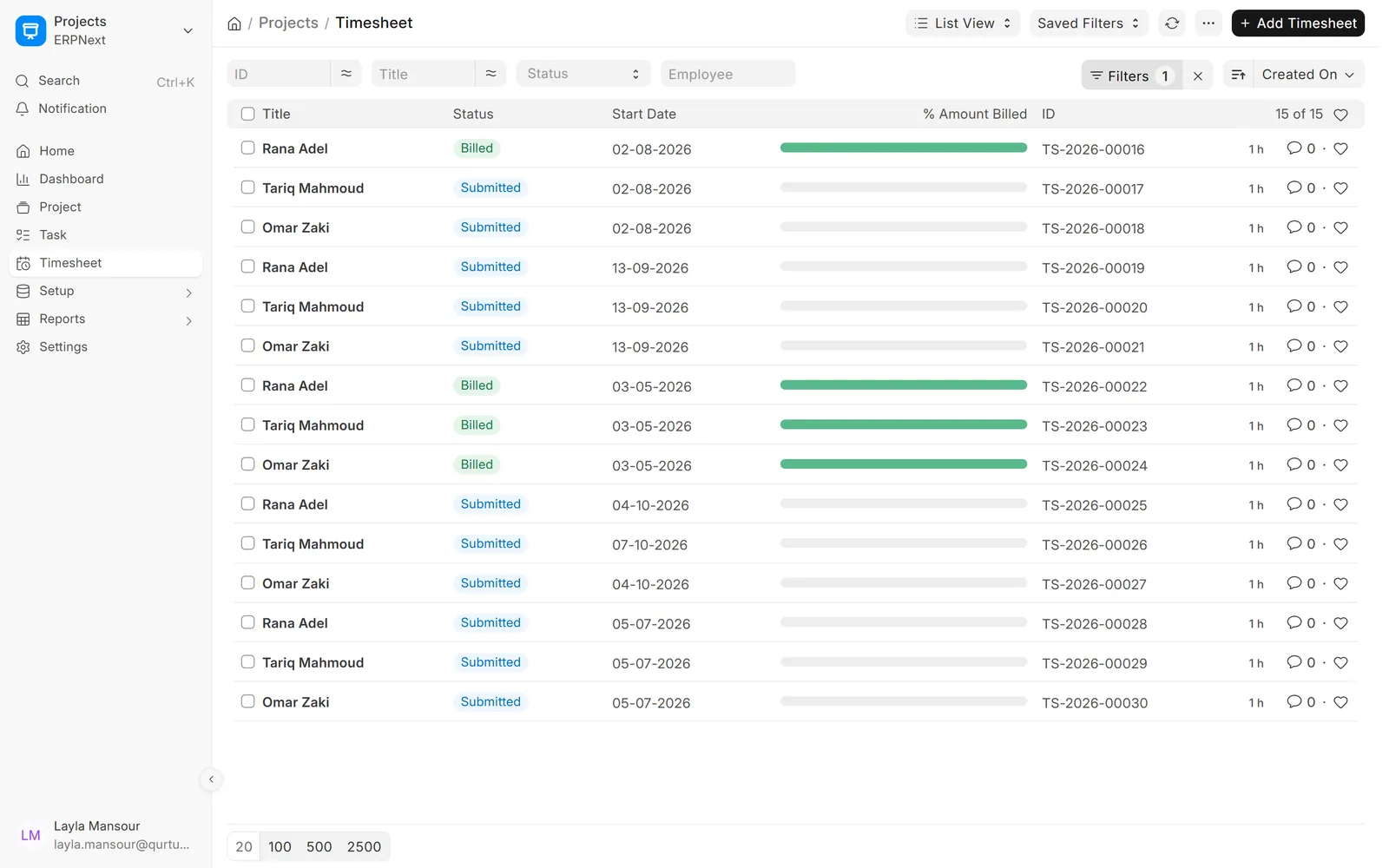
Every timesheet and its billing status
See which timesheets are submitted and which are already billed.
- Filter by employee, project or status
- Percentage of amount billed
- Approval before billing
Cost and bill
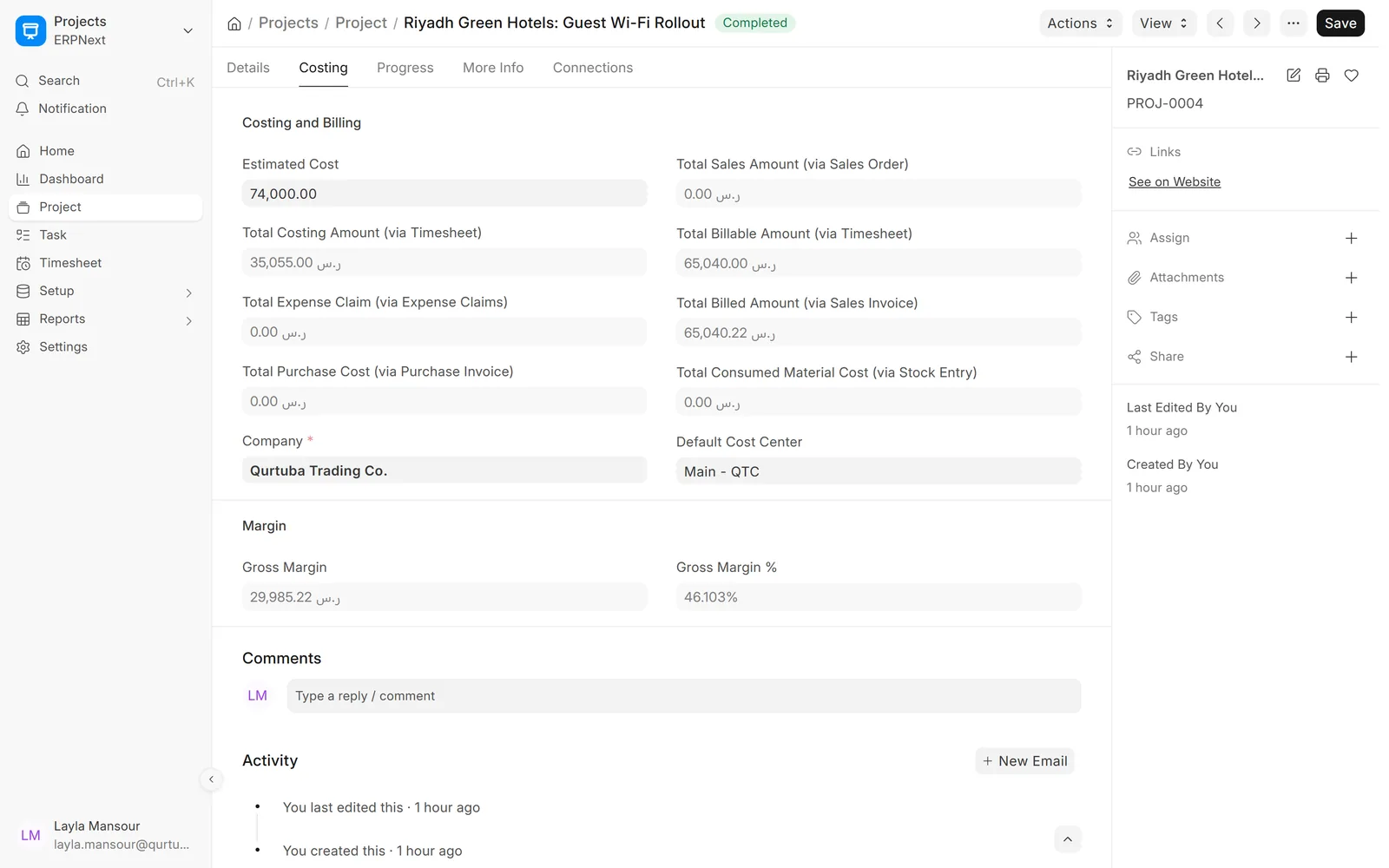
Cost, billing and margin per project
Timesheet cost, billed amounts, purchases and expense claims add up to a gross margin for each project.
- Estimated cost against actual
- Billable and billed amounts
- Gross margin and percentage
Cost and bill
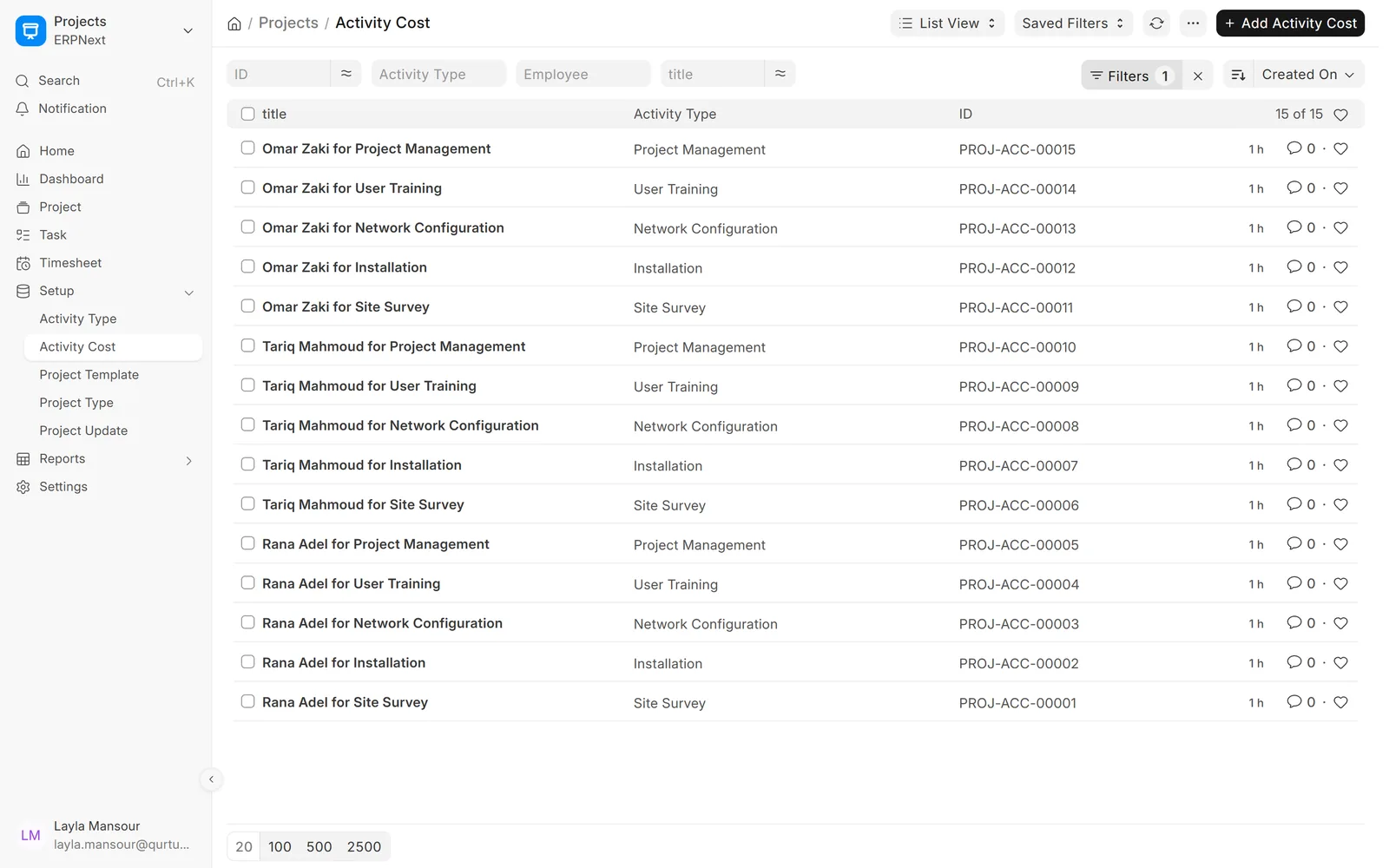
Rates per employee and activity
Set costing and billing rates for each employee and activity, used when hours are logged.
- Costing rate and billing rate
- Default rates per activity type
- Applied to new timesheets
Cost and bill
All projects at a glance
Average completion, total and completed tasks and overdue work across projects.
- Chart of tasks per project
- Filter by status, type and priority
- Export to Excel

Screens show demo data.
Why choose
Why choose ERPNext for projects & timesheets?
Plan and actual together
Tasks, hours and costs in one project.
Hours become invoices
Bill clients from approved timesheets.
Margin per project
Cost and billing compared as work goes on.
Gantt and Kanban
Each team picks the view that suits it.
Arabic and English
Project names and screens in both languages.
Part of ERPNext
Purchases, stock and HR feed the same project.
Comparison table
ERPNext projects vs. a separate task tool
| Feature | ERPNext · Data Value | Separate task tool |
|---|---|---|
| Hours | Logged against tasks with cost and billing rates | Logged, then copied to payroll or billing |
| Billing | Sales invoice made from timesheets | Invoice typed in accounting |
| Costs | Purchases, expenses and stock linked to the project | Kept in another system |
| Margin | Gross margin on the project record | Worked out in a spreadsheet |
Related
Works together with
FAQ
Frequently asked questions
Can we bill clients from timesheets?
Yes. Billable hours on submitted timesheets can be pulled into a sales invoice, and the timesheet then shows as billed.
How is project margin worked out?
ERPNext compares what was billed on the project with timesheet cost, purchases, expense claims and materials, and shows the gross margin on the project.
Can staff log time from a phone?
ERPNext screens work in a mobile browser. If your team needs a dedicated mobile app, we can build one as a custom project.
Is this suitable for construction projects?
Standard projects suit service and IT work. For contracting with BOQs and payment certificates, see our construction management solution.
Official partner of
Frappe · ERPNext
Certified Gold Partner
See your projects in ERPNext
Book a demo and we will show tasks, timesheets and project margin with examples like yours.
Free demo · No commitment