

- Home
- Industries
- Healthcare
ERPNext for healthcare: clinics, hospitals and medical centres on one system
ERPNext for healthcare runs the clinic, the ward, the lab, the pharmacy and the accounts in one system, around one patient record. An appointment becomes a visit, then the visit becomes an invoice, and the invoice reaches the ledger without retyping. The screens work in Arabic and English.
- One patient file, from registration to discharge
- Appointments, outpatient visits and inpatient beds
- Lab, imaging and pharmacy orders placed from the doctor's screen during the visit
- Billing, stock, payroll and medical equipment in the same accounts
From the first appointment to the final invoice
Registration
Reception opens the patient file: identity, contacts, allergies and medical history.
Appointment
Reception then books the visit into a free slot in the doctor’s schedule.
Consultation
The doctor records symptoms and a diagnosis, then orders medicines, tests and procedures.
Lab, imaging and pharmacy
Each department receives its orders, then records the result or the medicine given.
Admission
When a stay is needed, the patient is admitted to a bed and later discharged.
Invoice
The cashier then pulls everything delivered into one invoice.
Accounts
Finally, invoices, payments, stock and payroll meet in the same ledger.
Common problems in healthcare, and how ERPNext answers them
Medical and financial systems live apart
The clinic works in one program and finance in another. So staff retype the daily totals, and services go missing between the two.
- The cashier pulls every unbilled service for a patient into one invoice. That invoice posts to the accounts when it is submitted.
Patient files are scattered
Each department keeps its own paper file, so the doctor starts a visit without the last lab result or the last prescription.
- One patient history shows every vital sign, visit, lab test and procedure in date order, including charts for the vital signs.
Double bookings and missed visits
Bookings sit in a paper diary or a phone chat, so staff find a double booking or a missed visit only on the day.
- Reception books each visit against the doctor's schedule, then follows it from Scheduled to Checked In, Closed or No Show. The system can also send SMS reminders once an SMS gateway is connected.
Nobody knows which bed is free
The admission desk calls the wards to find a bed, while the whiteboard is already out of date.
- Wards, rooms and beds form one tree that shows occupied and vacant beds. The tree updates whenever a patient is admitted, transferred or discharged.
Expired medicines on the shelf
Without batch records, staff find an expired box during the stock count, or after it has reached a patient.
- The pharmacy keeps medicines by batch and expiry date. When ERPNext picks a batch, it leaves expired batches out, and a report lists each batch with its expiry date.
Revenue per doctor is unclear
Finance sees one sales figure, but management asks which doctor, department and service earned it.
- Each invoice line has fields for its doctor, medical department and service unit, so a revenue report can be built on them once they are filled in.
Equipment service lives in a notebook
Calibration and service dates for medical devices sit in a notebook, so a missed date shows only at an inspection.
- Each device becomes an asset with a maintenance plan: tasks, their periodicity and an assignee, with the next due date set after each completed log.
What ERPNext for healthcare covers
Eight areas the system covers, whether you run a clinic, a medical centre or a hospital. Each one comes with a screen on demo data.
Patient registration and one patient file
Reception registers each patient once: name, date of birth, gender, identification number, contacts, blood group, allergies and medical history. The system then links a customer account for billing, and the file can take its number from a numbering series. If you charge a registration fee, the file stays inactive until reception invoices that fee from the same screen. From then on, every vital sign, visit, lab result and procedure lands in one patient history. Charts show blood pressure, pulse, temperature and BMI over time, so the doctor sees the trend before the visit starts.

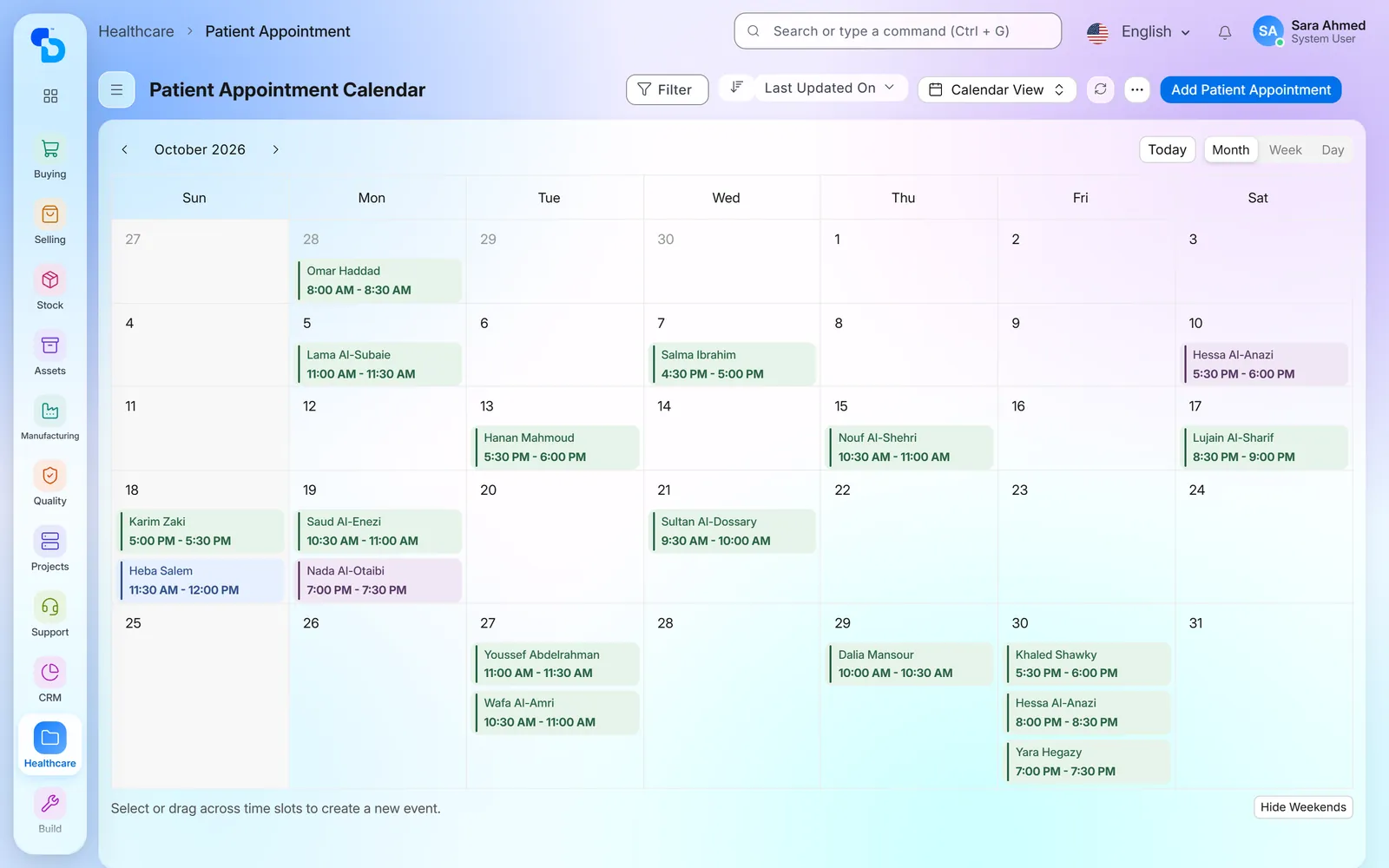
Appointments and outpatient visits
Each doctor has a schedule of time slots per clinic. Reception books the patient into a free slot, and the system blocks a booking on a day of the doctor’s approved leave. When the patient arrives, reception checks them in and they take a place in the queue. The doctor then opens the encounter, records symptoms and a diagnosis, and prescribes medicines, lab tests and procedures on the same screen. The first fee can also cover a follow-up visit for the number of days you set.
Inpatient admissions, beds and nursing
The doctor orders the admission from the encounter. Wards, rooms and beds form a tree that shows whether each bed is occupied or vacant. The admission desk assigns a free bed, transfers the patient when needed and schedules the discharge. While the patient is admitted, nurses record each dose against the inpatient medication order, and admission checklists create nursing tasks. The system does not discharge a patient with unbilled services unless your settings allow it.

Lab tests, imaging and procedures
The doctor orders tests in the encounter, so no paper request travels to the lab. Each test follows a template that holds its units and normal ranges. The lab collects the sample, enters the results and approves them, and then the report prints for the patient. Imaging requests work in the same way: the radiologist writes a descriptive report and attaches the image or the PDF. Procedures follow templates too, and they can also consume their supplies from stock.

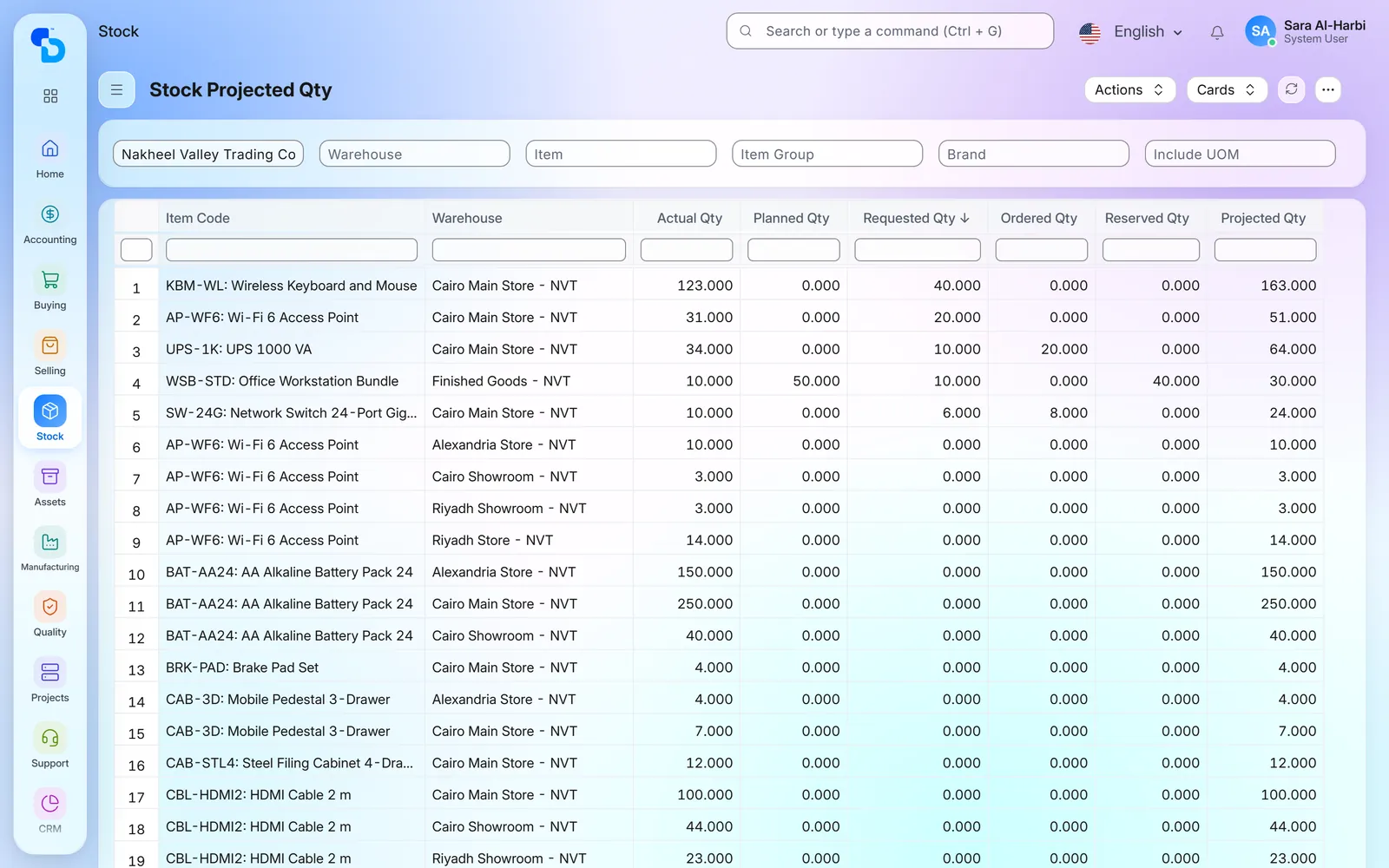
Pharmacy and medical stock
Medicines and consumables are stock items, kept by batch and expiry date in the pharmacy, the stores and the wards. The pharmacist bills what the doctor prescribed on the patient’s invoice. A medication entry issues the doses given on the ward from stock. When ERPNext picks batches, it leaves out expired ones, and it can be set to take the earliest expiry first. A report also lists every batch with its expiry date. When an item falls to its reorder level, the system can also raise a material request for purchasing.
Service billing and healthcare accounting in ERPNext
The cashier pulls a patient’s unbilled consultations, lab tests, medicines, procedures, bed days and therapy sessions into one invoice, then records the payment. Each line has fields for its doctor, department and service unit. You set up an insurance company as a customer with its own price list and invoice it directly, so finance follows its receivables by age. Departments can also be cost centres: once the cost centre is set on the invoice lines, the profit and loss statement filters by it. Once those fields are filled, finance can build a revenue summary by doctor, department or service unit.

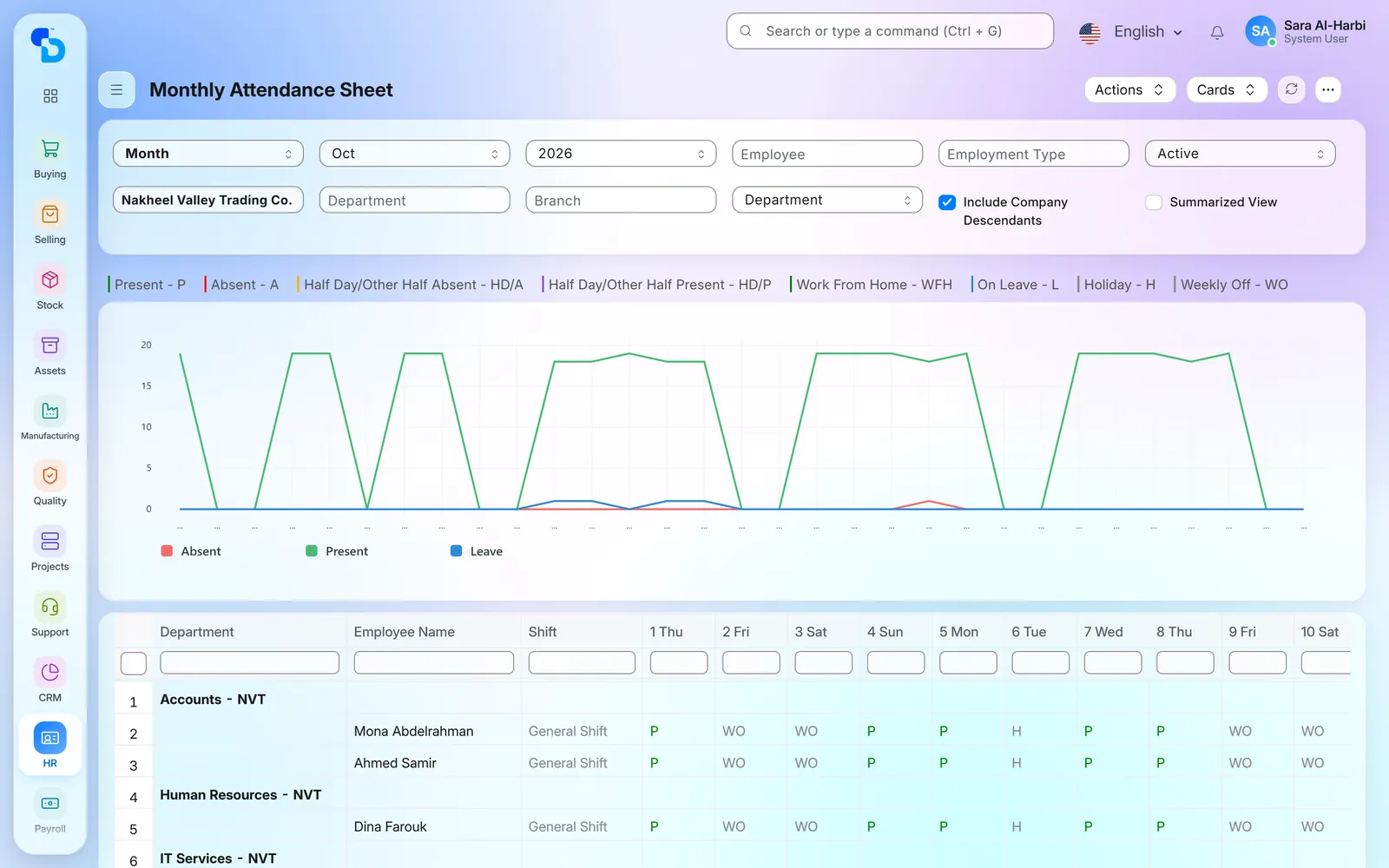
Medical staff, shifts and payroll
Doctors, nurses and administrators are employees in the same system. Each doctor’s record links to an employee, so approved leave blocks bookings with that doctor on those days. Shift types and shift assignments set who works when. Attendance comes from check-ins, or from fingerprint devices through our ZKTeco integration. At month end, a payroll run creates every salary slip from its salary structure, including allowances and deductions as components. Then the payroll posts to the accounts.
Medical equipment and maintenance
Every device is an asset with its category, location, purchase date and value, and ERPNext posts its depreciation on schedule. A maintenance plan lists the tasks for the device, such as calibration or preventive service. Each task has a periodicity and an assignee. When a maintenance log is completed, the system sets the task’s next due date and plans the next log. After the work, a maintenance log keeps the date and the actions performed. For a veterinary hospital group in Saudi Arabia, we also built a calibration register with each device’s certificate number and due date.

Screens show demo data.
More screens from ERPNext for healthcare
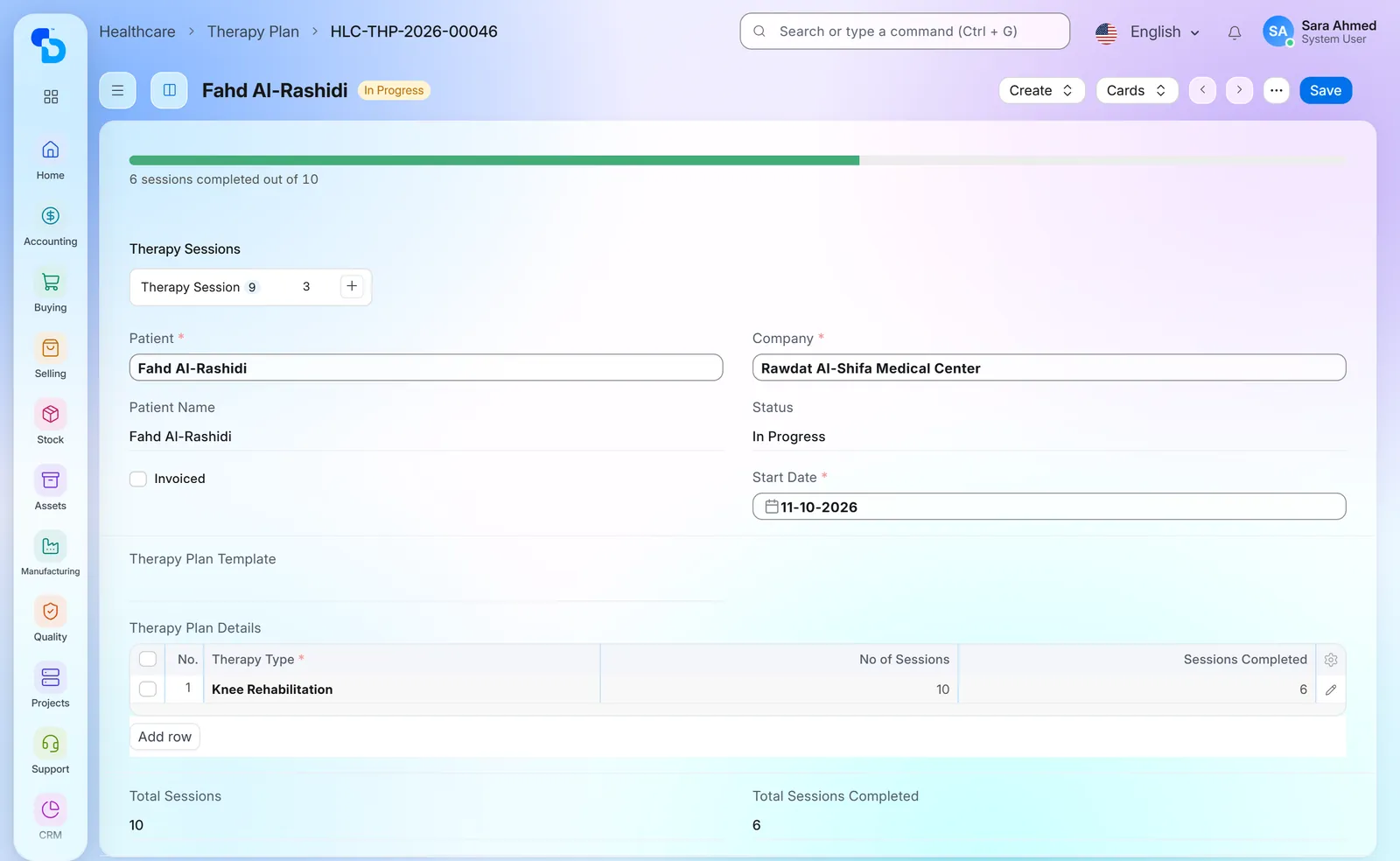
The doctor’s encounter, a therapy plan for a physiotherapy patient and the appointments report, as they look on the demo site.


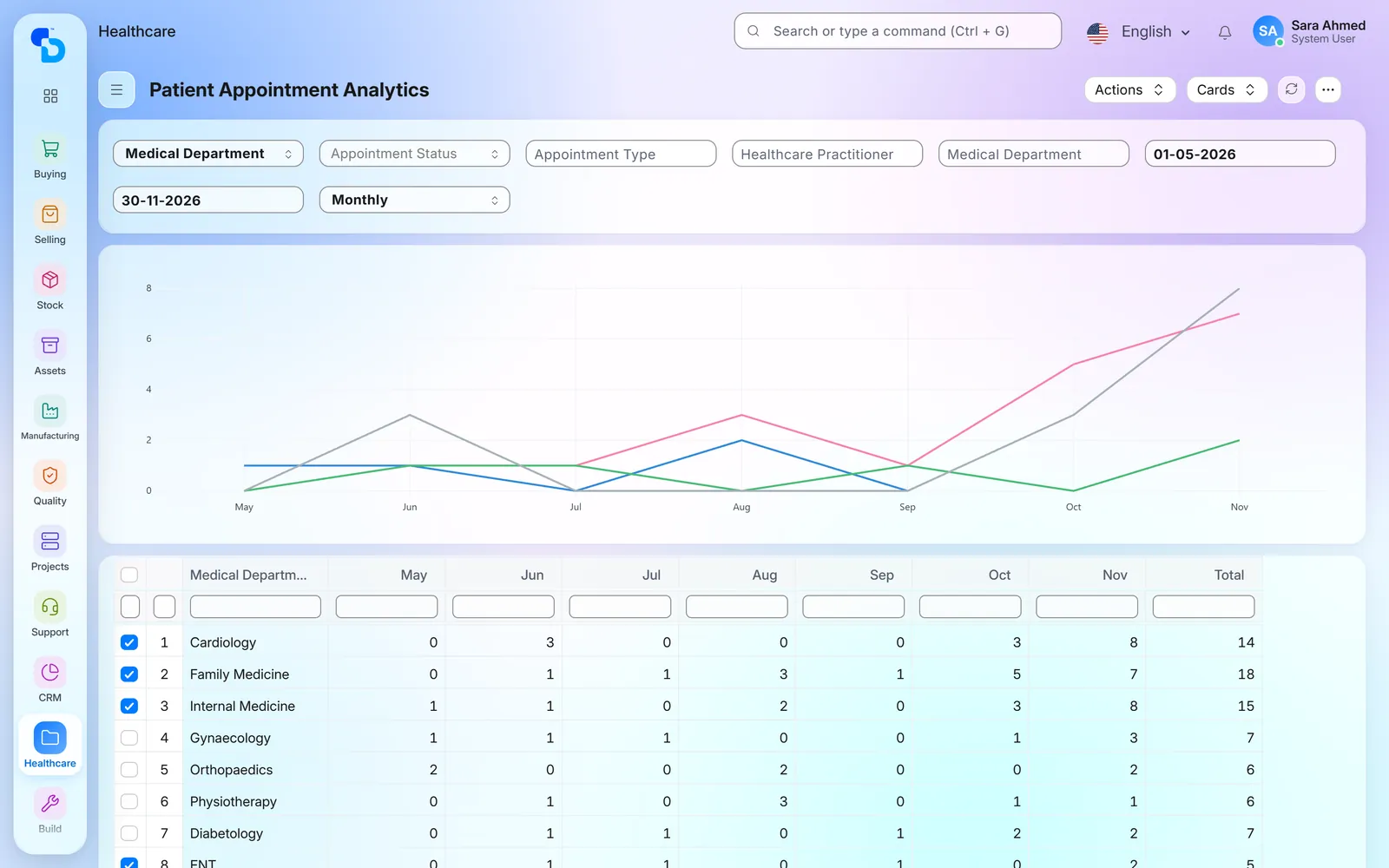
Screens show demo data.
Solutions and modules behind ERPNext for healthcare
Invoices, payments, receivables and cost centres per department.
Medicines and consumables by batch and expiry date, across every store.
Material requests, purchase orders and supplier invoices for medicines and supplies.
Employee records, shifts, attendance and leave.
Salary structures and the monthly payroll run, which then posts to the accounts.
Medical devices as assets, including depreciation and maintenance plans.
Patients, appointments, encounters, inpatients, lab tests and therapy plans on Frappe Health, with our Arabic translation and a guided setup.
A separate Data Value solution for maintaining the building and its equipment.
Weighted KPIs and monthly scorecards for each employee.
A separate Data Value solution for HR and payroll at facilities in Saudi Arabia.
Fingerprint and face punches become employee check-ins.
Approved message templates that ERPNext sends when a document changes.
Our integration for e-invoicing in Saudi Arabia.
Our integration with the Egyptian Tax Authority’s e-invoicing.
Where we have delivered ERPNext for healthcare
A hair-transplant medical centre in Kuwait
Specialised clinic with a product store · Kuwait
Clinic services, retail sales, stock and accounts in one system.
- Accounting, stock, selling and buying on one platform
- One stock for treatment supplies and retail products
- Patient file and encounter extended with procedure records, such as hair type, sessions and treatment stage
- Financial reports that read from sales, purchasing and stock
- Accounting
- Inventory
- Sales
- Purchasing
A veterinary hospital group in Saudi Arabia
Veterinary hospitals, clinics and laboratories · Saudi Arabia
Hospital work, purchasing, stores, assets and finance on one platform across the branches.
- Accounts, purchases, sales, hospitals, stores and assets
- Field visits with their services, distance and fee
- Lab test templates per branch, with normal ranges by species
- Radiology records with attached images
- A calibration register for laboratory devices
- Revenue summaries by doctor, department and cost centre
- Accounting
- Purchasing
- Sales
- Inventory
- Healthcare
- Fixed Assets
A medical centre in Iraq
Medical centre · Iraq
Purchasing, stock, sales, assets and accounts on one platform.
- Purchasing from international suppliers, tracked against incoming stock
- Stock of devices linked to purchasing and sales
- Sales posted to the accounts
- A fixed asset register
- Custom general ledger and payables reports
- Accounting
- Purchasing
- Sales
- Inventory
- Fixed Assets
Frequently asked questions about ERPNext for healthcare
Does ERPNext for healthcare work for a small clinic?
Yes, a clinic can start with patients, appointments, billing and accounts, then add inpatients, the lab or the pharmacy later in the same system.
Does ERPNext for healthcare cover outpatient, inpatient and therapy care?
Yes, it covers appointments and consultations, as well as inpatient admissions, bed occupancy, medication orders, nursing tasks and discharge. For physiotherapy, therapy plans also count the planned and the completed sessions.
Can ERPNext for healthcare handle insurance companies?
Partly: you set up an insurance company as a customer with its own price list and invoice it directly, and accounting follows its receivables by age. In the standard screens, patient services are billed to the patient’s own account. Electronic claims to an insurer’s platform are not part of the standard system.
Does the system connect to lab analysers or imaging devices?
Not as standard. The lab enters results on screen against normal ranges, and staff attach imaging reports and files to the record. A direct link to a device therefore needs its own integration study.
Is ERPNext for healthcare available in Arabic?
Yes, the interface switches to Arabic with a right-to-left layout, and most menus and standard screens are translated. Some specialised medical labels still show in English, so we complete them during implementation.
Can several branches share one ERPNext healthcare system?
Yes, several branches can work in one system. How patients and stock are shared between them is set up during implementation.
Do you also serve veterinary hospitals?
Yes, for a veterinary hospital group in Saudi Arabia we implemented accounts, purchases and sales, as well as hospitals, stores and assets. We also added field visits, lab templates with normal ranges by species and radiology records.
Is the clinical system Data Value's own product?
No, the clinical screens are Frappe Health, also known as Marley Health, an open-source hospital information system on ERPNext. Data Value implements it, adds an Arabic translation and a guided setup, and then supports it after go-live.
Related industries
Surgical loan sets followed from reservation until return.
Buy, stock and sell in one system.
Admissions, attendance, grades and fee collection for schools.
Grants, beneficiaries and HR for charities and foundations.
See ERPNext for healthcare on your own patient journey
Request a demo and we will walk through one visit with you, from the appointment to the invoice, on demo data.