Skip to content

ERPNext Payroll module

Run payroll in one place, from salary structure to the ledger

Data Value sets up ERPNext payroll on top of your HR records: salary components, structures per grade, a monthly payroll run that creates every salary slip, and posting to accounts.

  • Salary slips for every employee in one run
  • Earnings and deductions with formulas
  • Payroll posted to accounts and cost centres

Module introduction

Payroll that follows your rules

Each pay item is a salary component: basic salary, allowances, overtime, commission or a deduction. Components are grouped into salary structures and assigned to employees with their base pay.

Module introduction

Connected to HR and accounts

Attendance and leave feed payment days. When payroll is submitted, ERPNext posts salaries to the right accounts and cost centres, ready for the bank transfer.

Module features

What ERPNext payroll covers

9 capabilities in 3 groups.

Structure

Salary structures per grade or role

Define earnings and deductions once and reuse them for every employee on that structure.

  • Monthly or other payroll frequencies
  • Formulas based on base pay and other components
  • Linked assignments and salary slips
Salary structure with its assignments and slips

Structure

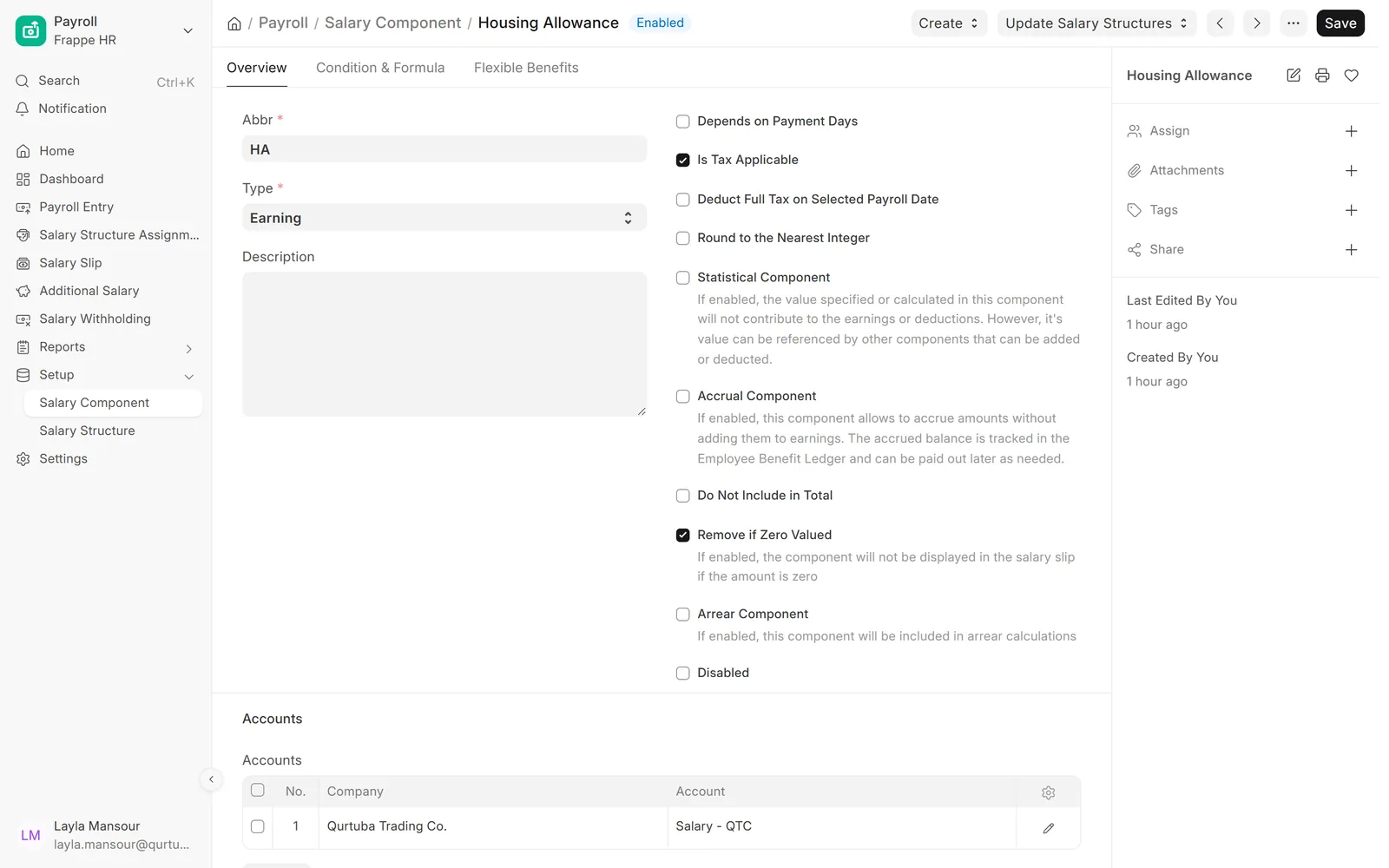
Components with their own rules

Set whether a component depends on payment days, is taxable, or is hidden when zero, and which account it posts to.

  • Earning or deduction type
  • Condition and formula per component
  • Account per company
Housing allowance salary component

Structure

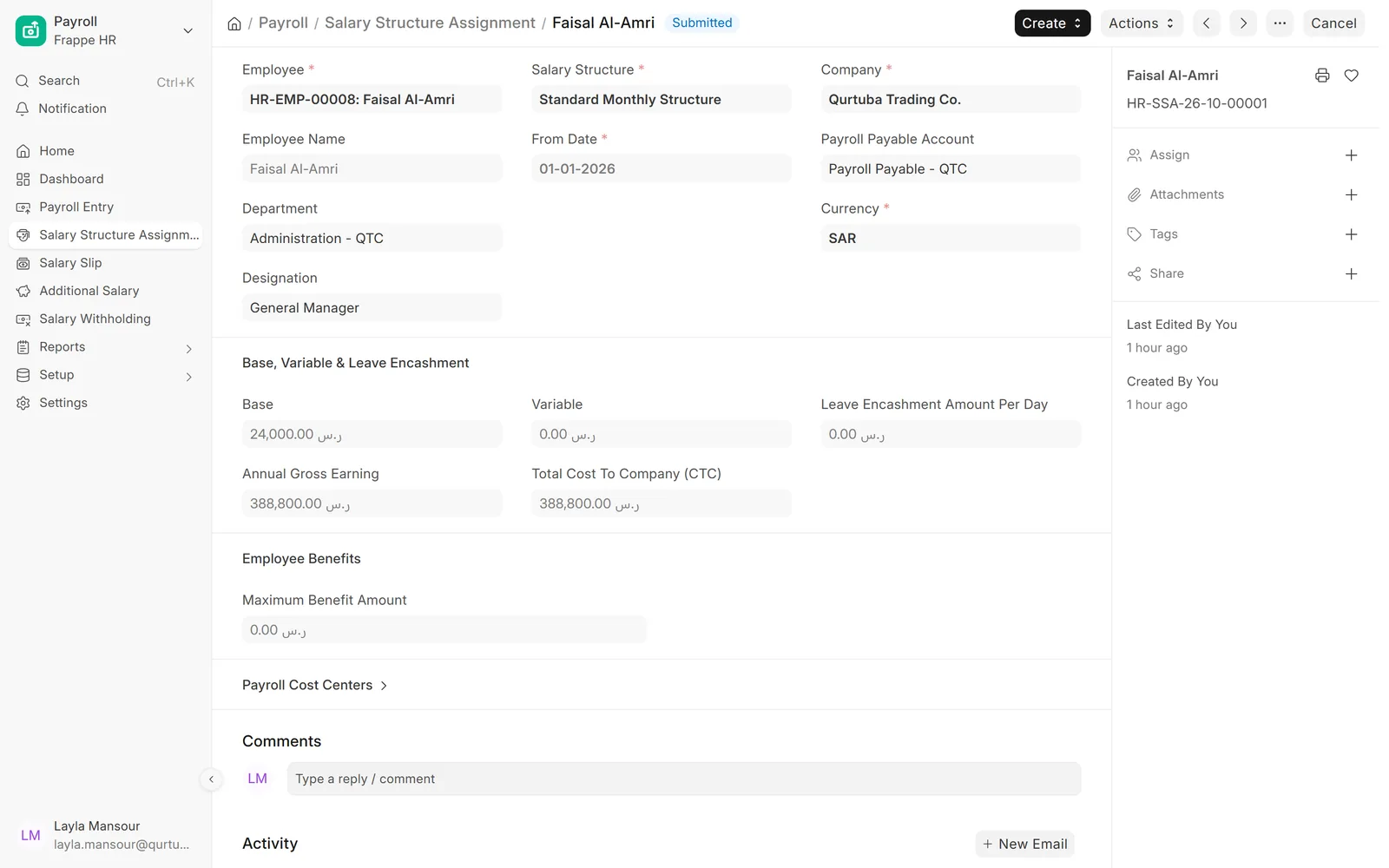
Each employee on the right structure

Assign a structure from a date with the employee base pay, and see the annual gross and total cost.

  • Base and variable pay
  • Payroll payable account per assignment
  • History kept when pay changes
Salary structure assignment with base pay and annual cost

Monthly run

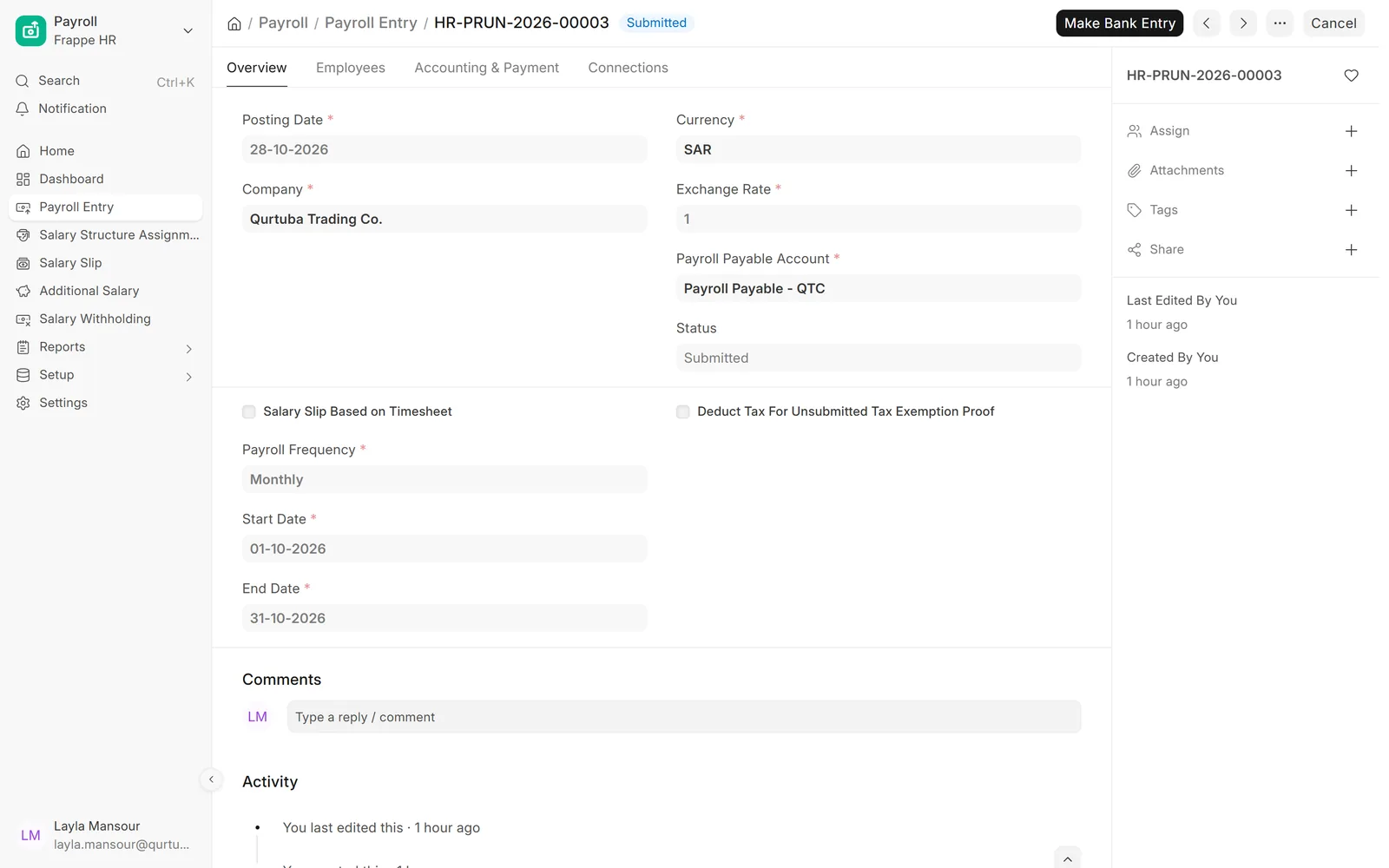
One payroll run for the whole company

Pick the period and the employees, create the salary slips, review them and submit.

  • Filter by branch, department or designation
  • Salary slips created and submitted together
  • Bank entry made from the run
Payroll entry for October

Monthly run

Every employee in the run, listed

See who is included, by department and designation, and hold a salary when needed.

  • Employees pulled from your filters
  • Salary withholding when a payment must wait
  • Validate attendance before slips are made
Employees included in the payroll run

Monthly run

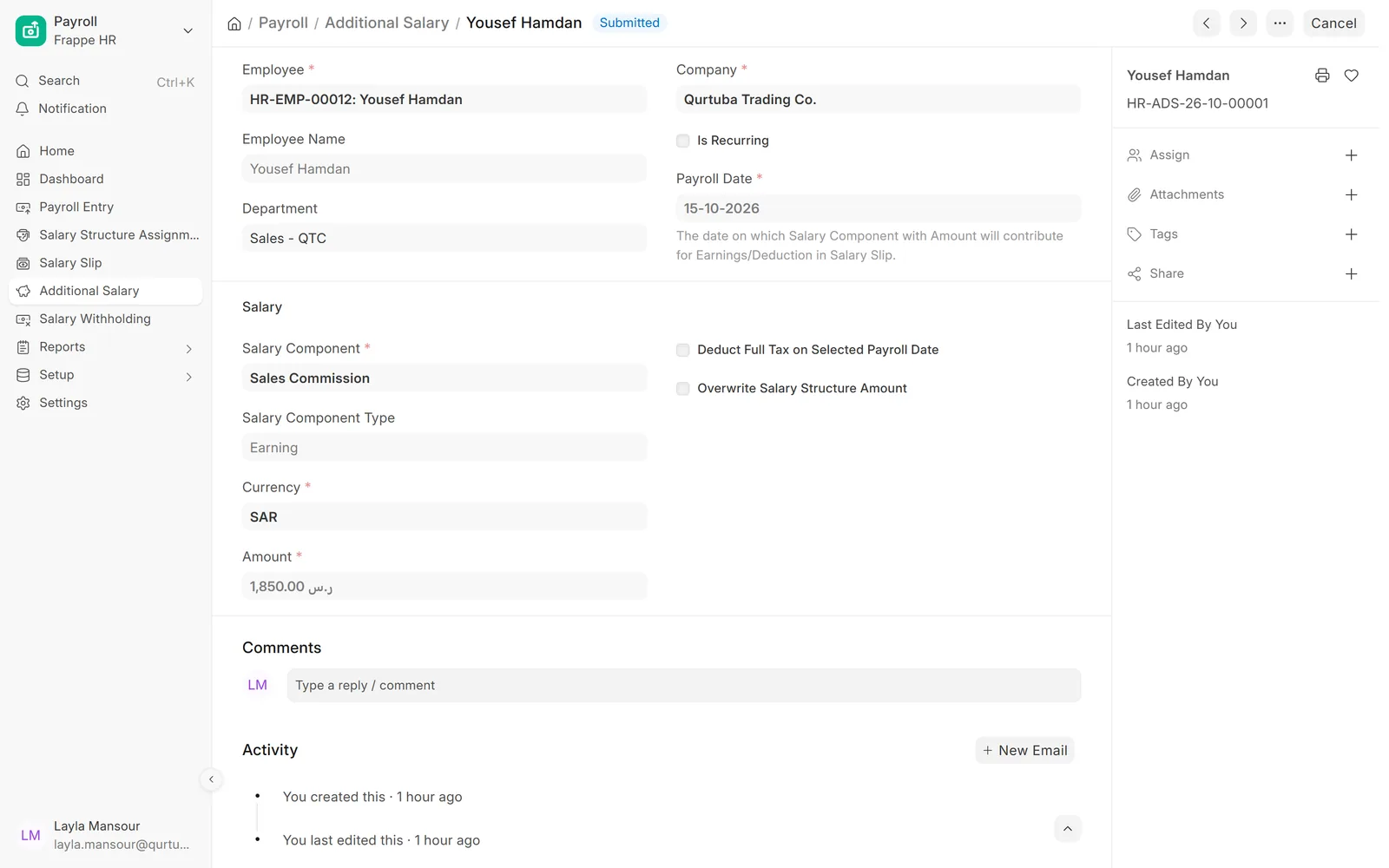
Commission, overtime and recoveries

Add one-off amounts for a payroll date without changing the salary structure.

  • Earnings such as commission or overtime
  • Deductions such as an advance recovery
  • Recurring amounts over a period
Additional salary for a sales commission

Slips and reports

A clear salary slip for each employee

Earnings, deductions, gross and net pay on one slip, printable in Arabic or English.

  • Payment days from attendance and leave
  • Year-to-date totals
  • Email slips to employees
Salary slip earnings and deductions

Slips and reports

All slips for the month

Review the month in a list before and after submission.

  • Filter by company, department or branch
  • Status of every slip
  • Open any slip in one click
Salary slips for the October run

Slips and reports

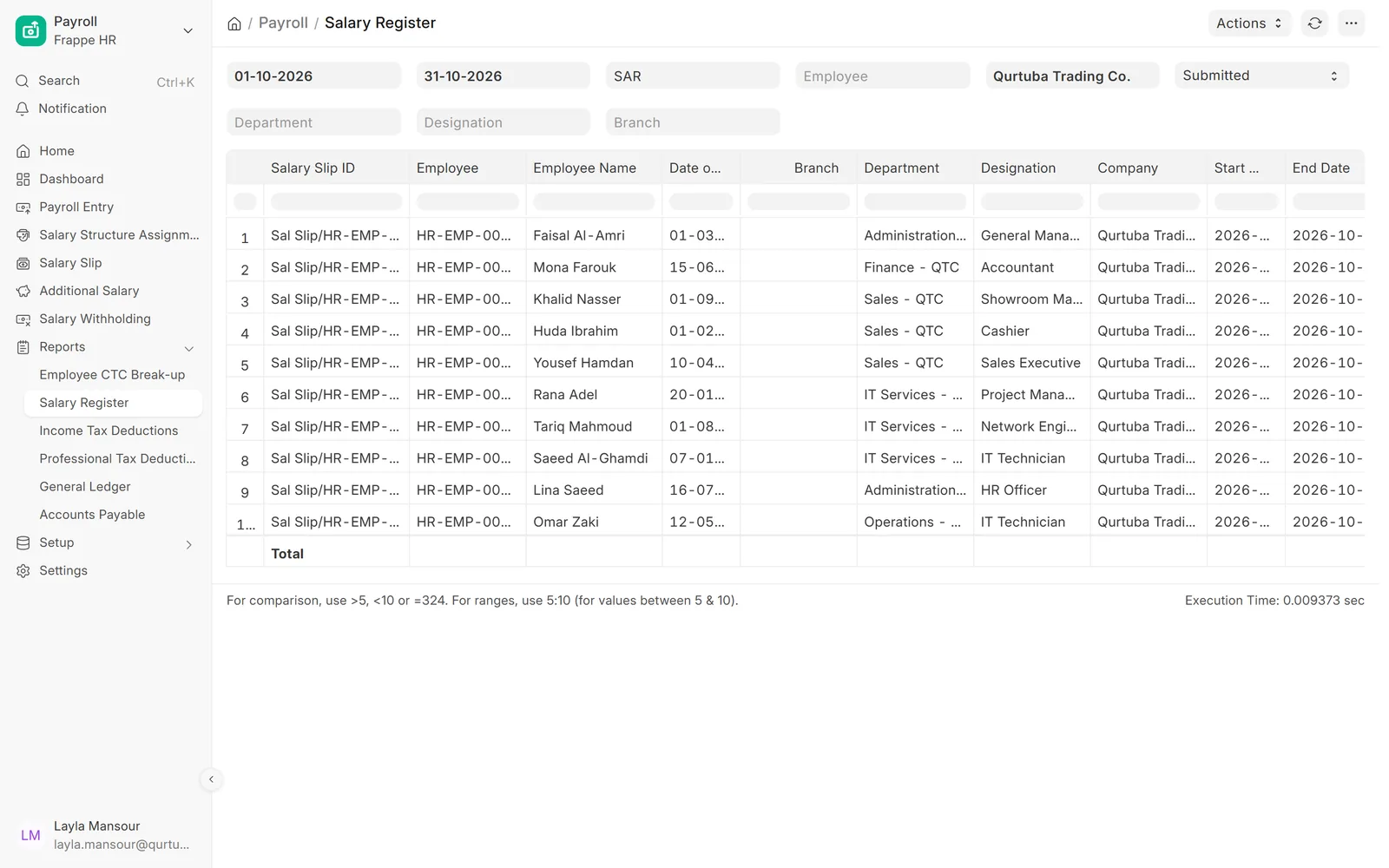
The salary register for finance

One row per employee with every component, for review and export to Excel.

  • By period, company and status
  • Department and designation columns
  • Totals for gross, deductions and net
Salary register for October

Screens show demo data.

Why choose

Why choose ERPNext for payroll?

One run, every slip

Create and submit the month in one place.

Posted to accounts

Salaries land in the ledger by account and cost centre.

Linked to HR

Attendance and leave decide payment days.

History kept

Every structure change and slip stays on record.

Arabic and English

Slips and screens in both languages.

Open source

No fee per employee for ERPNext itself.

Comparison table

ERPNext payroll vs. payroll in spreadsheets

FeatureERPNext · Data ValueSpreadsheets
CalculationFormulas per component, same for everyone on a structureFormulas copied between files
AttendancePayment days from attendance and leaveTyped in from another system
AccountingPosted on submission by account and cost centreA journal entry typed each month
PayslipsPrinted or emailed from the systemBuilt by hand
Audit trailEvery change loggedHard to tell who changed what

Related

Works together with

ERPNext modules

Works with these modules

FAQ

Frequently asked questions

Does ERPNext payroll include Egyptian social insurance?

No. Standard ERPNext payroll has no Egyptian social insurance rules and we do not offer a ready app for them. Contributions can be set up as salary components with formulas, which we agree with your accountant.

What about GOSI and end-of-service in Saudi Arabia?

Our PeopleOS solution calculates GOSI contributions and end-of-service awards. It does not submit anything to government systems.

Can each employee have a different salary?

Yes. Employees share a salary structure, and each assignment carries that employee base pay, so the formulas give each person their own amounts.

How do one-off payments work?

Commission, overtime or a bonus is entered as additional salary for a payroll date, and it appears on that month salary slip.

Official partner of

Frappe · ERPNext

Certified Gold Partner

See a payroll run with your structure

Book a demo and we will walk through structures, a monthly run and the salary register.

Free demo · No commitment