

- Home
- ERPNext modules
- Human resources
ERPNext HR: every employee, from hiring to final settlement
Stop managing HR by hand.
Data Value sets up ERPNext HR so hiring, employee records, attendance, leave, training and appraisals run in one system, in Arabic and English. The same system feeds payroll and accounts.
- The full employee lifecycle, from job opening to exit
- Attendance, shifts and leave that feed payroll
- Approvals by the right manager, on desktop or phone
- A full Arabic interface, alongside English
ERPNext HR module: a short guide
ERPNext HR follows each employee from job opening to final settlement, so this guide takes the same route. It starts with recruitment, job offers and onboarding. It then covers employee records, the organisation structure, attendance, shifts and leave, and ends with expense claims, training and appraisals. Everything sits in one system that shares data with payroll and accounting, so HR, managers and finance work from one employee file.
Contracts, documents, attendance and leave balances stay on the employee record, so HR answers questions from one screen instead of searching files.
Attendance, leave and approved claims flow into payroll and accounts, so nobody copies data between systems.
What ERPNext HR covers
12 features in four groups, from hiring to performance.
Job openings and applicants
Run the hiring funnel in one place, from the first request to the last interview.
When a manager raises a job requisition, HR turns it into a job opening. The opening can go on your website with its own application form, so candidates apply directly. Each applicant then gets a record with a status, a rating, the CV and the interview feedback. So the hiring team compares candidates on one screen instead of in e-mail threads.
- Job requisitions raised by department managers
- Openings published on your website until their closing date
- Applicant status, such as shortlisted, accepted or rejected
- Interviews, including interviewers and rated feedback
- Staffing plans with vacancies and the estimated cost per position

Job offers and appointment letters
Turn the chosen applicant into an employee without typing the data again.
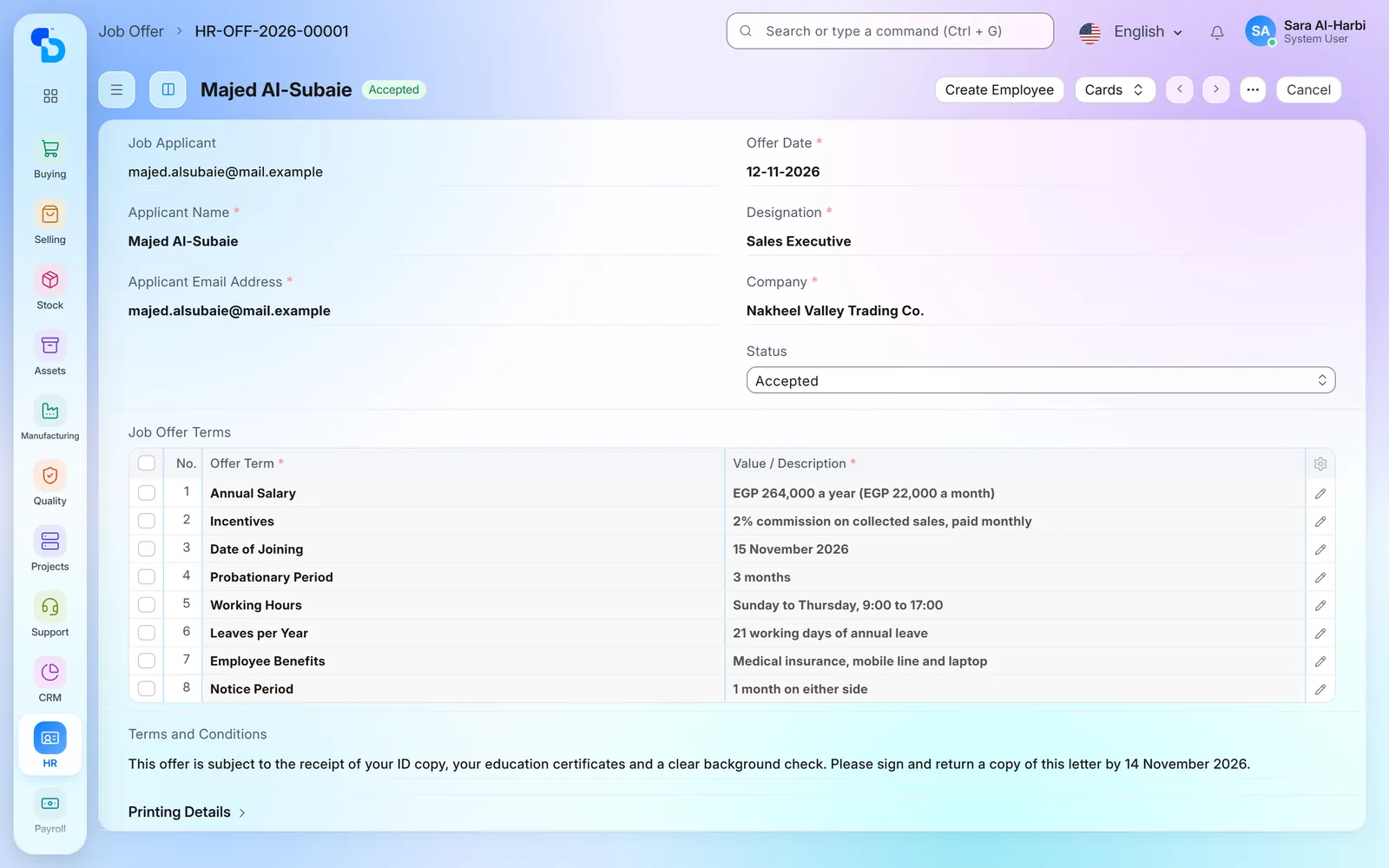
Create the job offer from the applicant record, with your offer terms and your letterhead. The offer then stays open until the candidate accepts or rejects it. When the candidate accepts, one action creates the employee record from the offer, so nobody types the name and designation again. You can also issue an appointment letter from a template for the first day.
- Offer terms from a reusable template
- Printed offer letter on your letterhead
- Offer status: awaiting response, then accepted or rejected
- Employee record created from the accepted offer
- Appointment letters from templates
Employee onboarding
Give every new joiner the same checklist, with an owner for each step.
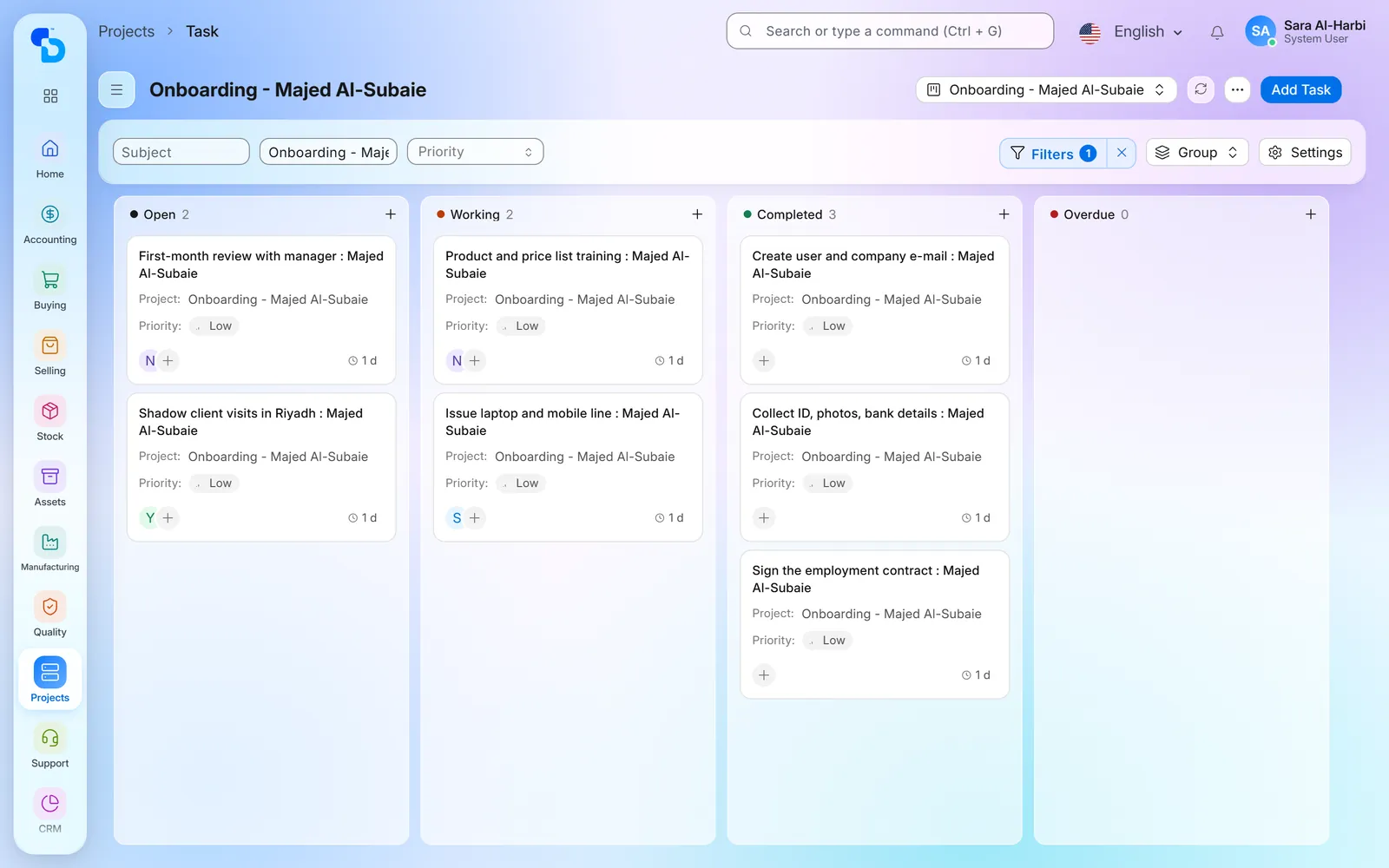
An onboarding template lists what every new employee needs, for example equipment, system accounts, an ID card and policy documents. When HR starts an onboarding, ERPNext creates a project with one task per activity. It then assigns each task to the user or role you named, such as IT or the line manager. HR follows the progress until the last task is closed.
- Templates per department, designation or grade
- Each activity assigned to either a user or a role
- A start day and a duration for each activity
- Optional e-mail notice to the people assigned
- Onboarding status: pending, then in process, then completed
A complete employee record
One file per employee, shared by HR, managers and payroll.
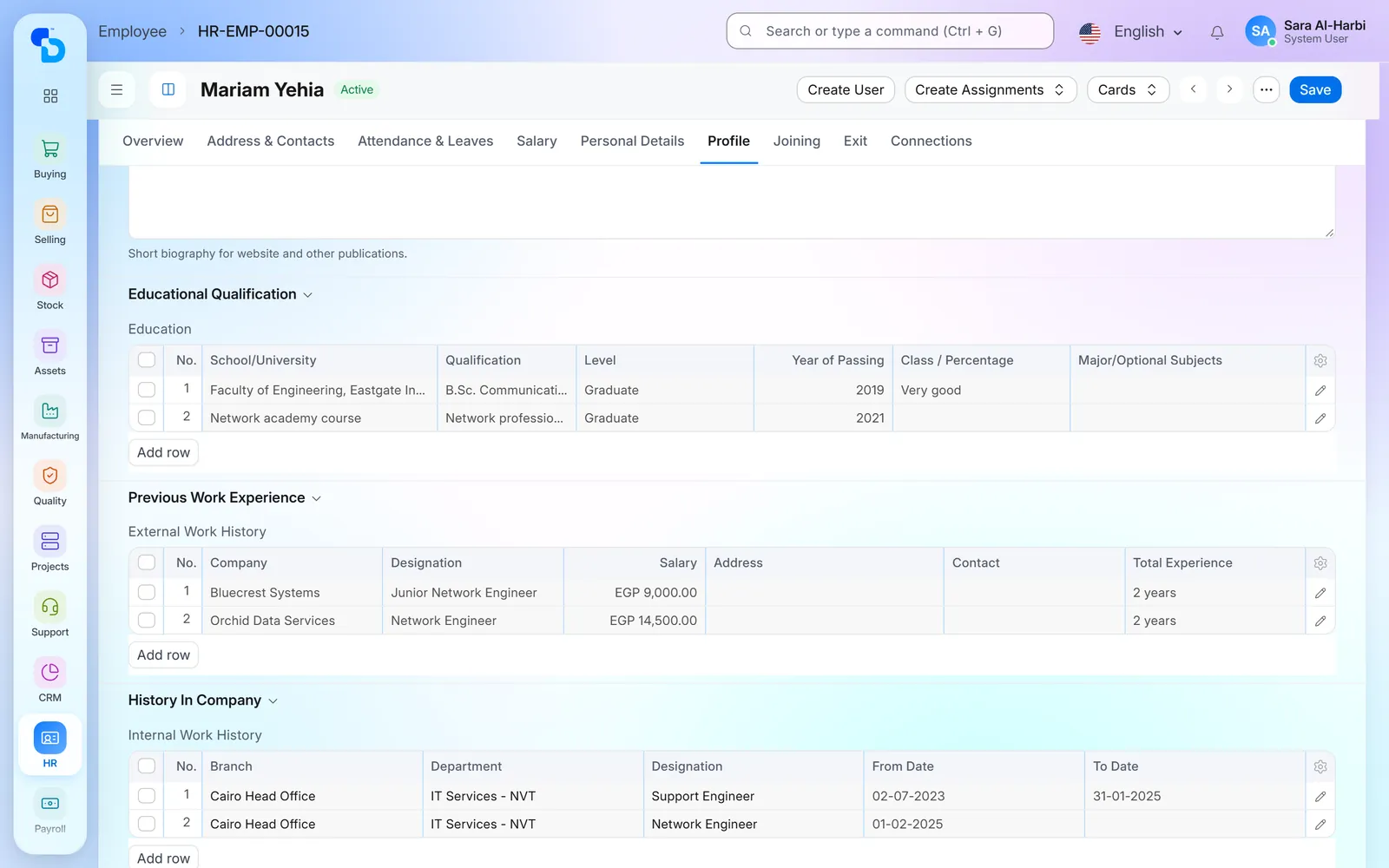
Each employee has one record with personal details, joining and contract dates, department, designation, grade, branch and reporting line. The same record also holds the leave approver, the default shift, the holiday list, the bank details and the attached documents. Because attendance, leave and payroll read this record, you make a change once, and every screen then shows the new value.
- Joining, confirmation and contract end dates
- Passport details including the validity date, and health insurance
- Education and earlier work history
- Leave, expense and shift approvers for each employee
- Attachments such as contracts and certificates

Organisation structure and chart
Departments, designations, grades and branches in one place, with reporting lines drawn as a chart.
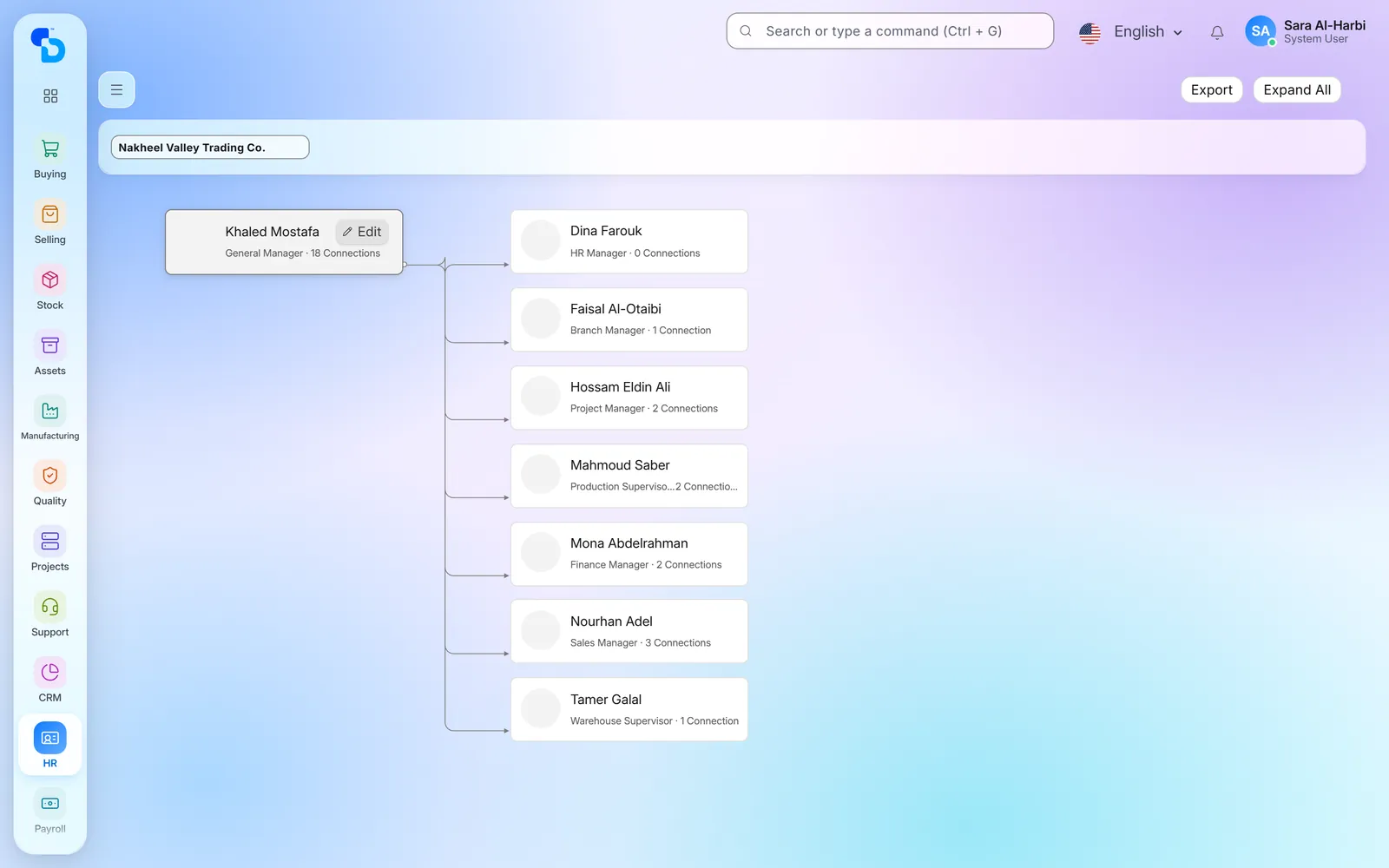
Build the company the way it is run: departments in a tree, designations, employee grades, branches and employment types. A grade can also carry a default salary structure for payroll. ERPNext then draws the organisational chart from the reporting lines on employee records. So the chart changes as soon as an employee gets a new manager, and you can export it as an image.
- Department tree, including group departments
- Leave, expense and shift approvers per department
- Grades linked to a default salary structure
- Several companies and branches in one system
- A chart you can expand and export
Promotions, transfers and exit
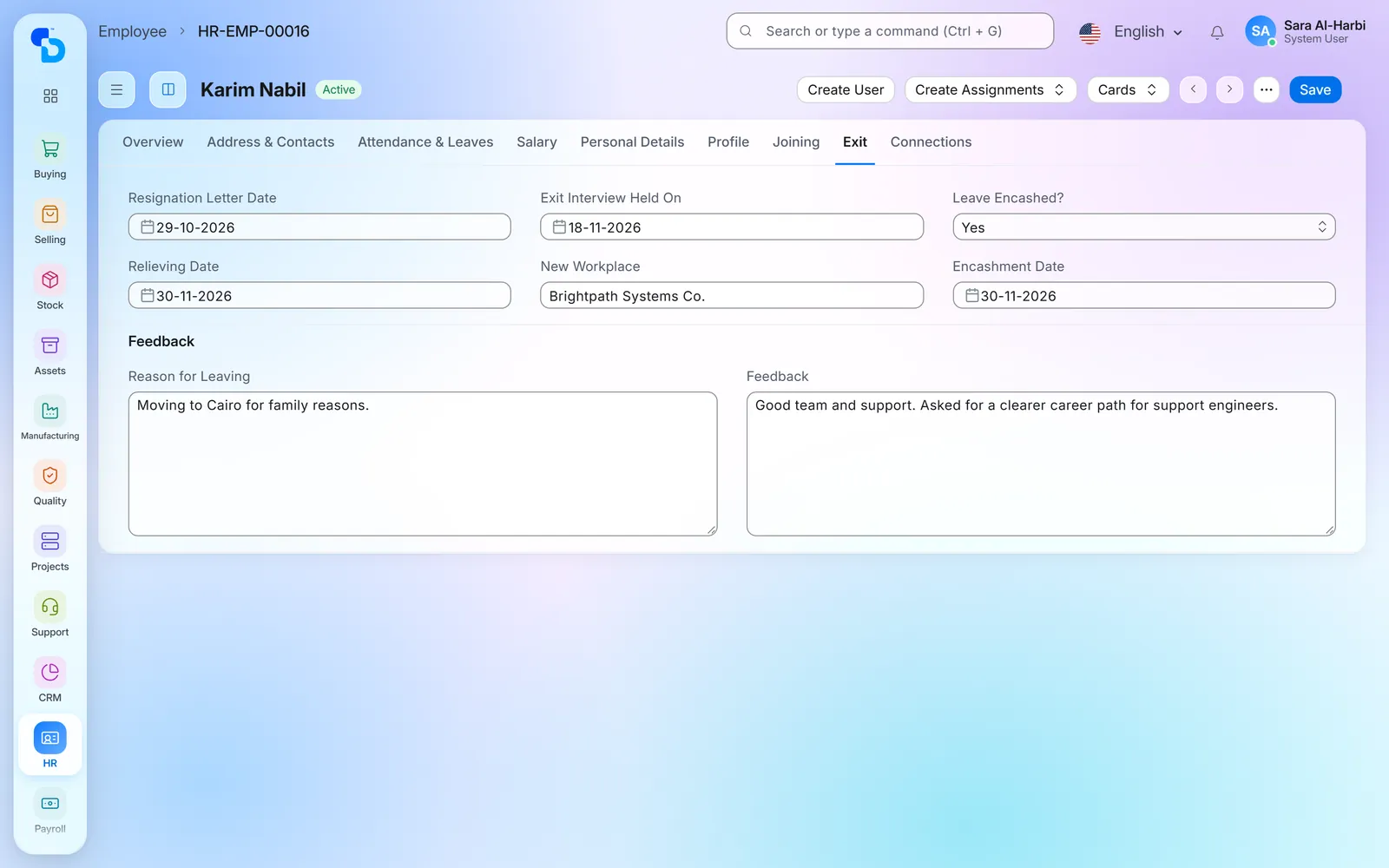
Record every change in an employee’s career, until the final settlement.
A promotion or a transfer is a document of its own. It shows both the current and new value, then updates the employee record and keeps the history. When someone leaves, a separation checklist and an exit interview close the open points. The full and final statement then lists what the company owes, what the employee owes and the assets to return.
- Promotions with both the current and the revised pay
- Transfers between departments, branches or companies
- Separation checklists and exit interviews
- Full and final statement: payables, receivables and assets
- Employee grievances and their resolution
Attendance and check-ins
See who was present, absent, late or on leave during the whole month.
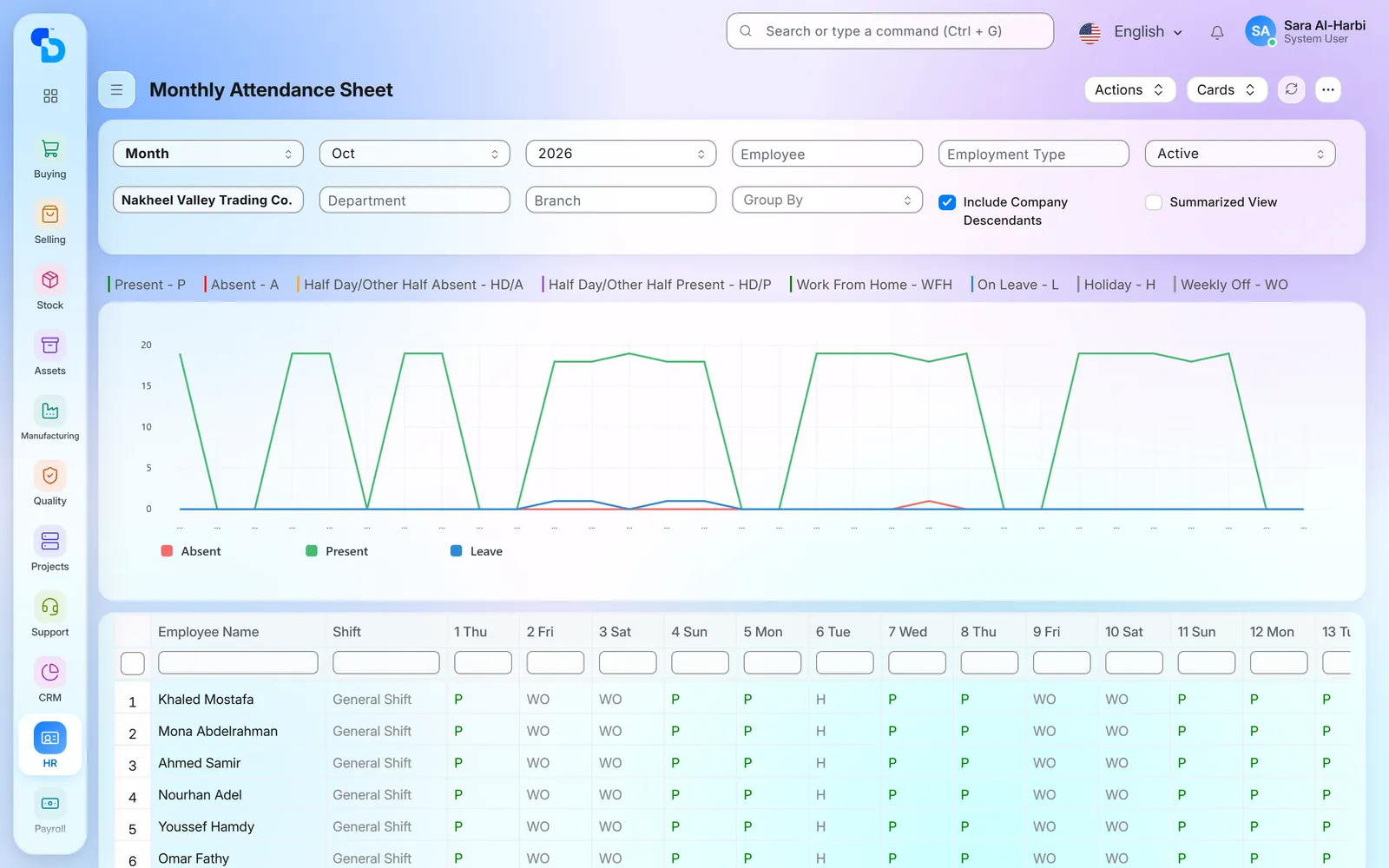
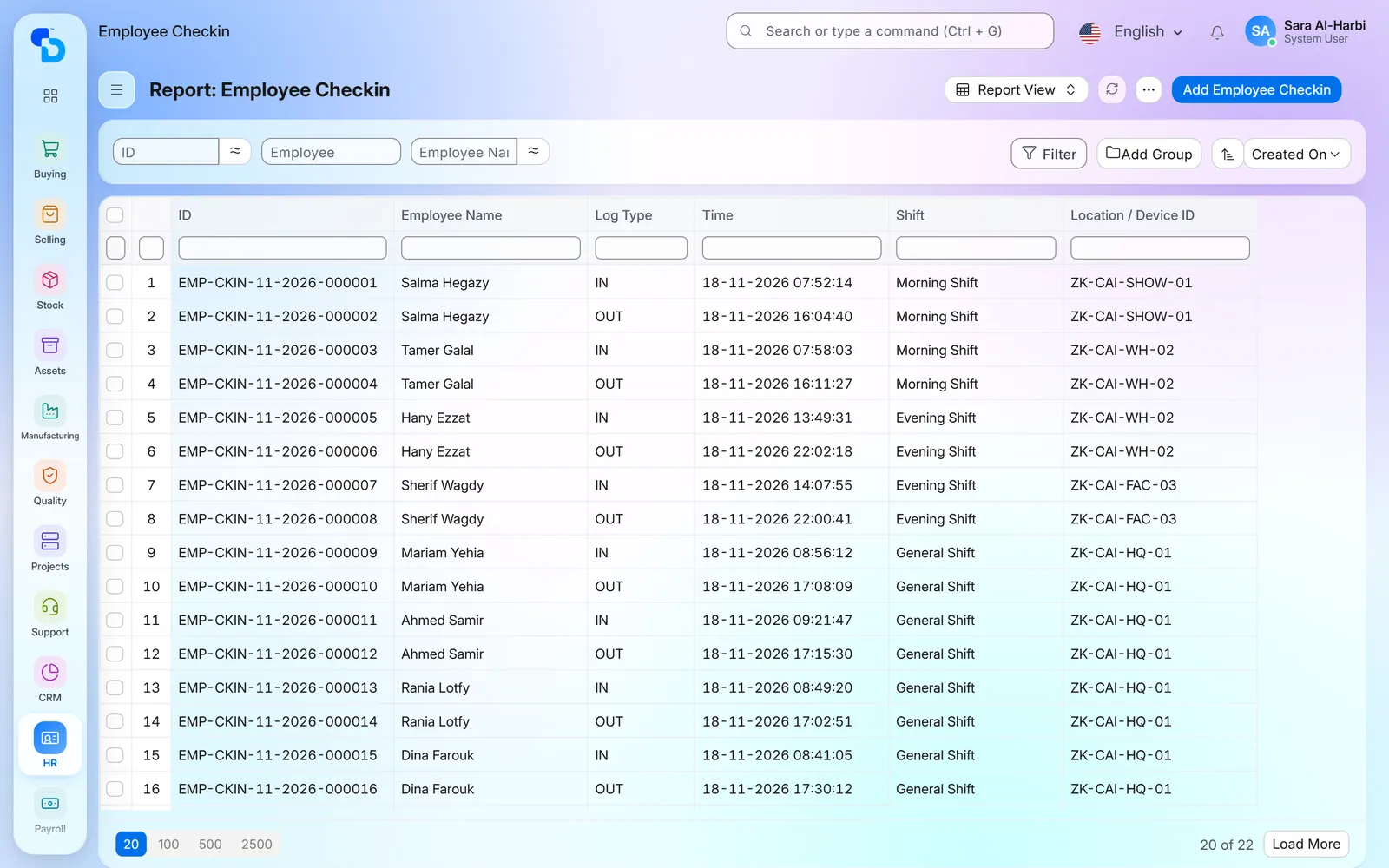
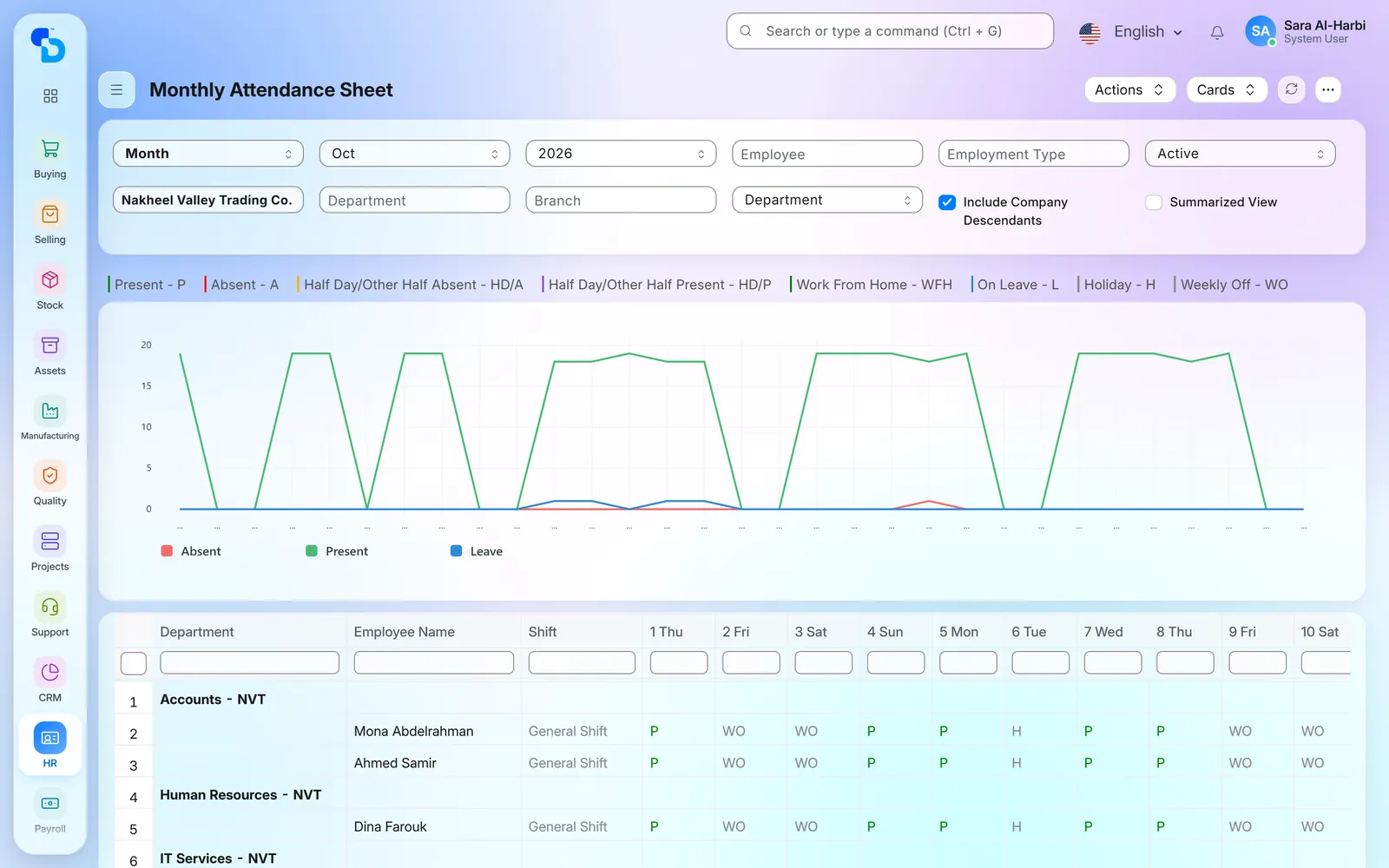
Check-ins reach ERPNext from attendance devices or from a phone. ERPNext then marks the attendance of each shift from these check-ins: present, absent, half day, late entry or early exit. Employees who worked from home or on duty file an attendance request instead. The monthly attendance sheet then shows the result for every employee, day by day, and it feeds payroll.
- Check-ins from ZKTeco devices through our connector
- Check-in by face with our Face ID Attendance app
- Attendance marked from the check-ins of each shift
- Attendance requests when someone works from home or on duty
- Payment days in payroll taken from attendance

Shifts and rosters
Define each shift once, with its own rules for lateness and absence.
A shift type holds the start and end time, as well as its rules. It sets the grace period for late entry or early exit. It also sets the working hours below which a day counts as a half day or absence. Then assign shifts to employees for a period, or let them request a change that their approver decides. Extra hours can be paid through payroll or granted as compensatory leave.
- Grace periods for both late entry and early exit
- Thresholds for a half day and for absence
- Shift assignments by employee and date range
- Shift requests with an approver
- Repeating shift schedules, as well as a monthly roster view
Leave and holidays
Employees apply, managers approve, and the balance shows on every request.
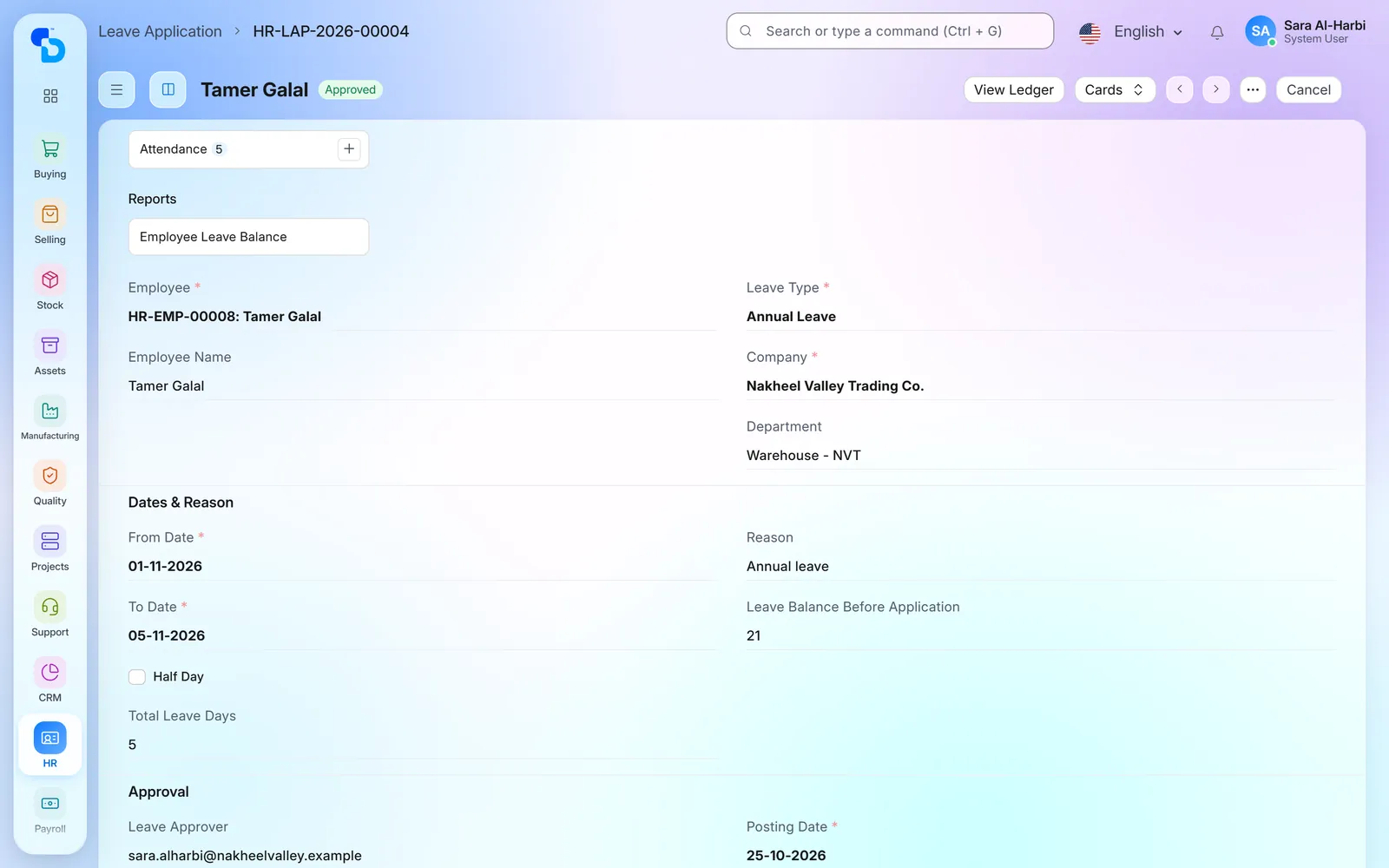
Define your leave types once, then group them into a leave policy for each staff category. ERPNext allocates the days, then shows the balance on every application. It also stops a request that exceeds the balance, unless the leave type allows it. Once the leave approver decides, approved leave appears in both attendance and payroll. Holiday lists set the weekly days off and the public holidays.
- Paid, unpaid, earned, compensatory and partly paid leave
- Carry forward, including an optional expiry
- Leave encashment through payroll
- Block lists for dates when leave is not allowed
- Holiday lists per company or per employee
Expense claims and travel requests
From the receipt to the ledger, with one approval on the way.
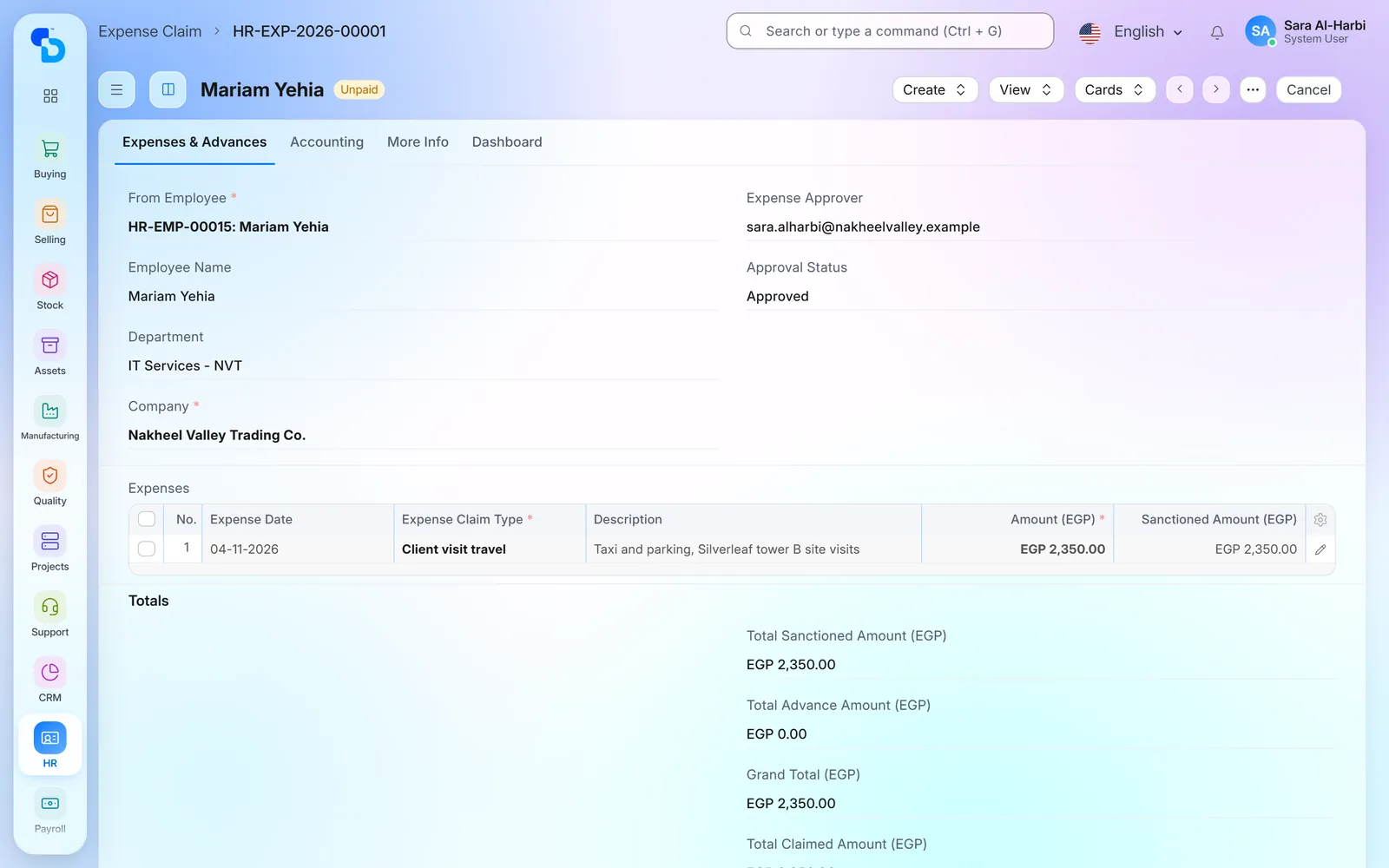
Employees claim travel and other costs line by line, and each claim type knows its expense account. The expense approver then sanctions the amounts. Each line keeps both the claimed and the sanctioned amount. For a trip, a travel request records the itinerary and the expected costs beforehand. On submission, ERPNext posts the claim to the ledger, so nobody types a journal entry, and finance then pays it.
- Claim types with a default account per company
- Both claimed and sanctioned amounts on each line
- Claims posted to the ledger on submission
- Travel requests including itinerary and costing
- Cost centre and project on each expense
Training programmes and events
Plan training, invite the right people and keep the result on record.
Group your courses into training programmes, then schedule each session as a training event with its trainer, place, time and attendees. When HR submits the event, ERPNext can e-mail the invited employees. Afterwards, HR records each person’s hours and grade in a training result. Attendees also send feedback on the session, and an employee’s skill map lists skills and proficiency.
- Event types such as seminar, workshop, exam or self-study
- Mandatory and optional attendees
- Attendance, hours and grade per employee
- Feedback from each attendee
- Skill map with proficiency and evaluation date
Performance appraisals and goals
Measure performance against agreed goals, in cycles you set.
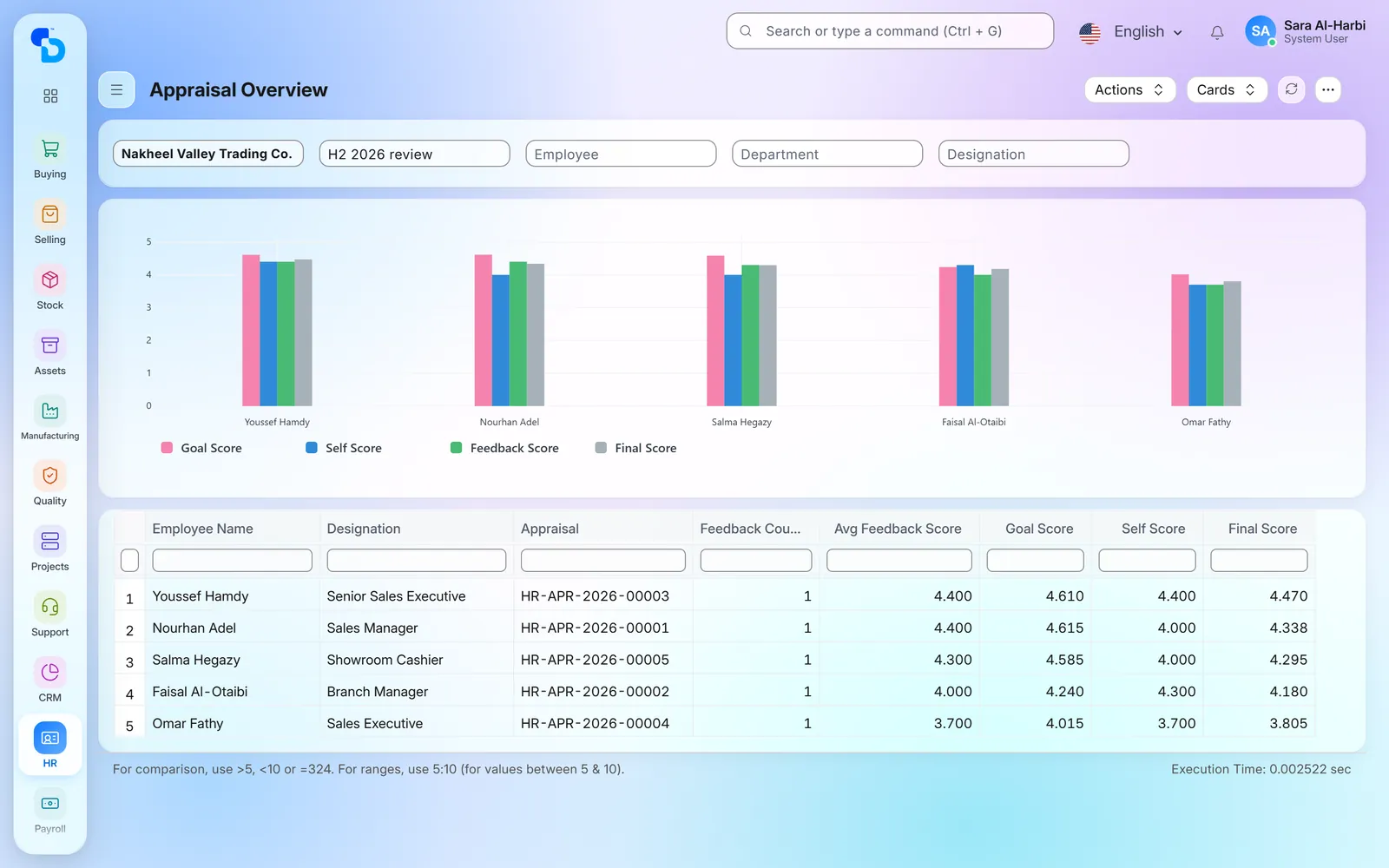
Open an appraisal cycle for a period, for the whole company or for one department. Each appraisal uses a template of key result areas with weights, and employees track their goals against these areas during the cycle. Managers and colleagues then add rated feedback, and the employee adds a self-appraisal. Finally, ERPNext works out the final score from goals, feedback and self-rating.
- Appraisal cycles: yearly, half-yearly or any period
- Key result areas with weights
- Goals with progress, linked to a key result area
- Feedback from several reviewers, as well as a self-appraisal
- Appraisal Overview report for each cycle
Screens show demo data.
ERPNext HR reports: the questions they answer
| Report | The question it answers |
|---|---|
|
Monthly Attendance Sheet |
Who was present, absent, on leave or on a weekly day off during the month? |
|
Shift Attendance |
Who came late or left early in each shift, and how many hours did they work? |
|
Employee Leave Balance |
How many days were allocated, taken, expired and still left for each leave type? |
|
Employee Leave Balance Summary |
What is each employee’s balance on a given date, across leave types? |
|
Leave Ledger |
Which allocations, applications and expiries changed a leave balance, and when? |
|
Employees Working on a Holiday |
Who attended on a holiday, and on which date? |
|
Employee Analytics |
How is the headcount spread by department, branch, grade or designation? |
|
Recruitment Analytics |
Where does each job opening stand, including its applicants and the offers made? |
|
Employee Exits |
Who left during a period, and which exit interviews or final statements are pending? |
|
Appraisal Overview |
What are each employee’s goal, feedback, self and final scores in a cycle? |
|
Unpaid Expense Claim |
Which sanctioned claims are still waiting for payment? |
Why choose ERPNext for HR?
Hiring, attendance, leave, training and appraisals sit on one record instead of in scattered tools.
Payment days come from attendance and leave, so payroll starts from figures already in the system.
Leave, shift and expense requests go to the approver set either for the department or for the employee.
Claims and salaries post to the ledger without double entry.
Screens and printed letters in both languages, right to left in Arabic.
No fee per employee for ERPNext itself.
Local rules: Egypt and Saudi Arabia
ERPNext payroll has no ready-made Egyptian rules. During implementation, we set up income tax and social insurance as salary components with formulas, and agree them with your accountant.
Standard ERPNext HR is not tied to one country. For Saudi Arabia, see PeopleOS, our HR and payroll solution.
ERPNext HR vs. traditional HR software
| Feature | ERPNext · Data Value | Traditional software |
|---|---|---|
|
Employee lifecycle |
One system, from job opening to final settlement |
Spread across several tools |
|
Attendance |
Check-ins from devices and phones, marked per shift |
Exported from the device, then imported by hand |
|
Leave |
Policies, balances and approvals in the system |
Paper forms or spreadsheets |
|
Payroll |
Same system, fed by attendance and leave |
Exported to another system |
|
Accounts |
Claims and salaries posted to the ledger |
Journal entries typed by finance |
|
Approvals |
Built in, by department and role |
E-mail and paper |
|
Training and appraisals |
On the employee’s file, with scores and feedback |
Separate files or a separate system |
|
Arabic |
Full Arabic interface |
Often partial |
Works together with
Frequently asked questions
Can attendance come from our fingerprint devices?
Yes. Our ZKTeco connector brings fingerprint and face punches into ERPNext as employee check-ins. Employees can also check in by face with our Face ID Attendance app.
Does ERPNext HR cover Saudi labour rules?
Not on its own, because standard ERPNext HR is not tied to one country. For Saudi Arabia, see PeopleOS, our HR and payroll solution.
Is payroll ready for Egyptian income tax and social insurance?
Not out of the box. ERPNext payroll has no ready-made Egyptian rules, so we set them up as salary components with formulas during implementation. We agree these formulas with your accountant before we build them.
Can employees apply for leave themselves?
Yes. Employees use self-service on desktop or phone, and the request shows their balance. Their leave approver then approves or rejects it.
Can we import our current employee data?
Yes. We import employees, leave balances and documents from Excel or your current system, then check them with you.
Does ERPNext HR work with payroll and accounting?
Yes. Attendance and leave set the payment days in payroll. Approved expense claims and salaries also post to the ledger, so finance does not retype them.
Can each department have its own approvers?
Yes. You set leave, expense and shift approvers per department and can override them on an employee. So each request reaches the manager who should decide it.
How does ERPNext HR handle lateness and overtime?
Each shift type has a grace period, and ERPNext can flag a late entry or an early exit after it. Extra hours are paid through payroll as additional salary, or granted as compensatory leave.
Is ERPNext HR available in Arabic?
Yes. ERPNext has a full Arabic interface with right-to-left screens, and each user picks a language. Printed letters and salary slips can also be in Arabic or English.
See your HR in ERPNext
Book a demo and we will walk you through employees, attendance, leave and claims with your structure.
Free demo · No commitment