ERPNext Fixed Assets module
Know what you own, where it is and what it is worth
Data Value sets up ERPNext asset management so every vehicle, server and showroom fitting has a record, a location, a depreciation schedule and a maintenance plan, all tied to your accounts.
- Depreciation posted to accounts automatically
- Location and custodian for every asset
- Maintenance plans and repair history
Module introduction
One register for every asset
Each asset has its category, purchase value, location and status, from purchase to sale or scrapping. Finance and operations look at the same record.
Module introduction
Depreciation without spreadsheets
Set the method and life once per category. ERPNext builds the schedule for each asset and posts the depreciation entries to the ledger on their dates.
Module features
What ERPNext asset management covers
9 capabilities in 3 groups.
Register and categories
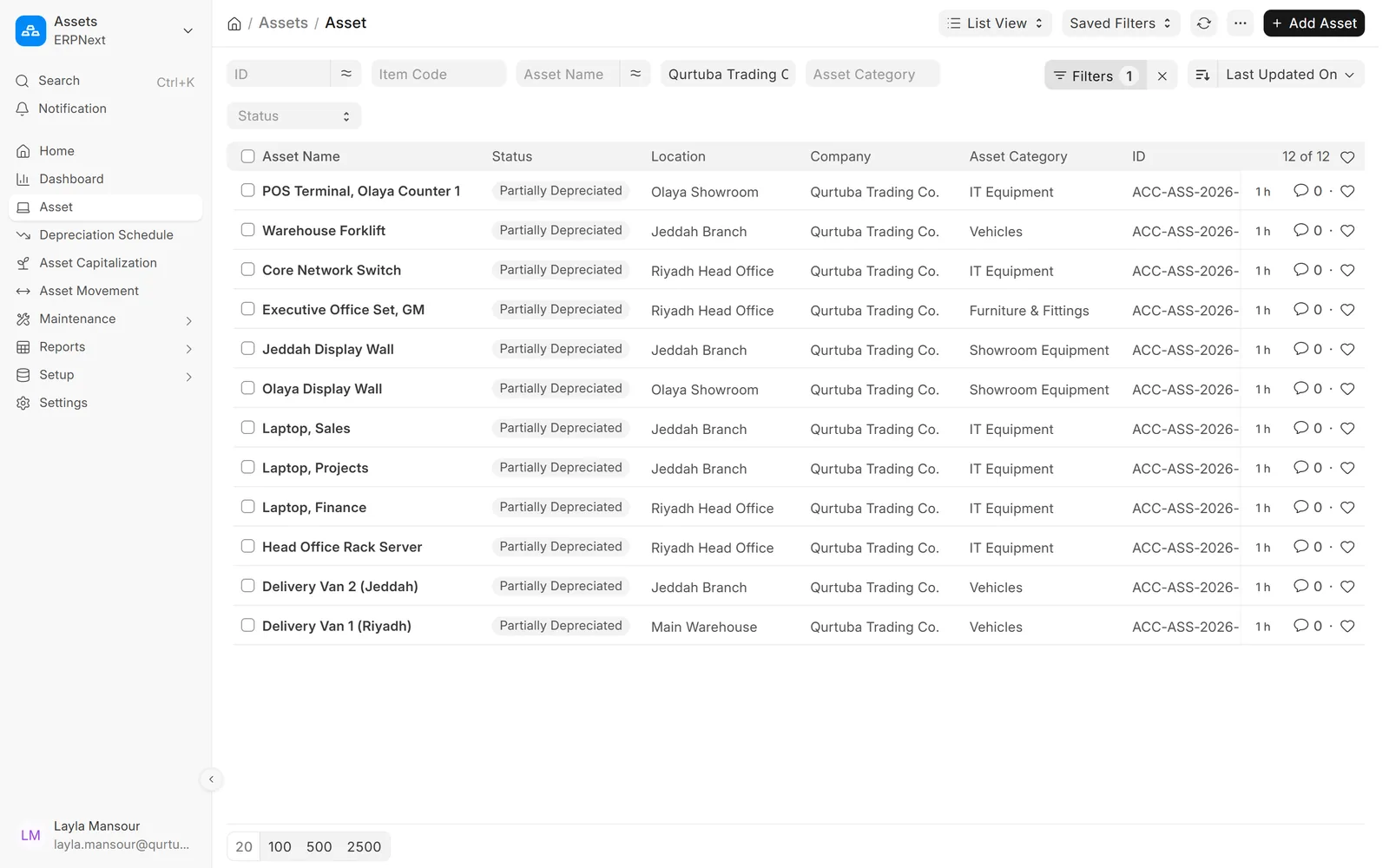
Every asset in one list
Filter by company, category, location or status and open any asset in one click.
- Status from submitted to fully depreciated
- Location per asset
- Several companies in one system
Register and categories
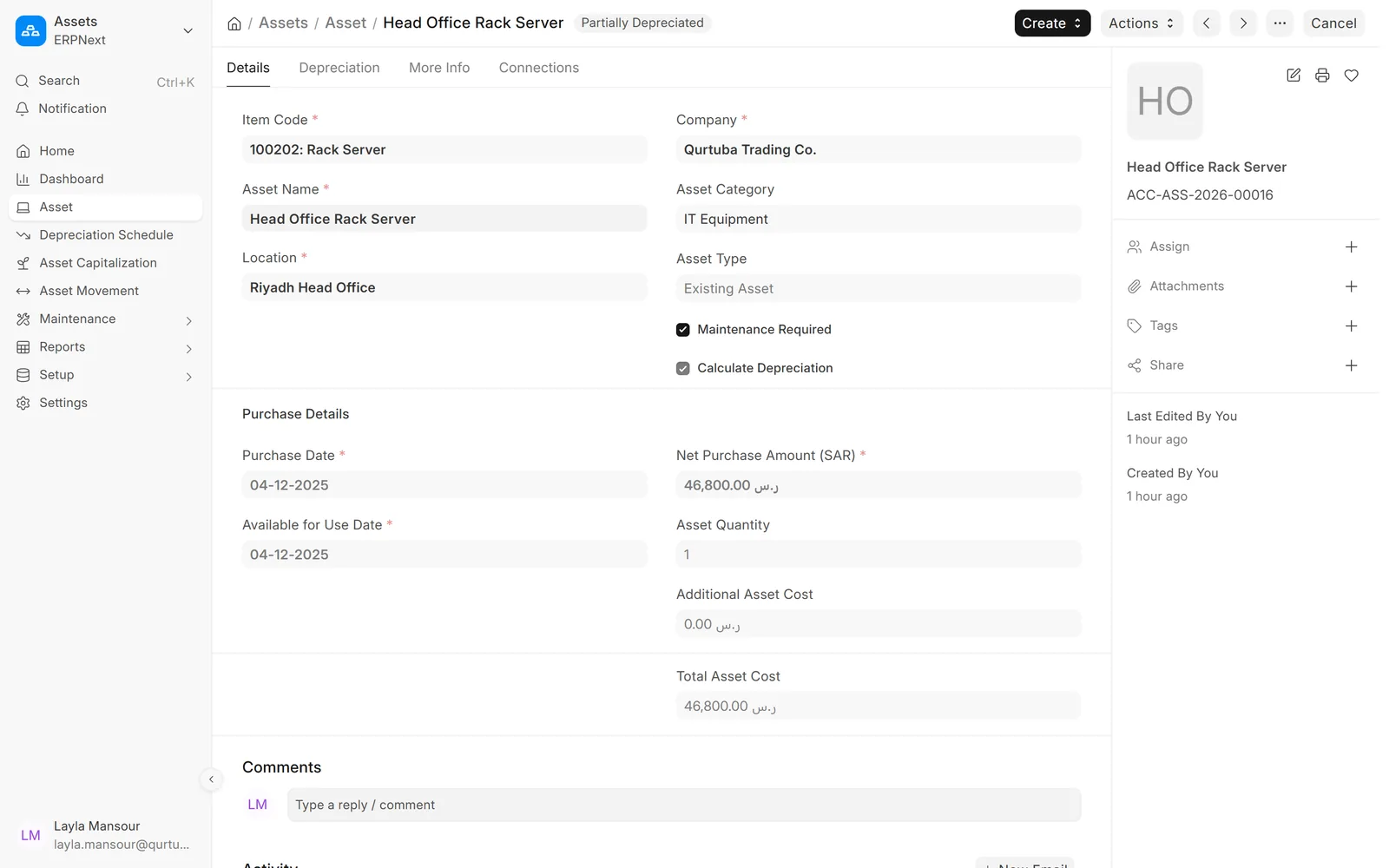
Purchase details and settings in one form
Purchase date, value, location and whether the asset needs maintenance, on one screen.
- Linked to the item and the purchase invoice
- Existing assets can be brought in with opening depreciation
- Maintenance required flag
Register and categories
Rules set once per category
Each category carries its depreciation method, life and accounts, so new assets follow them.
- Straight line, declining balance and other methods
- Fixed asset, accumulated depreciation and expense accounts
- Separate finance books if you need them

Depreciation
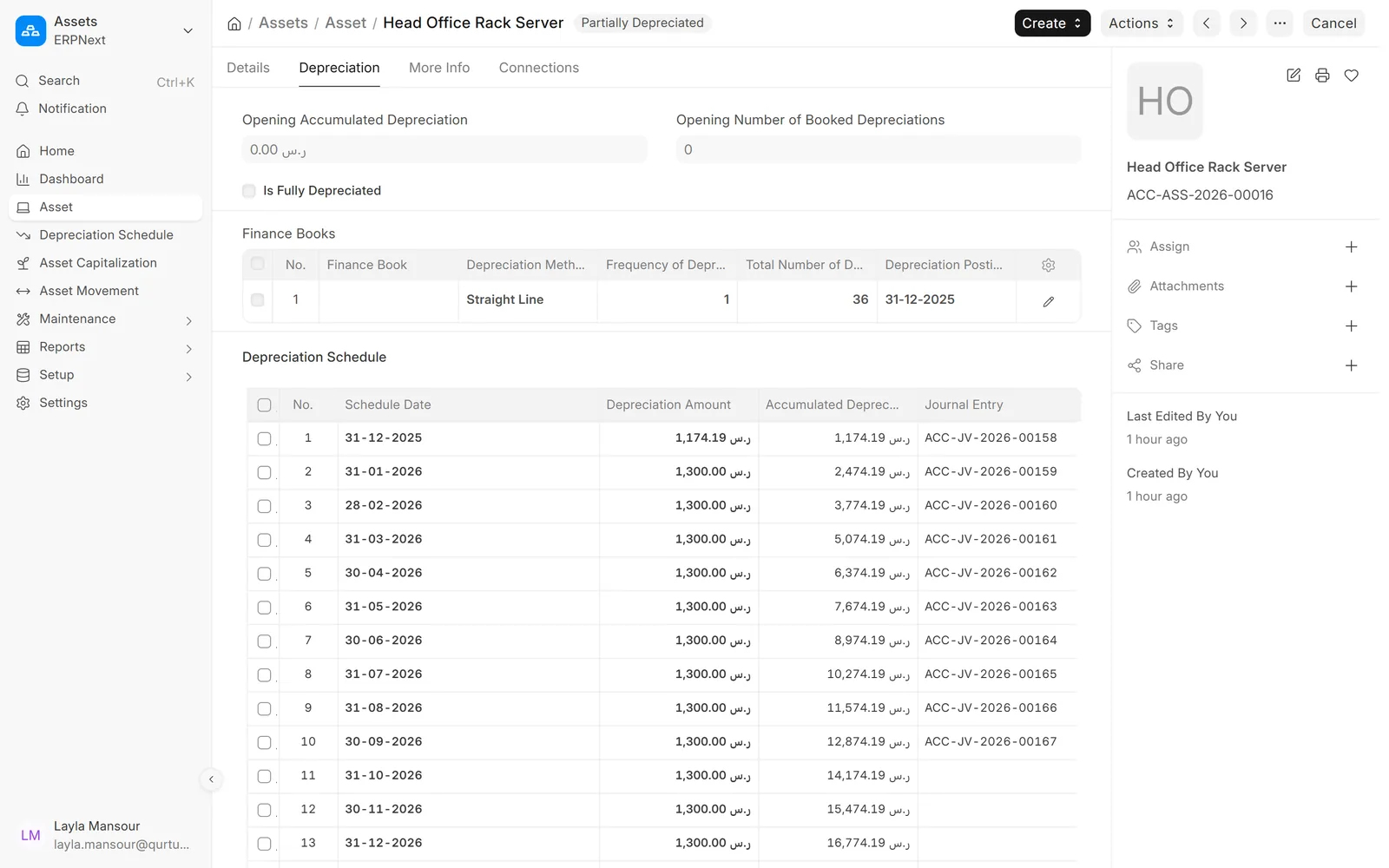
A depreciation schedule for every asset
See each scheduled amount, the accumulated depreciation and the journal entry that posted it.
- Monthly, quarterly or yearly frequency
- Posted entries linked to each row
- Schedule rebuilt when the value changes
Depreciation
Entries the auditor can follow
Each depreciation run creates a journal entry against the right accounts and cost centre.
- Depreciation expense against accumulated depreciation
- Booked on schedule dates
- Visible in the general ledger and financial statements

Depreciation
Balances by category
See cost, additions, disposals and accumulated depreciation for each asset category over a period.
- Asset depreciations and balances report
- Fixed asset register with values and charts
- Export to Excel for the auditor

Movement and maintenance
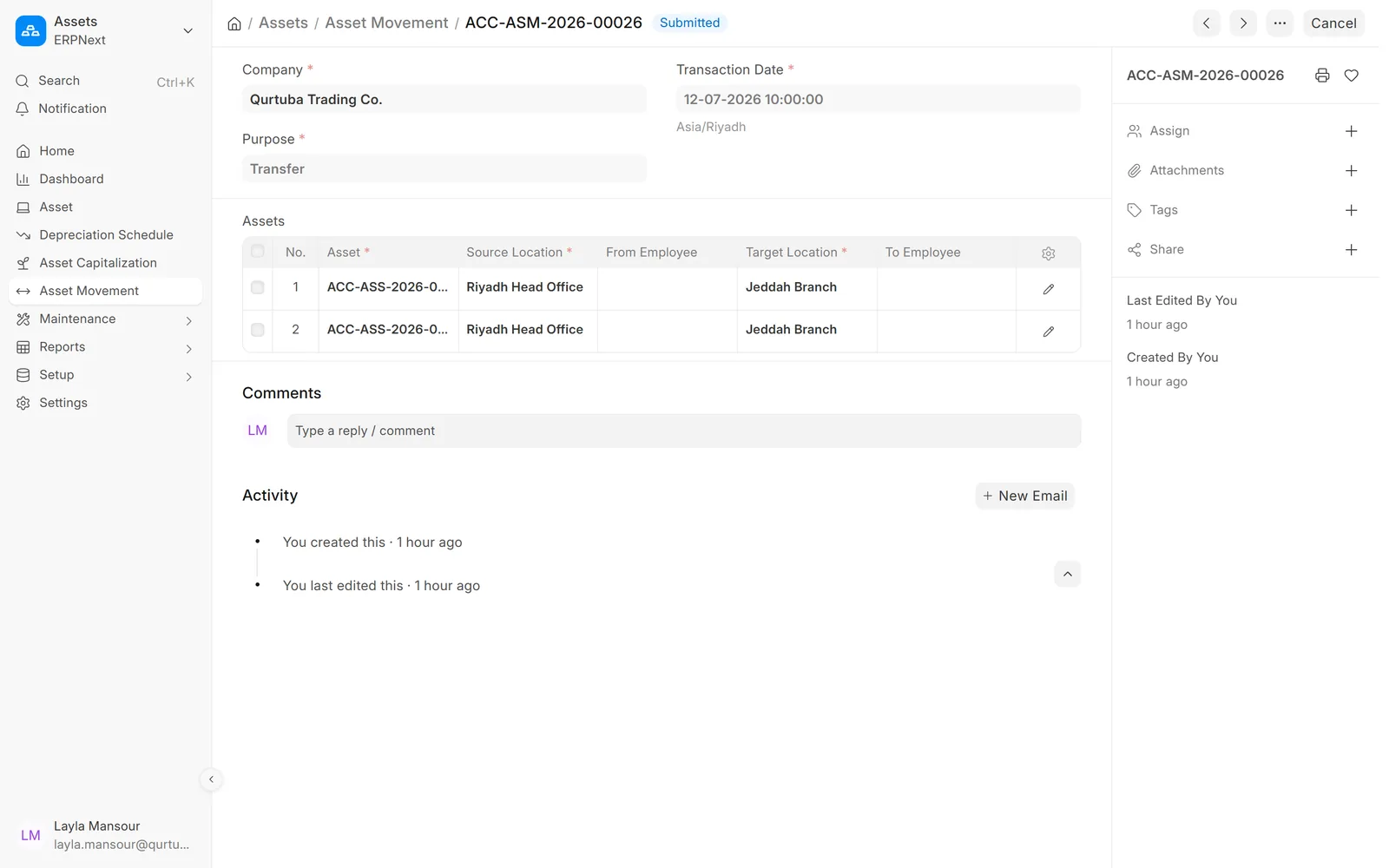
Track every move between sites
Move one asset or many between locations or employees, and keep the history.
- Transfer between locations
- Issue to and receive from employees
- Movement history on the asset
Movement and maintenance
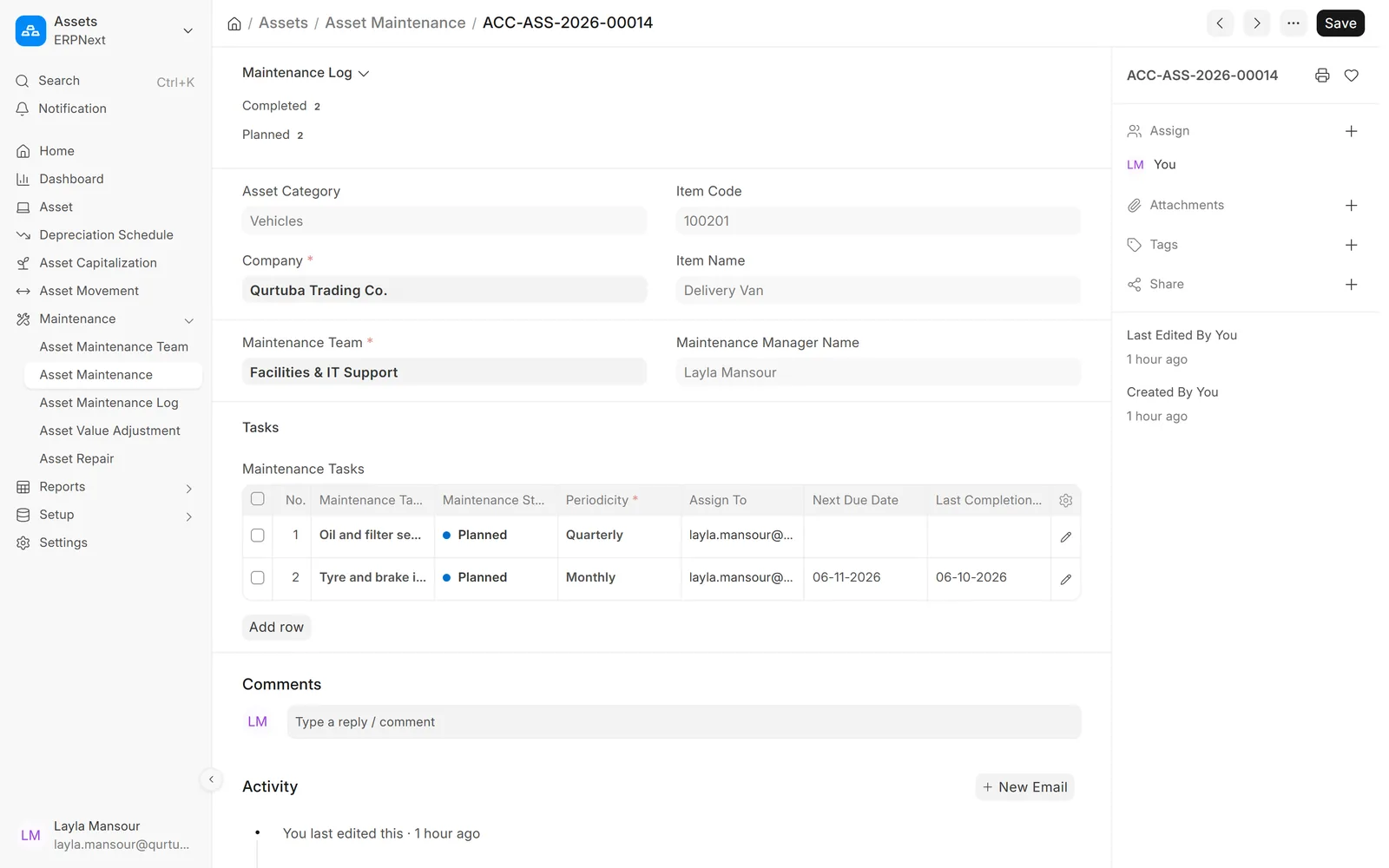
Planned maintenance with owners
Give each asset its maintenance tasks, frequency and team, so nothing depends on memory.
- Tasks with periodicity and next due date
- Maintenance team and manager
- Assigned to users as to-dos
Movement and maintenance
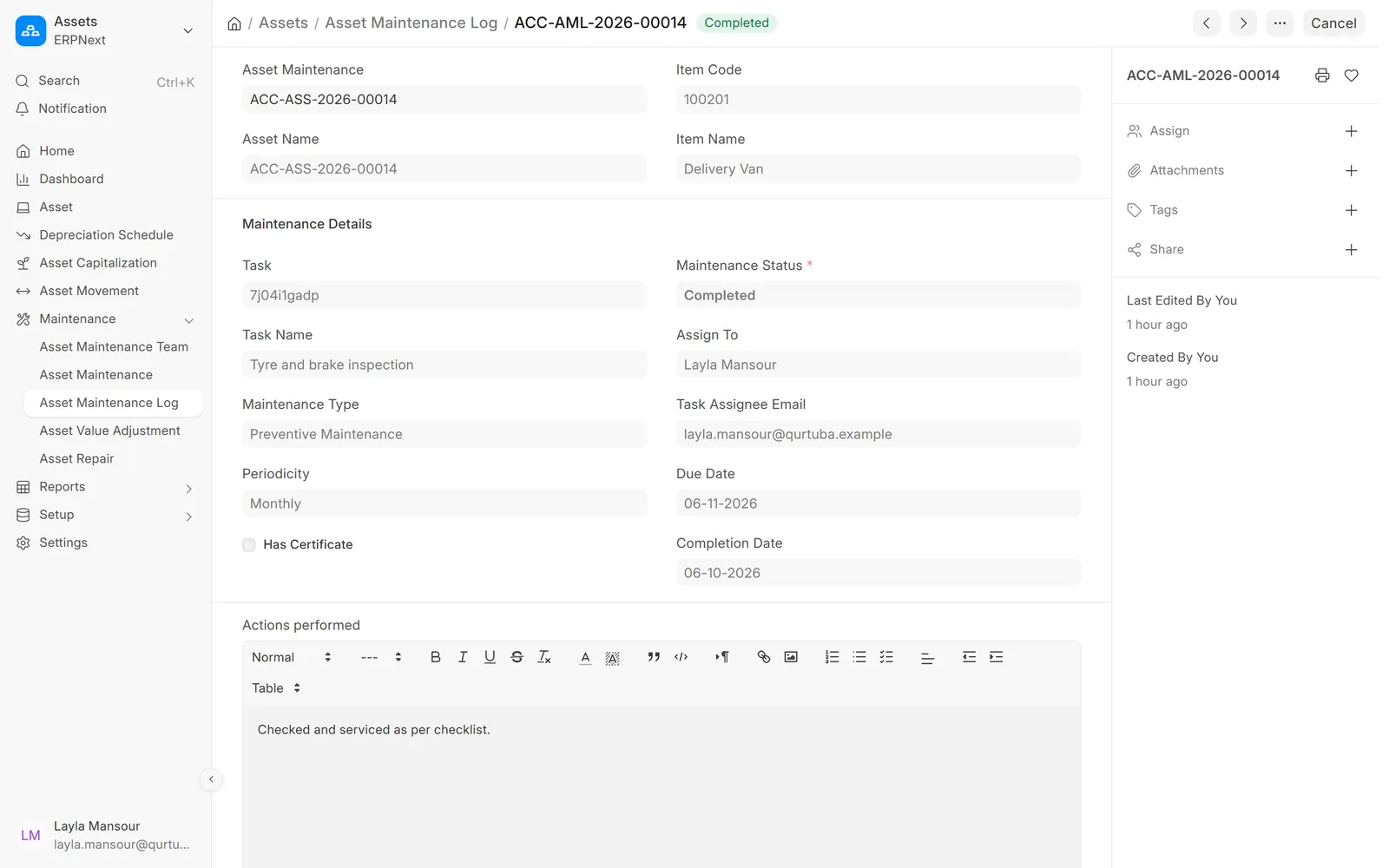
A record of what was done
Each completed task is logged with its date and the actions performed.
- Completion date and status
- Actions performed, in free text
- Repairs with cost can be recorded separately
Screens show demo data.
Why choose
Why choose ERPNext for fixed assets?
Depreciation in the books
No separate spreadsheet to reconcile at year end.
Location and custody
Know which branch or person holds each asset.
Maintenance on schedule
Tasks and logs for vehicles, IT and equipment.
Reports for audit
Register, balances and ledger entries ready to export.
Arabic and English
Asset names and screens in both languages.
Part of ERPNext
Purchases, stock and accounts stay connected.
Comparison table
ERPNext assets vs. a spreadsheet register
| Feature | ERPNext · Data Value | Spreadsheet register |
|---|---|---|
| Depreciation | Scheduled and posted to the ledger | Calculated by hand and booked as one entry |
| Location | Movements recorded with history | Updated when someone remembers |
| Maintenance | Plans, due dates and logs per asset | Separate notes or none |
| Disposal | Sale or scrap posts gain or loss | Adjusted manually in the books |
| Audit | Register, balances and entries agree | Reconciled at year end |
Related
Works together with
FAQ
Frequently asked questions
Can we bring in assets we already own?
Yes. Existing assets are entered with their purchase value and the depreciation already booked, and ERPNext schedules the rest of their life.
Which depreciation methods are supported?
Straight line, written down value and double declining balance, with a manual option. Separate finance books can follow different rules.
Do we post depreciation ourselves every month?
No. Depreciation entries are created on their scheduled dates by ERPNext, and accountants can review them in the ledger.
Can maintenance be assigned to a team?
Yes. Each asset can have a maintenance team, tasks with a frequency, and users who receive the tasks when they fall due.
Official partner of
Frappe · ERPNext
Certified Gold Partner
See your asset register in ERPNext
Book a demo and we will walk through the register, depreciation and maintenance with examples like yours.
Free demo · No commitment