

Maintenance & facilities · Egypt, Saudi Arabia & MENA
Run every facility, job and contract from one operations console
Data Value's CAFM / CMMS gives your operations team one console for the whole FM operation: requests and dispatch, work orders, planned maintenance, assets, contracts and SLAs, materials and purchasing, quality and reporting.
Technicians work from their phones, customers follow their own jobs in a portal, and stock, purchasing and invoicing stay in ERPNext.
- Live dispatch board with SLA flags
- Planned maintenance on schedule
- Asset register with QR passports
- Technician app on the phone
What you get
Everything the operations team runs, in one console
19 capabilities in 9 groups, each shown next to its screen in the real system.
Operations control
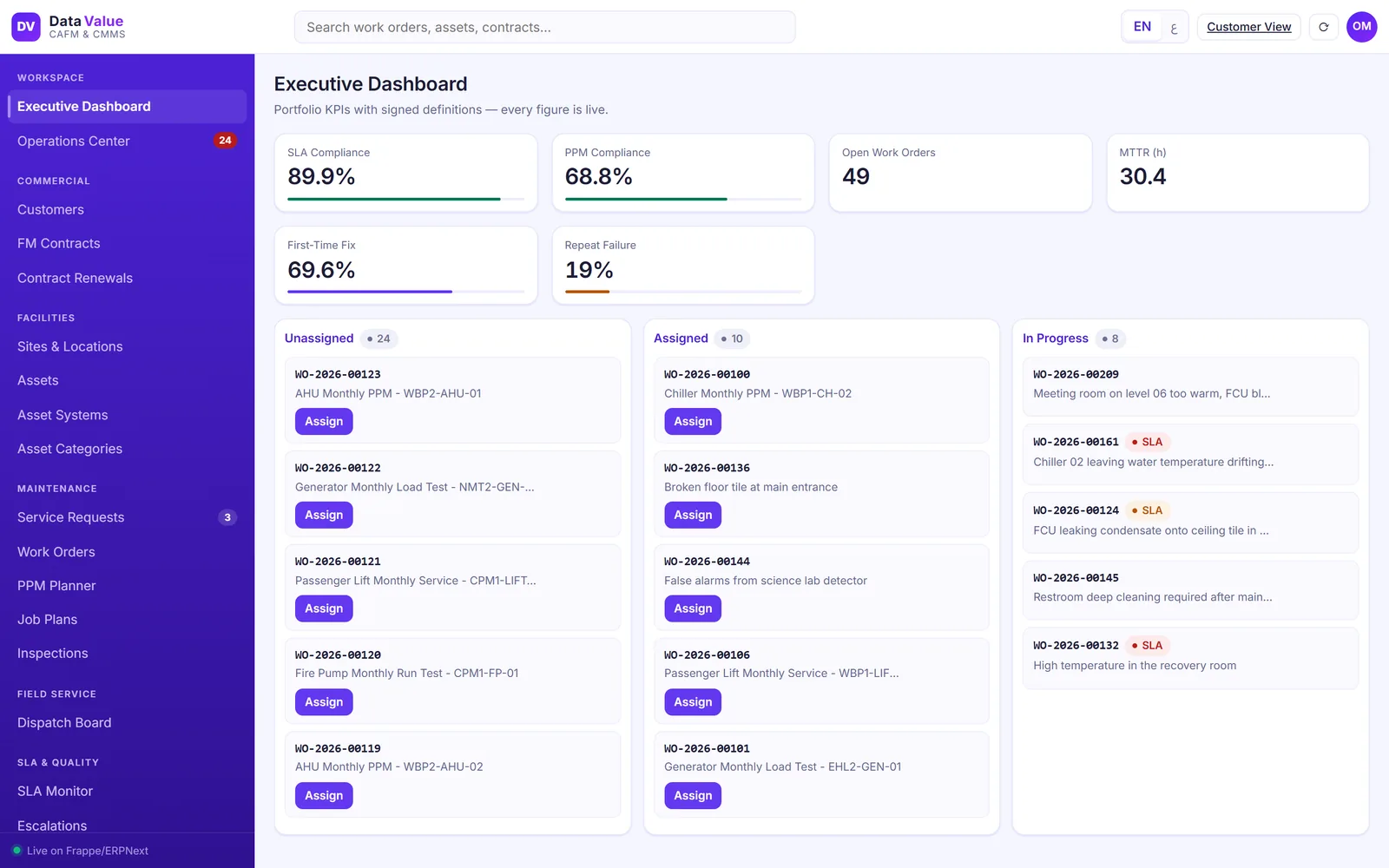
Executive dashboard for the whole portfolio
See how the operation is performing before you open a single job.
- SLA and PPM compliance across all contracts
- Open work orders, mean time to repair and first-time fix
- Repeat failures flagged for follow-up
- The live job pipeline under the KPIs, ready to assign
Operations control
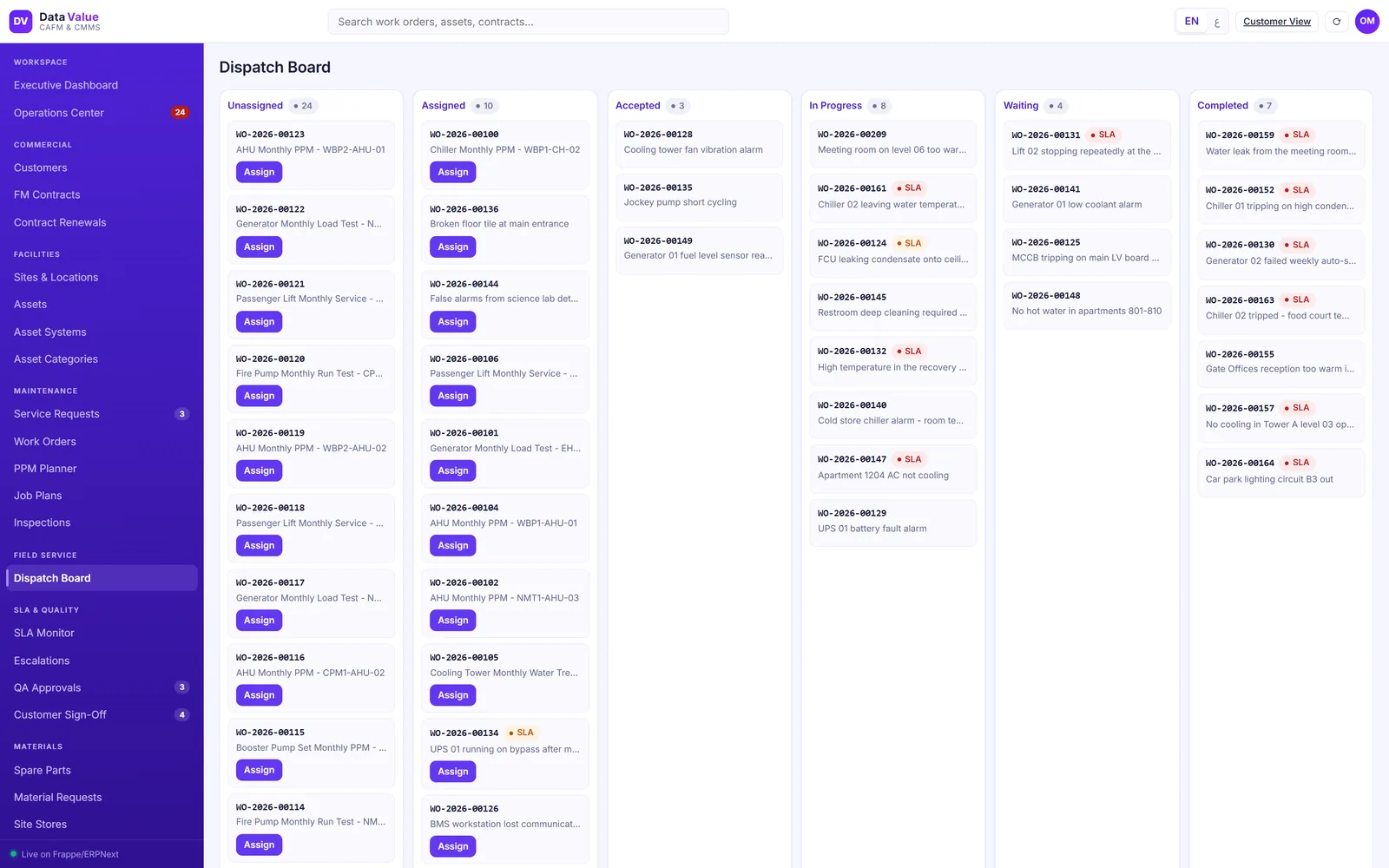
A live dispatch board for every open job
Supervisors see every job by stage and assign from the board.
- Lanes from unassigned to completed
- Red and amber flags on jobs at risk of missing their SLA
- Assign to a technician in one step
- Counters for new requests, QA and customer sign-off in the menu
Work orders & dispatch
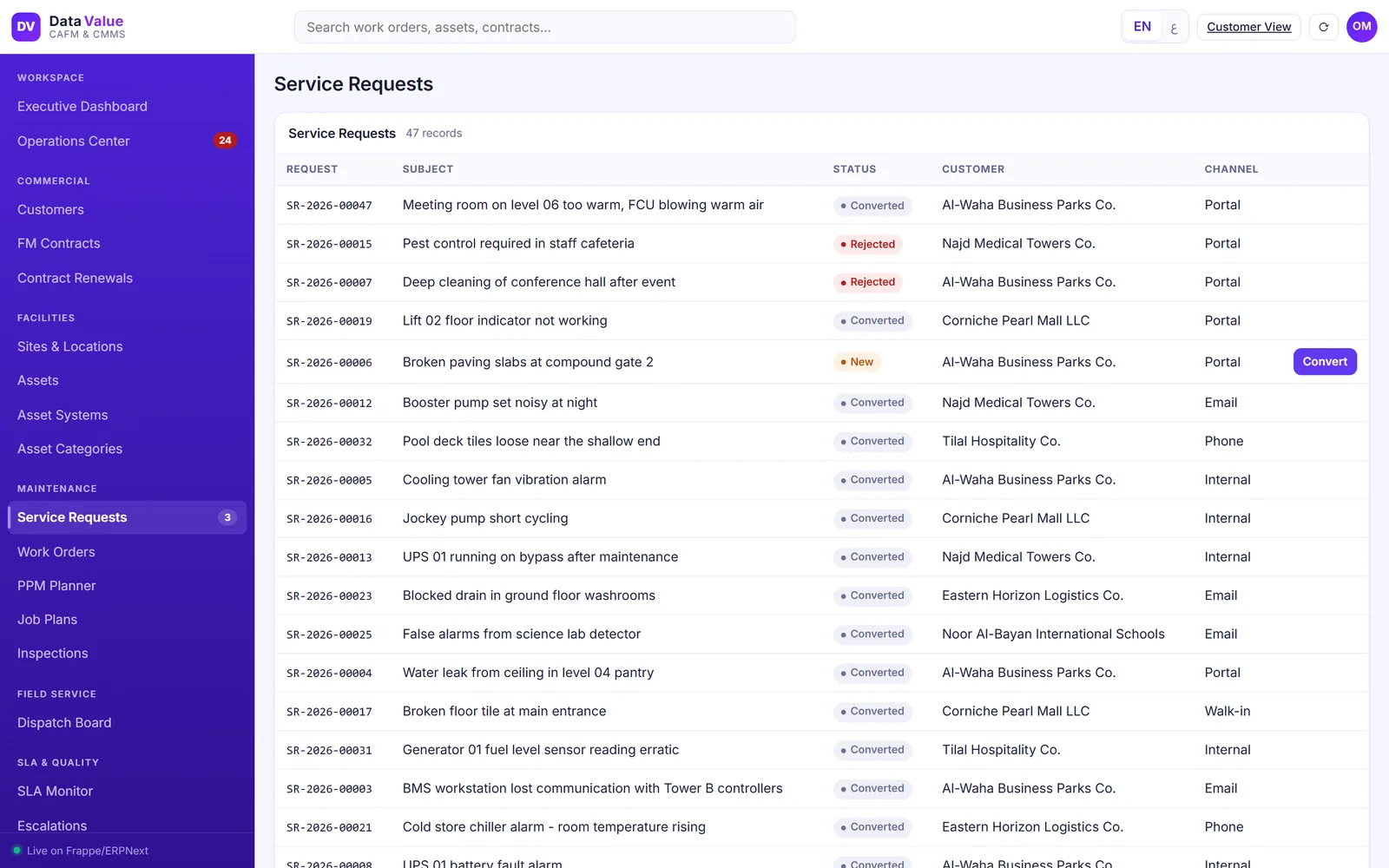
Service requests from every channel
Every request lands in one queue, whatever the channel.
- Portal, phone, email, walk-in and internal staff
- Triage, reject with a reason or convert to a work order
- Customer, site, asset and priority carried onto the job
- The SLA clocks start as soon as the job is raised
Work orders & dispatch
A controlled work-order lifecycle with quality checks
Jobs move only through defined steps, from assignment to close.
- Assign, accept, start, hold and complete
- Supervisor QA approves or sends the job back
- Customer sign-off before the job closes
- Every step logged with the user and time

Work orders & dispatch
A service report that proves the work
Each job ends with a report the customer can keep.
- Checklist results and readings
- Materials used and failure diagnosis
- Outcome of each SLA commitment
- QA approval and the customer signature

Planned maintenance
Planned preventive maintenance that schedules itself
Set the plan once per asset and the visits follow.
- Job plans with tasks, skills, materials and safety notes
- Monthly, quarterly and semi-annual frequencies
- Visits become work orders when they fall due
- Overdue and missed visits flagged automatically

Planned maintenance
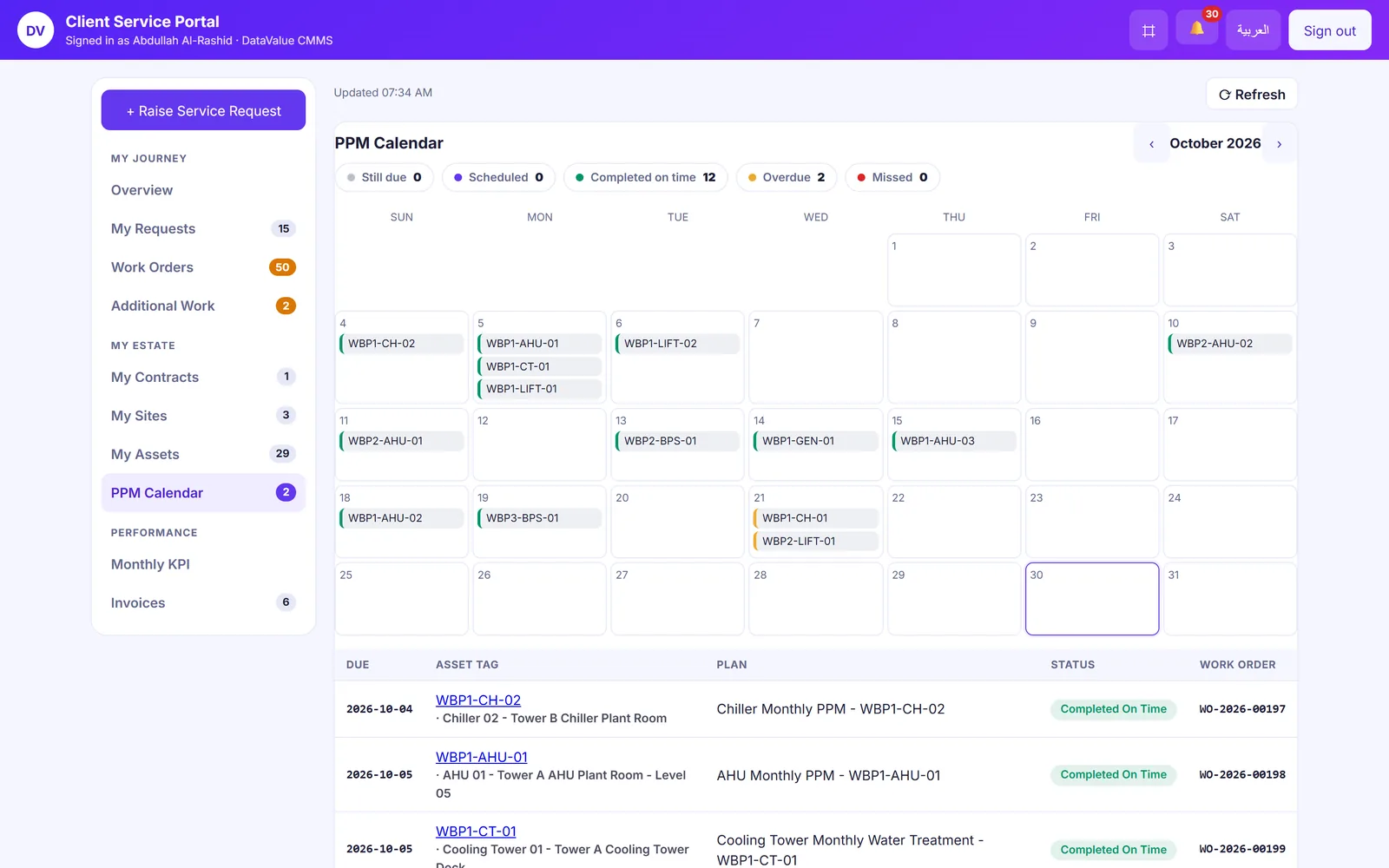
A visit calendar and compliance you can show
Every visit sits on a calendar with its result.
- Month view by asset
- Completed, scheduled, overdue and missed counts
- PPM compliance per customer and portfolio
- A failed checklist item can raise a corrective job
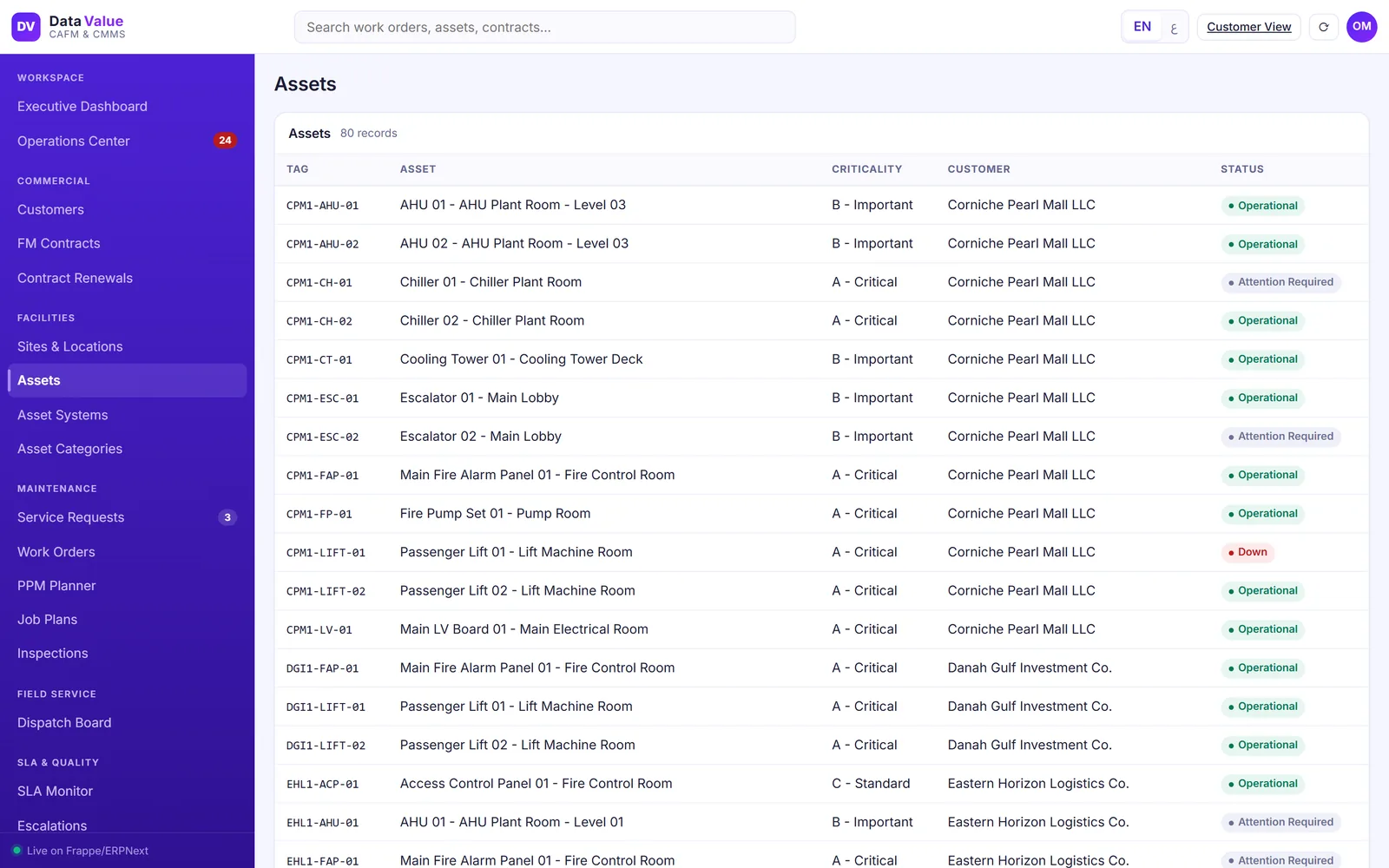
Assets
One asset register across every site
Hold every asset with its place in the building and its condition.
- Sites, buildings, floors and rooms in a location tree
- Systems, categories and criticality
- Components, spares, meters and readings
- Status from operational to down, and transfers between locations
Assets
A QR passport for every asset
Scan the label on site and the asset opens with its details.
- Category, make, model and criticality
- Meters and their latest readings
- Components and spare parts
- Asset surveys when a new site is taken over

Contracts & SLA
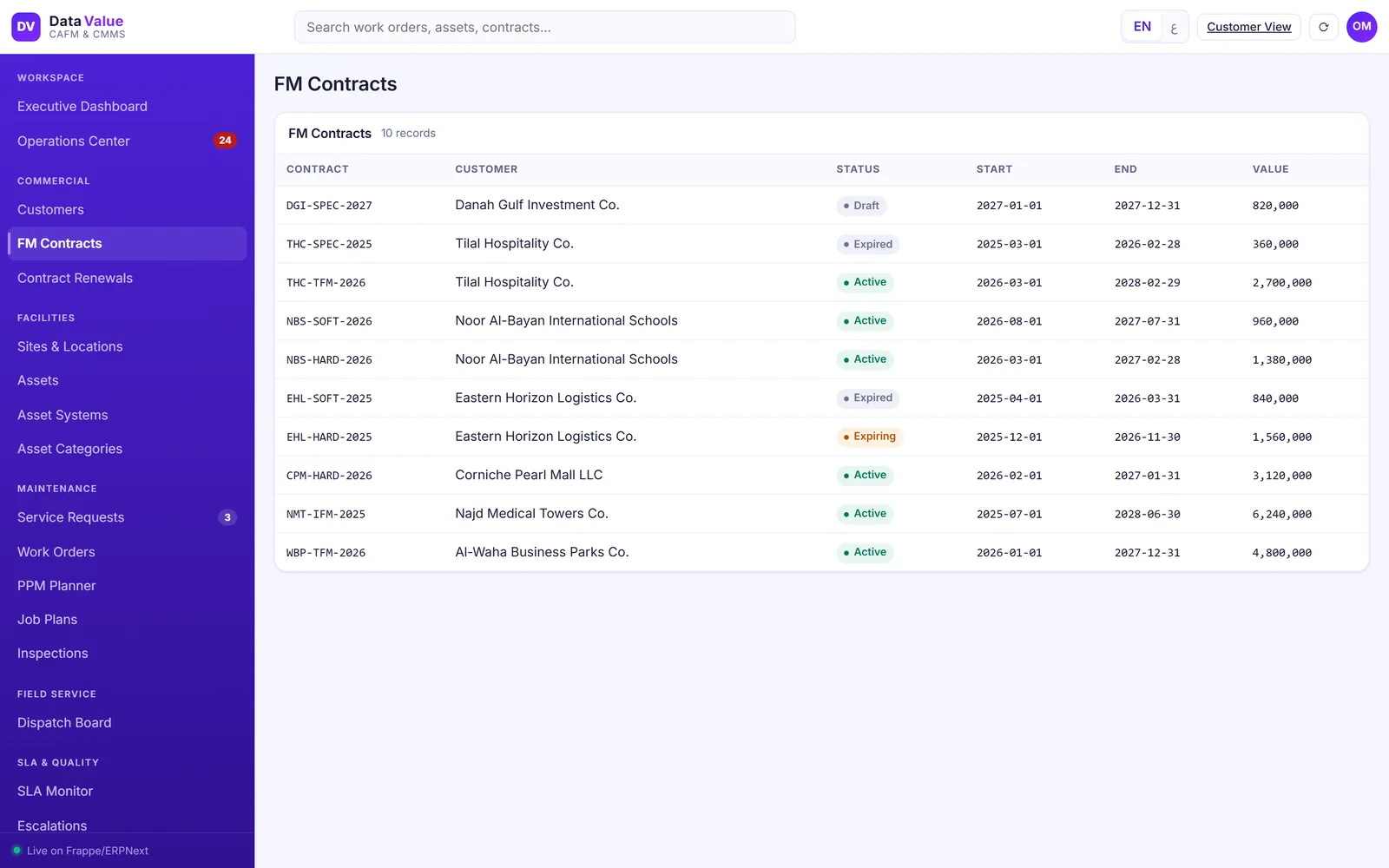
FM contracts with their scope and renewals
Every job is tied to the contract that governs it.
- Services, sites, teams and SLA terms per contract
- Billing schedules and amendments
- Renewal watch for contracts nearing expiry
- Hard, soft and total FM contracts side by side
Contracts & SLA
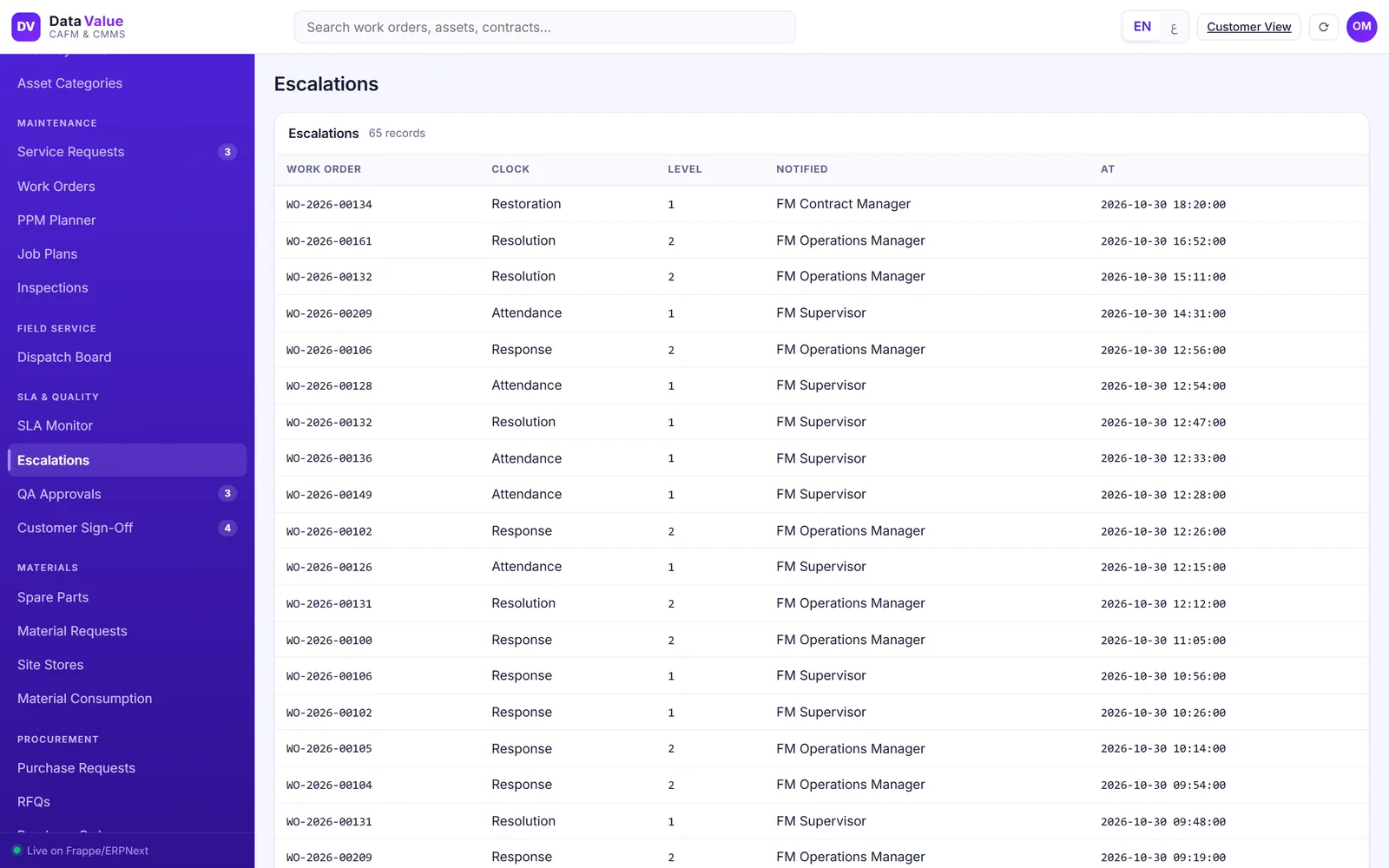
SLA clocks that escalate before a breach
Commitments are timed on the contract working calendar.
- Response, attendance, restoration and resolution clocks
- Targets by priority and type of work, with agreed pauses
- Staged alerts to supervisors and managers as time runs out
- A full log of every escalation
Field technicians
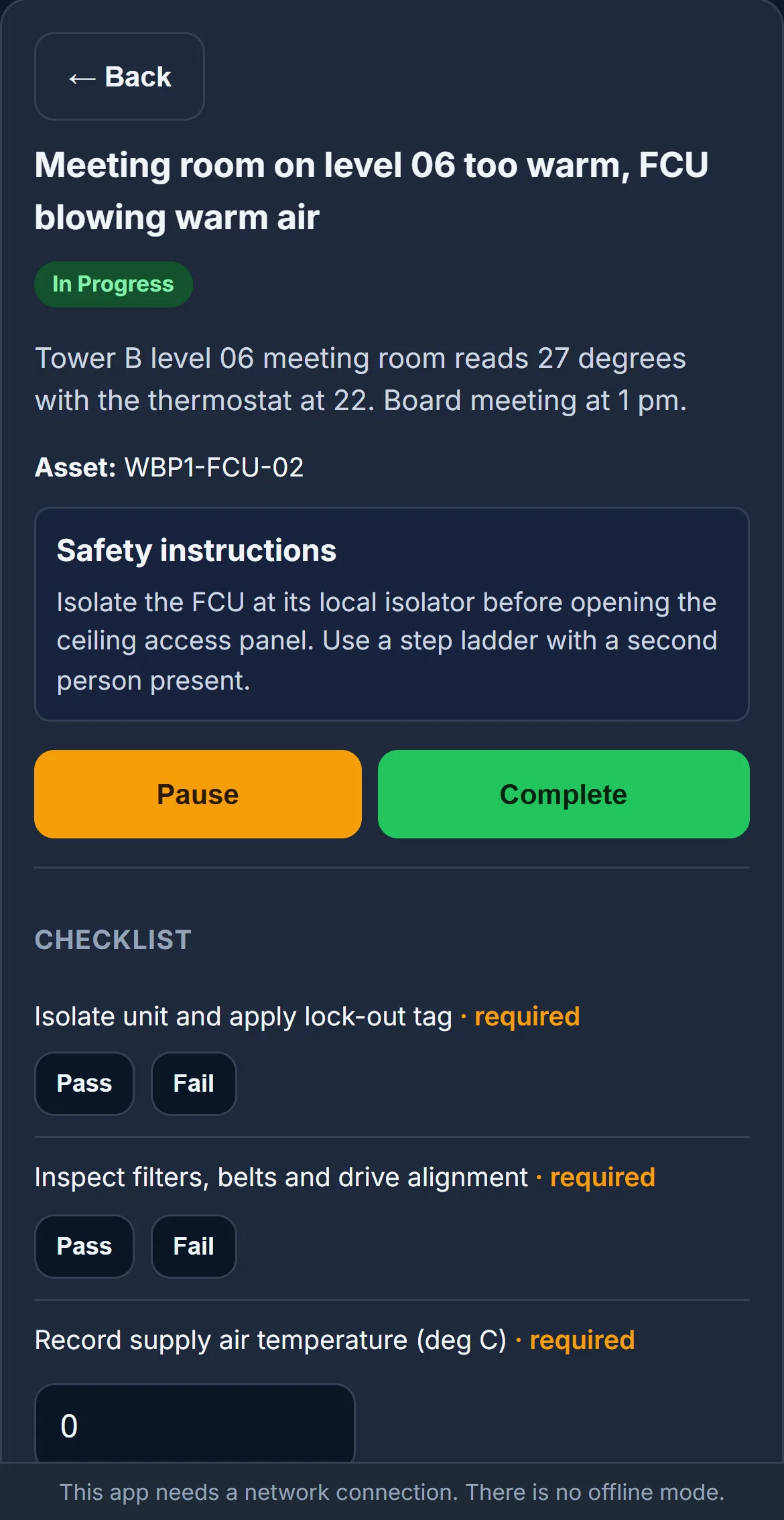
The whole job on the technician phone
Technicians run the job from start to finish on their phone.
- Safety instructions before work starts
- Checklists with pass/fail and readings
- Time, materials and before and after photos
- Asset QR scanning; a network connection is needed
Field technicians
A clear list of the day's work
Each technician sees only the jobs assigned to them.
- Today and all assigned jobs
- Accept, start, pause and complete from the list
- Priority and asset on every row
- English or Arabic, right to left

Spare parts & costs
Spare parts, purchasing and job costs
Materials move with the job, and the cost follows it.
- Spare parts held in central and site stores
- Material and purchase requests raised from the work order, through RFQs and purchase orders
- Issues and returns recorded against the job
- Subcontracted work and contract invoices in ERPNext
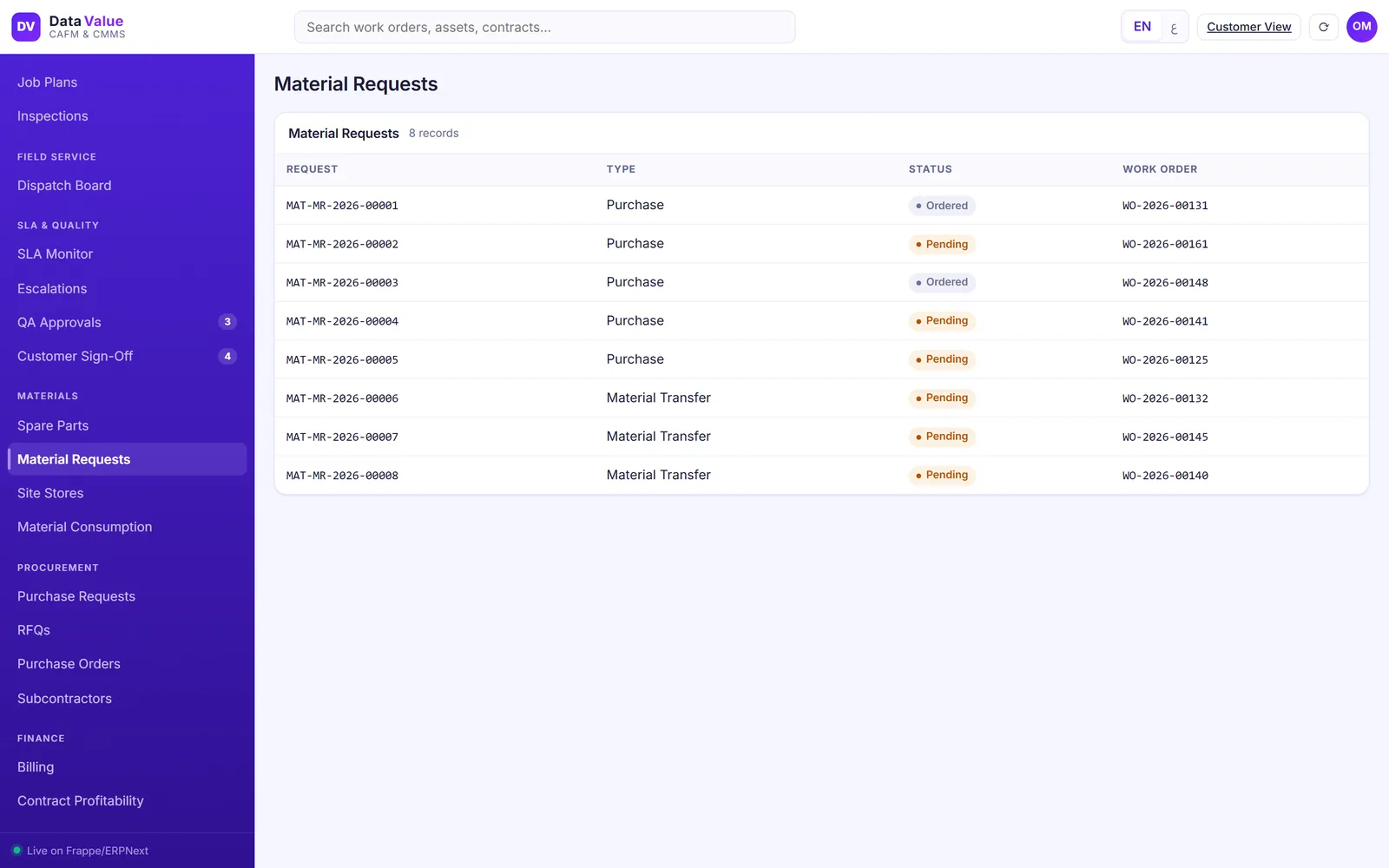
Client portal
A portal where each customer sees their own operation
Customers stop calling for status.
- Open requests and jobs in progress
- SLA and PPM compliance for their sites
- Assets, contracts, reports and invoices
- Only their own records, in English or Arabic
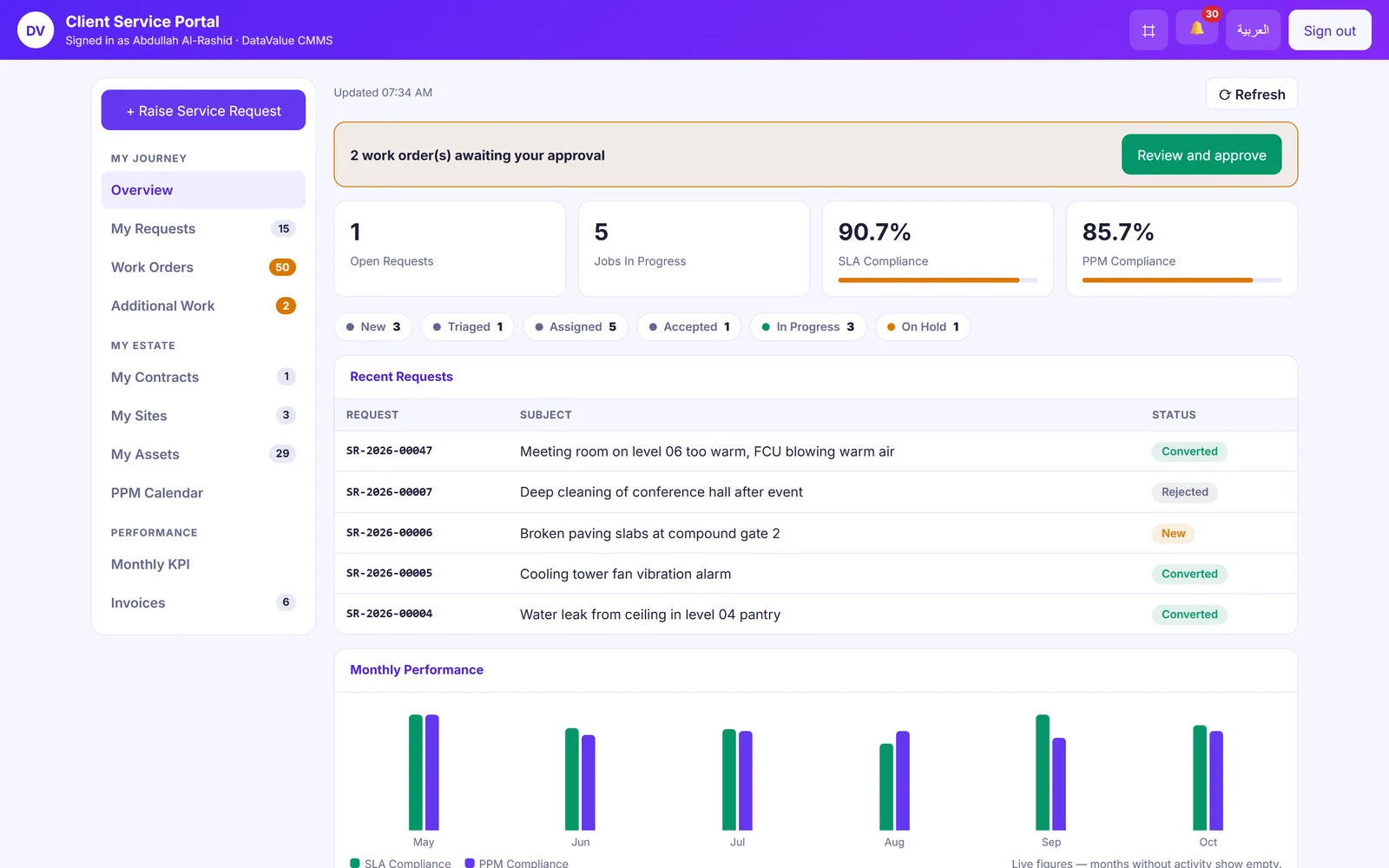
Client portal
Live tracking of every request
Customers raise a request and follow it to sign-off.
- Raise requests with photos
- A timeline of each step
- Live status of each SLA commitment
- Sign off with a signature, ask for rework and rate the job

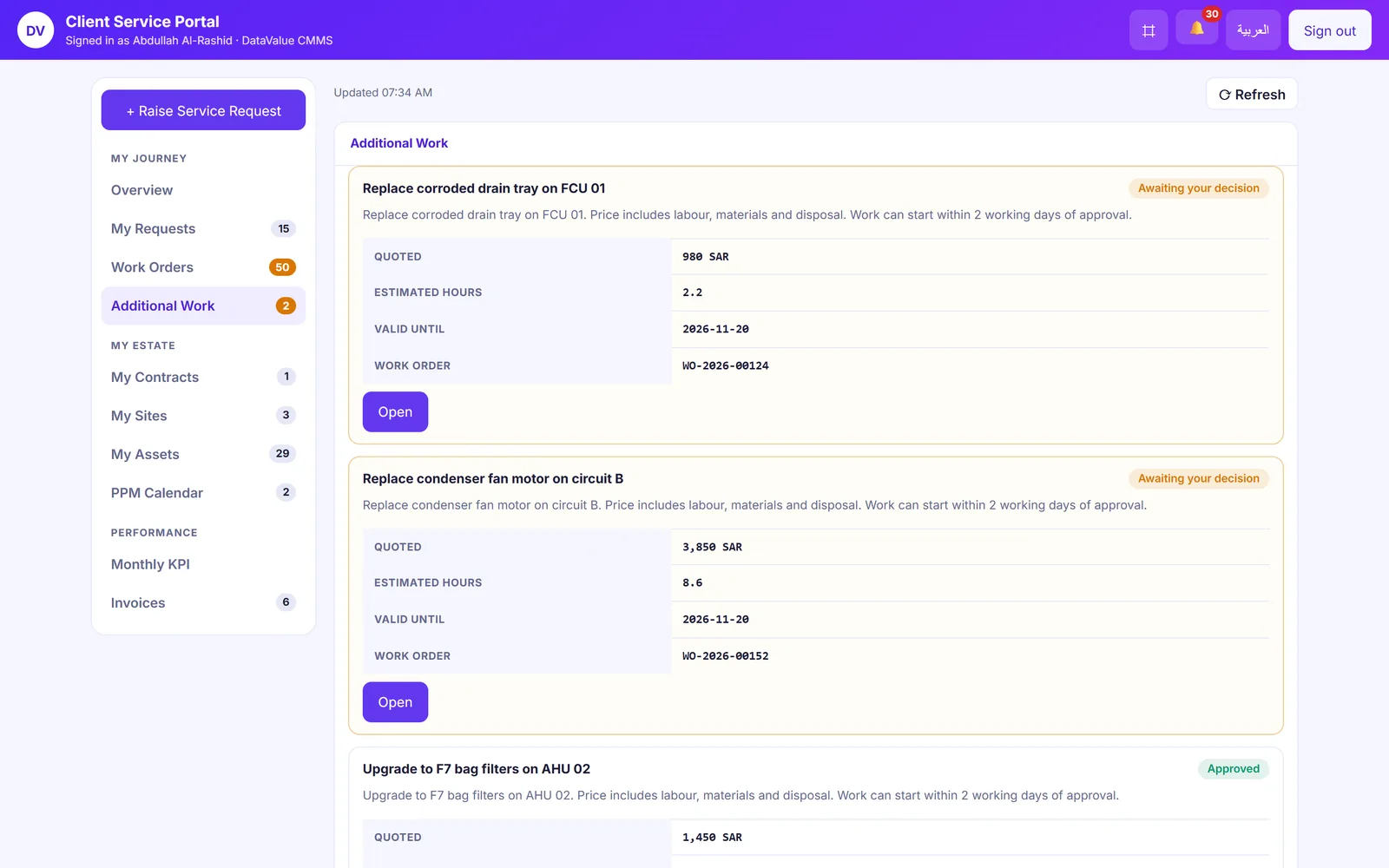
Client portal
Additional work agreed before it starts
Extra work goes to the customer for a decision first.
- Priced variations with estimated hours
- Approve or decline in the portal
- A validity date on every quote
- The decision kept with the job
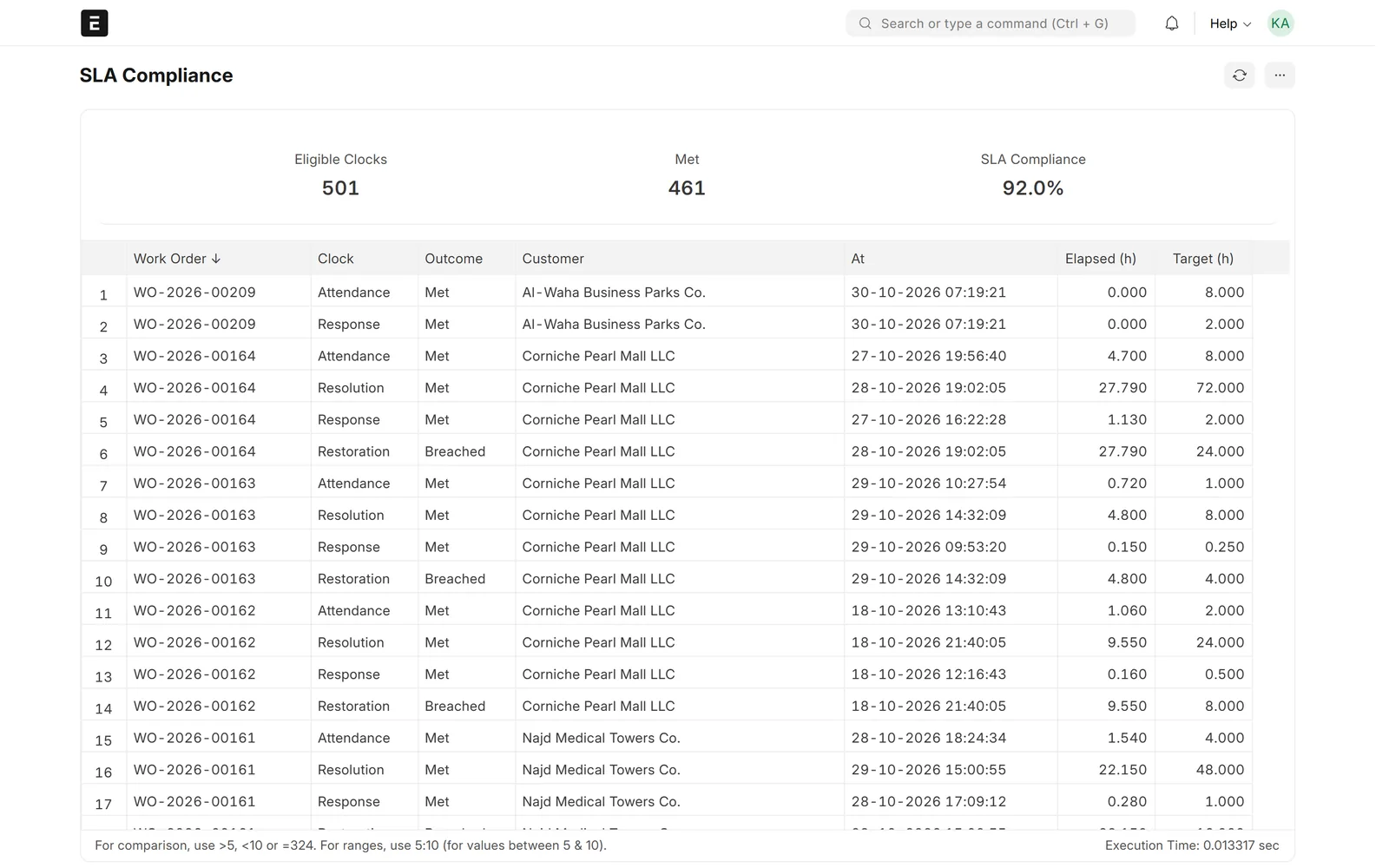
Reports & dashboards
SLA and PPM reports you can stand behind
Every figure traces back to the jobs behind it.
- Each SLA clock on each job, met or breached
- PPM compliance by customer and month
- Monthly customer reports in PDF
- Dashboards for work orders by status, priority and channel
Reports & dashboards
Customer satisfaction on every job
Ratings come in as jobs close.
- A 1 to 5 rating after sign-off
- Comments kept with the job
- Ratings by customer over time
- Average rating in the monthly report

Screens show demo data.