

 WhatsAppERPNext
WhatsApp messages from ERPNext, through the official Cloud API
ERPNext sends approved WhatsApp templates when documents change, such as an invoice with its PDF, and keeps every message and its delivery status next to the document.
- Meta’s official Cloud API
- Templates sent on document events
- Invoice PDF attached
- Every message logged

A WhatsApp template sent with the invoice PDF when a Sales Invoice is submitted
Problem → outcome
What changes when ERPNext sends your WhatsApp messages
-
Without the integrationInvoices are sent from a personal phoneWith the Data Value setupThe invoice PDF goes out from your business number when the invoice is submitted.
-
Without the integrationCustomers miss delivery and payment updatesWith the Data Value setupDelivery and payment reminder templates go out on the events you choose.
-
Without the integrationNobody knows if the message arrivedWith the Data Value setupEach message keeps its status (sent, delivered, read) and the document it belongs to.
-
Without the integrationUnofficial tools risk the number being blockedWith the Data Value setupMessages go through Meta’s official Cloud API with templates Meta has approved.
What syncs
What moves, and in which direction
ERPNext
Invoices, orders, delivery notes and any document
- Document events (submit, change, date)ERPNext → WhatsAppTemplate messageby notification rules
- Print format PDFERPNext → WhatsAppDocument header of the templatewith the message
- Approved templatesWhatsApp → ERPNextWhatsApp Templatessynced from Meta
- Delivery status and repliesWhatsApp → ERPNextWhatsApp Message logwebhook from Meta
WhatsAppMeta Cloud API and your business numbers
Features
What you get, screen by screen
Real screens from our demo site, with a fictional demo company.
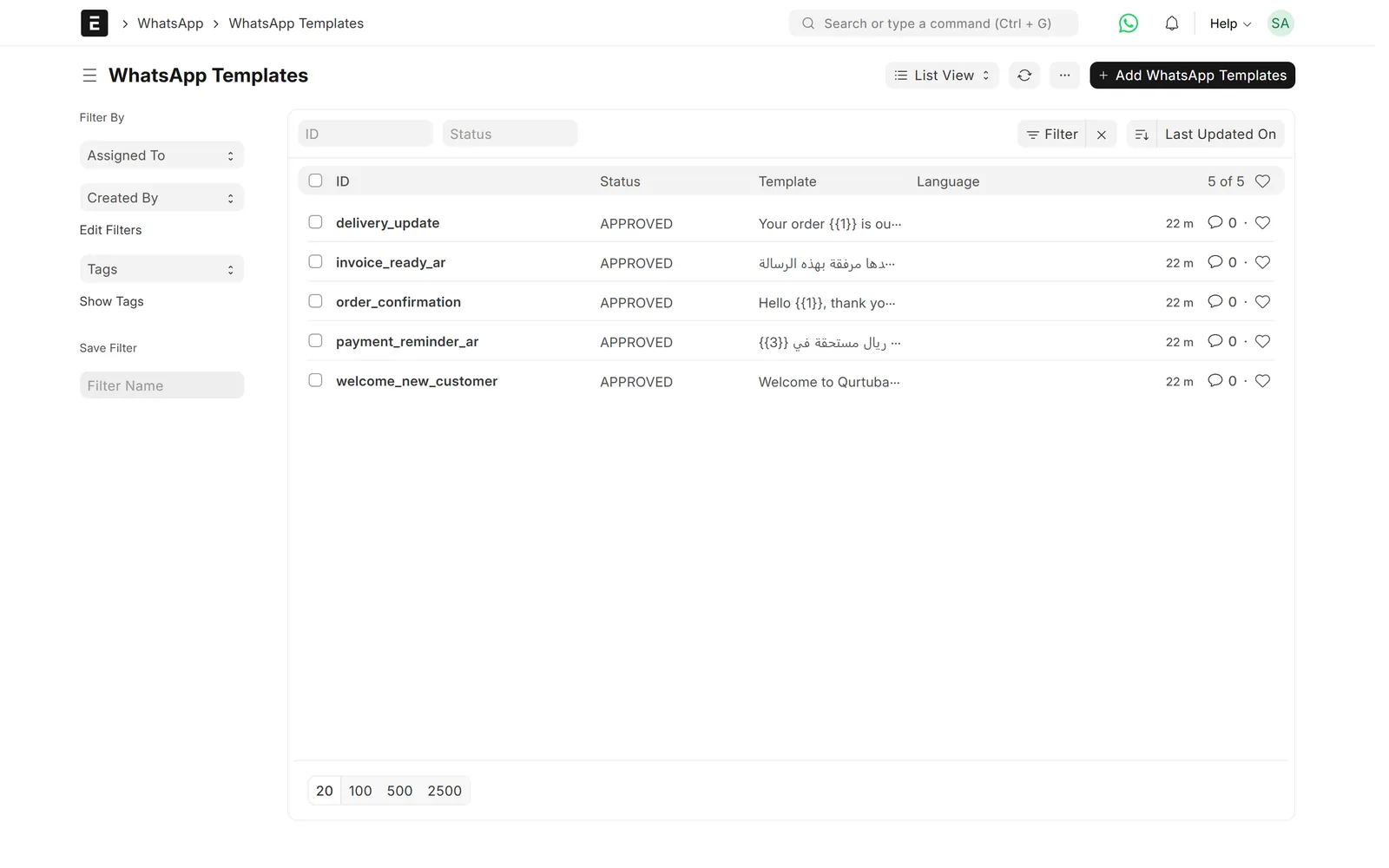
Templates
Approved templates in ERPNext
Templates approved by Meta are kept in ERPNext with their language, category and parameters.
- Arabic and English templates
- Header with document or image
- Parameters filled from document fields

Log
Every message kept
Each message is stored with its number, status and the document it was sent for.
- Sent, delivered and read
- Incoming replies logged
- Errors kept for follow-up

Numbers
Several business numbers
With our WhatsApp Inbox app, each number has its own users, department and default templates.
- Choose who can view and send
- Quality rating from Meta
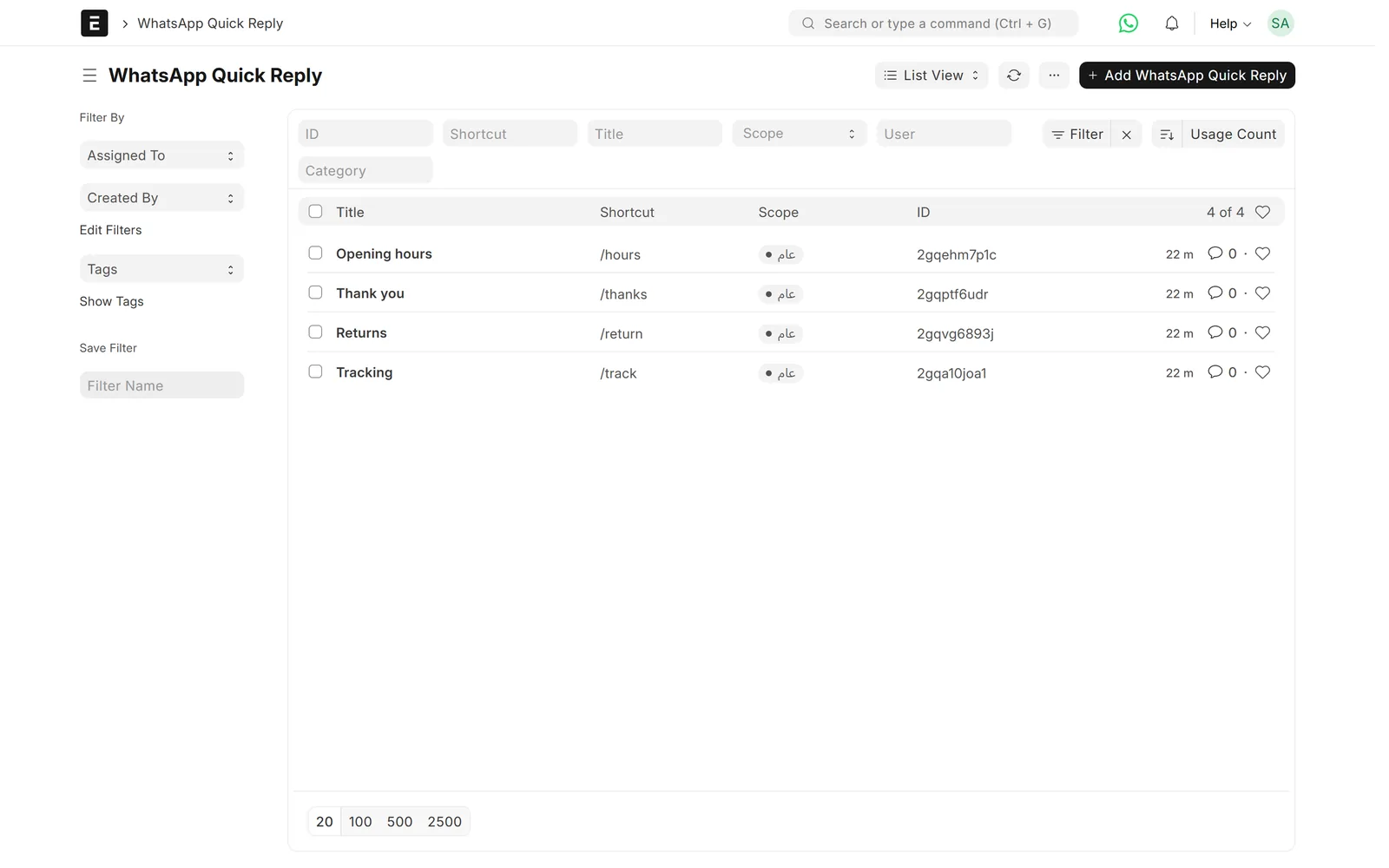
Replies
Quick replies for the team
Saved replies, part of our WhatsApp Inbox app, are inserted with a short code, and usage is counted.
- Personal or shared
- Arabic and English
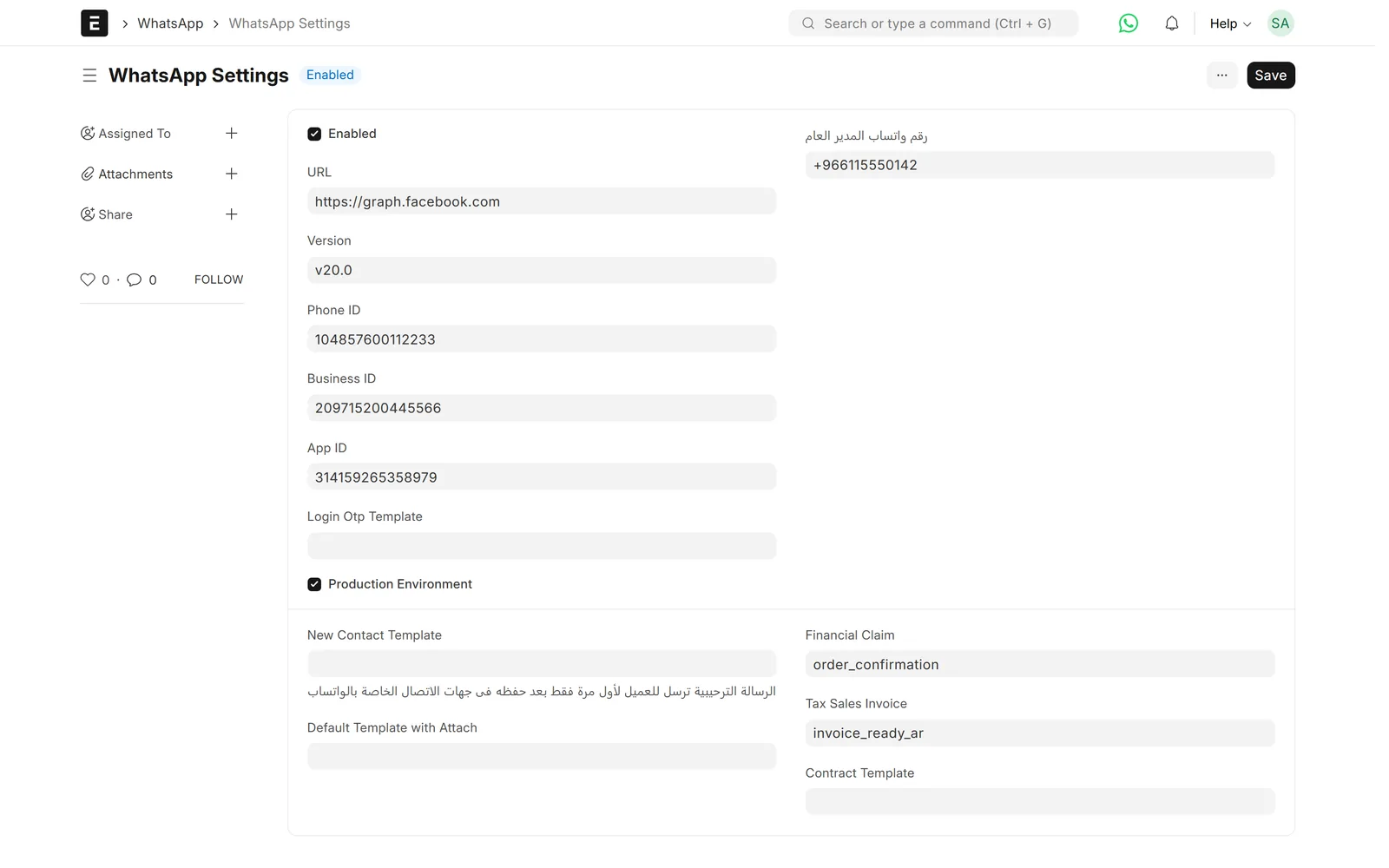
Settings
Cloud API settings
The phone number ID, business account and API version are set once.
- Production or test number
- Token stored encrypted
Limits & versions
What it does not do (yet)
Versions and setup
- ERPNext v15. Template messages use the open-source frappe_whatsapp app (MIT licence), which we implement and support; several numbers and quick replies come from our WhatsApp Inbox app.
- Needs a WhatsApp Business account on Meta with a verified number.
- Business-initiated messages must use templates approved by Meta.
- Meta charges for conversations according to its own pricing.
Not covered
- Unofficial WhatsApp Web automation.
- Bulk marketing without opt-in.
- Voice and video calls over WhatsApp.
Setup
How we set it up
- ScopeWe go through your current process, the documents you need and the settings on the other side.
- ConnectWe connect your WhatsApp Business account and number to ERPNext and set the webhook for statuses and replies.
- MapWe prepare your templates for Meta approval and link each one to the documents and fields it uses.
- Test on your dataWe run real cases on a test copy of your site before go-live.
- Go live and supportWe switch it on and support it under a support agreement.
Related
Works together with
ERPNext modules
Runs on these modules
Services
We take care of
FAQ
Frequently asked questions
Is this the official WhatsApp API?
Yes. Messages go through Meta’s WhatsApp Cloud API with templates Meta has approved.
Can it send the invoice PDF?
Yes. A template with a document header sends the PDF of the print format you choose when the invoice is submitted.
Can I use more than one number?
Yes. With our WhatsApp Inbox app, several business numbers can be set up, each with its own users and default templates.
Do I pay Meta for messages?
Meta charges for WhatsApp conversations according to its own pricing. Our prices for setup and support are on request.
Do you also work with Bevatel?
Yes. For businesses on Bevatel we have a separate connector that sends approved templates when ERPNext documents change.
WhatsApp ⇄ ERPNext
See WhatsApp messages sent from ERPNext
Book a demo and we will show you templates, notifications and the message log on our demo site.
Free demo · No commitment · Prices on request