

 ERPNext
Bring your Shopify orders into ERPNext
Shopify orders reach ERPNext as soon as they are placed, then become Sales Orders, Delivery Notes and Sales Invoices by rules you set on payment and fulfilment status.
- Orders arrive by webhook
- Documents created by your rules
- Customers created or matched
- Every call kept in a log

Shopify orders inside ERPNext, with payment and fulfilment status
Problem → outcome
What changes when Shopify and ERPNext are connected
-
Without the connectorOrders are copied into ERPNext by handWith the Data Value connectorEach order is saved in ERPNext with its lines, customer, address, discounts, shipping and tax.
-
Without the connectorInvoices are made before the money is inWith the Data Value connectorYou choose which payment and fulfilment statuses create the Sales Order, the Delivery Note and the Sales Invoice.
-
Without the connectorProducts in Shopify do not match the item listWith the Data Value connectorShopify variants are linked to ERPNext items, and an Unmapped Items report lists what still needs a link.
-
Without the connectorCourier statements are reconciled in a spreadsheetWith the Data Value connectorUpload the courier’s statement and the app matches it to your orders, then records fees and collections.
What syncs
What moves, and in which direction
Shopify
Storefront, checkout, payments and fulfilment
- Orders and their linesShopify → ERPNextShopify Order recordwebhook, with a scheduled catch-up
- Orders that meet your rulesShopify → ERPNextSales Orderby payment and fulfilment status
- Fulfilled ordersShopify → ERPNextDelivery Noteby status, or when the Sales Order is submitted
- Paid ordersShopify → ERPNextSales Invoice and paymentcash on delivery or online payment method
- Customers and addressesShopify → ERPNextCustomer (created or matched)with each order
- Courier statement (Excel)Shopify → ERPNextJournal Entry for fees and collectionswhen you upload it
ERPNext
Items, customers, stock and accounts
Features
What you get, screen by screen
Real screens from our demo site, with a fictional demo company.
Orders
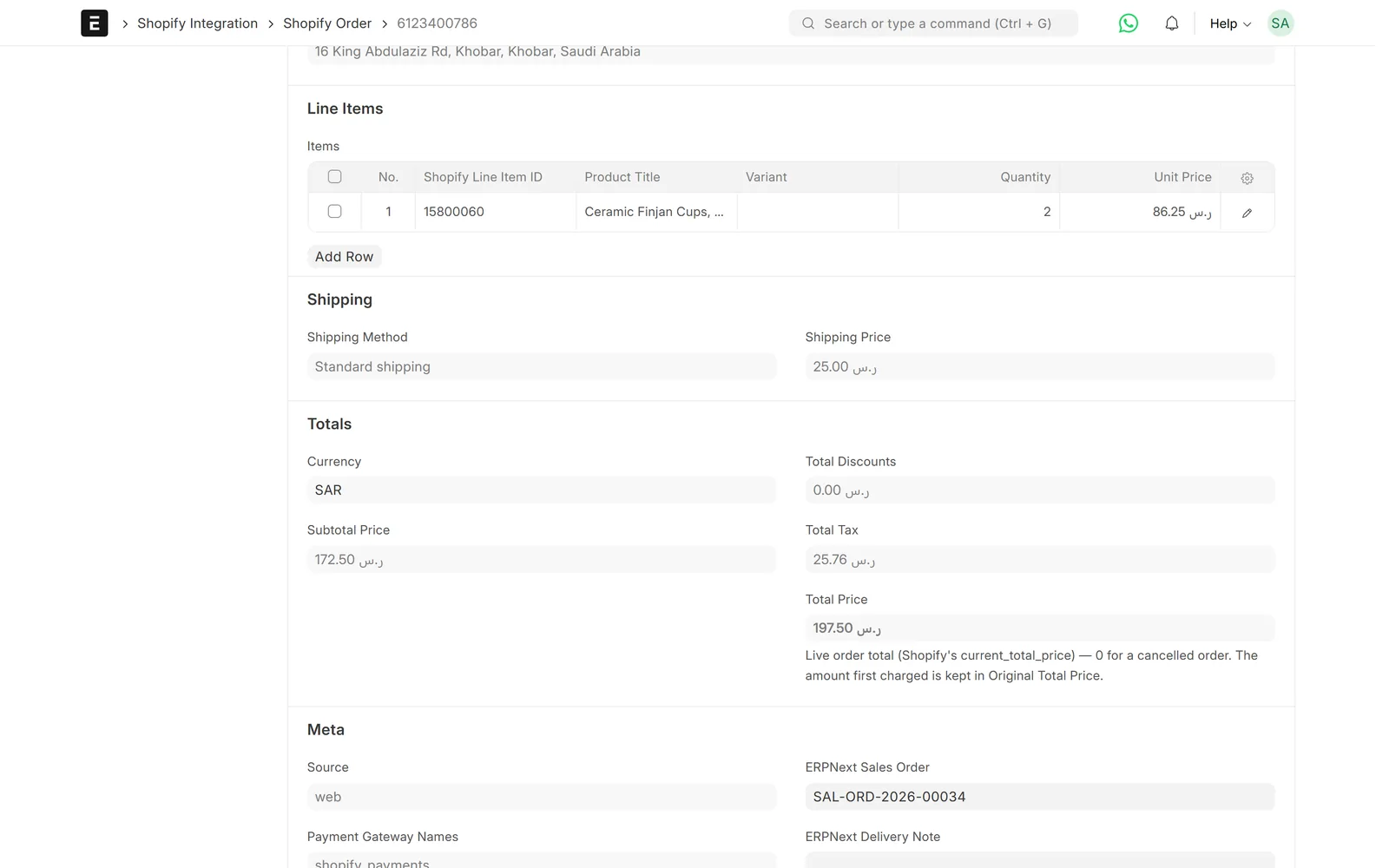
Every Shopify order is kept in ERPNext
The order is saved as it came from Shopify, with links to every ERPNext document made from it.
- Lines, discounts, shipping and tax
- Original and edited totals kept
- Cancelled orders and their reason recorded

Sales
Sales Orders made for you
Orders that meet your rules become Sales Orders with the Shopify order number on them.
- One Sales Order per Shopify order
- Cost center and warehouse from the settings
- Can be switched off to create them by hand
Rules
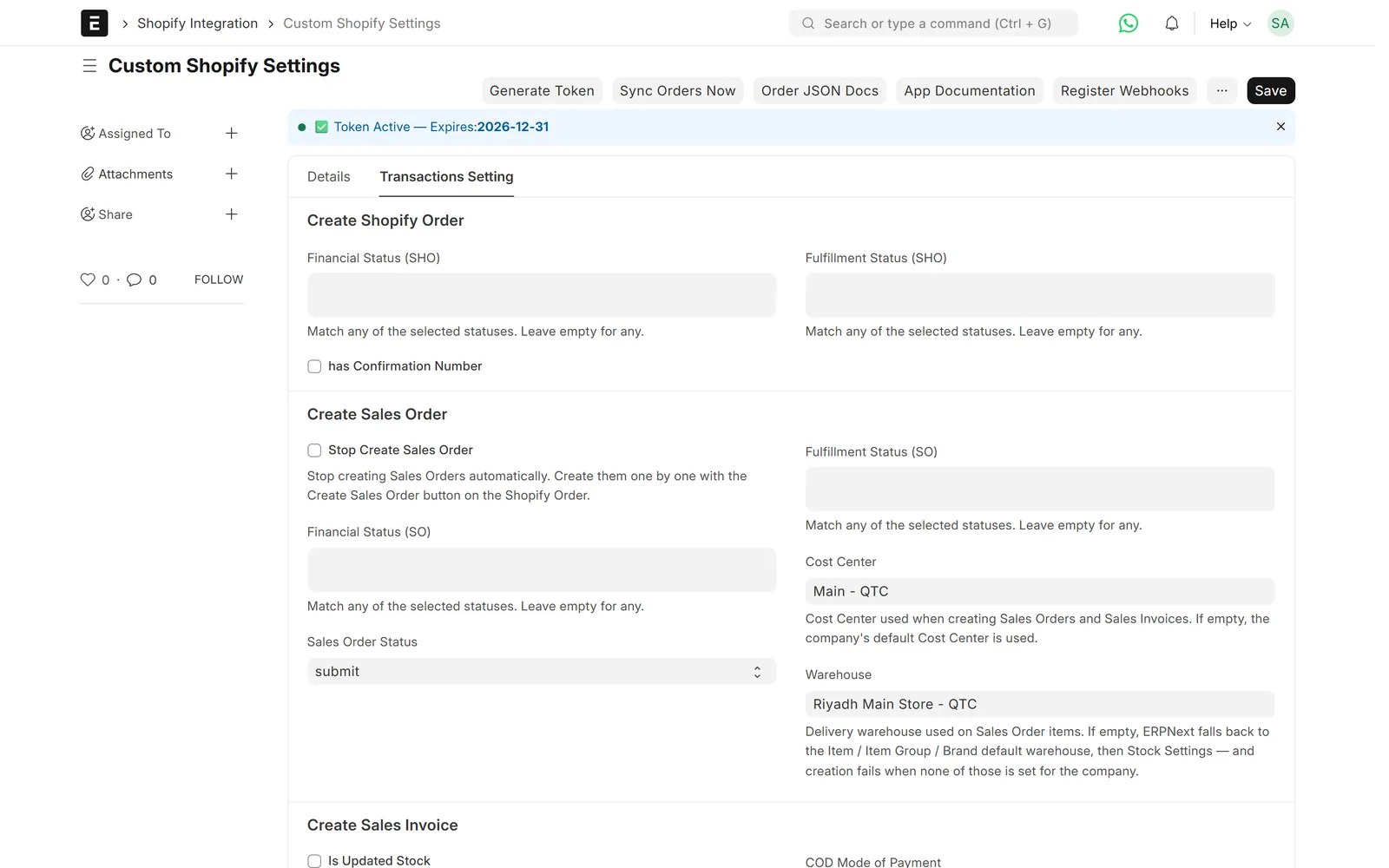
You decide when each document is made
Each document has its own list of payment and fulfilment statuses that create it.
- Sales Order, Delivery Note and Sales Invoice
- Draft or submitted, as you prefer
- Separate cash-on-delivery and online payment methods
Monitoring
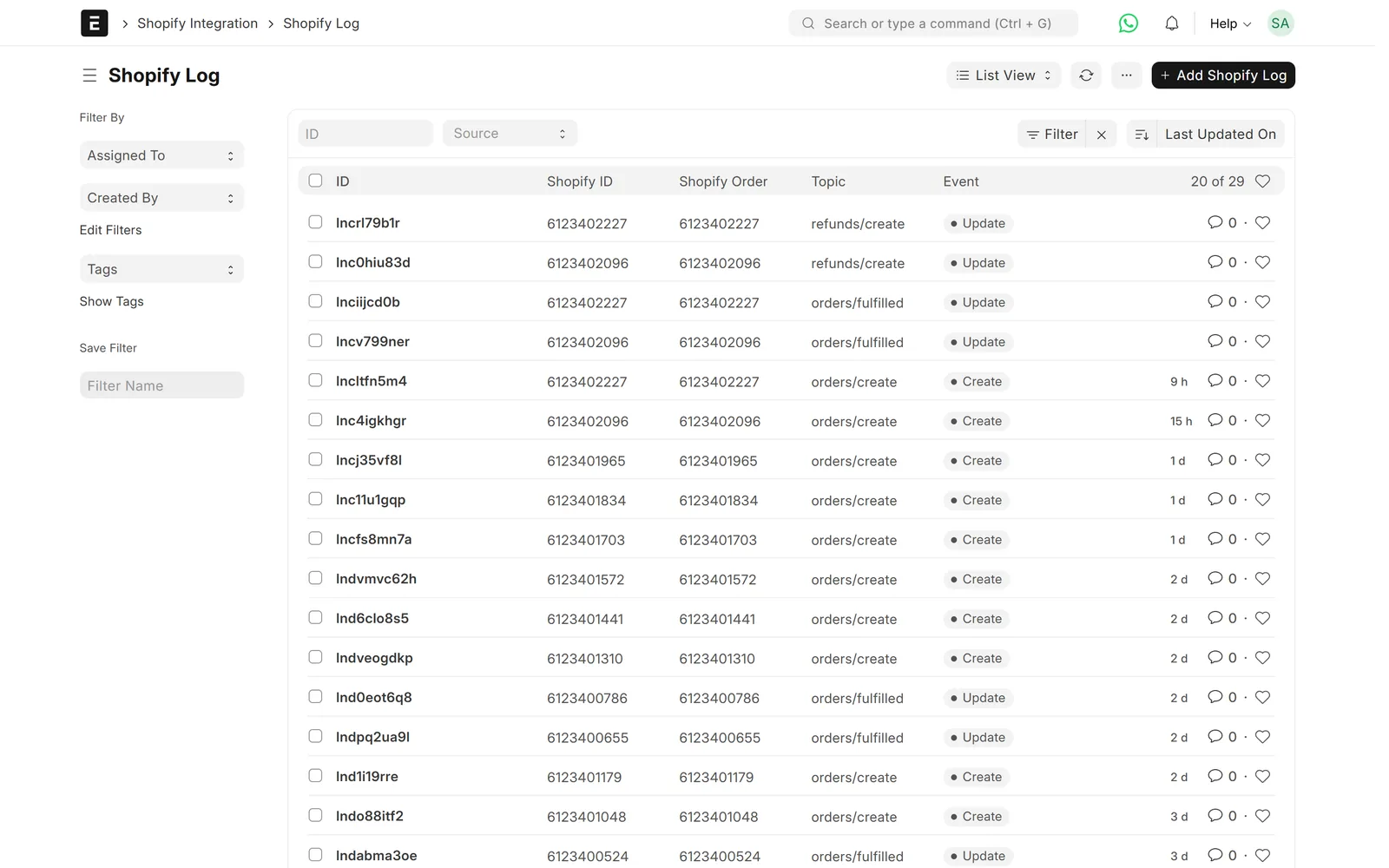
Every call is logged
Webhooks and API calls are logged with their result, and failures go to a sync error log.
- Webhook signature checked
- Stuck Orders report
- Unmapped Items report
Overview
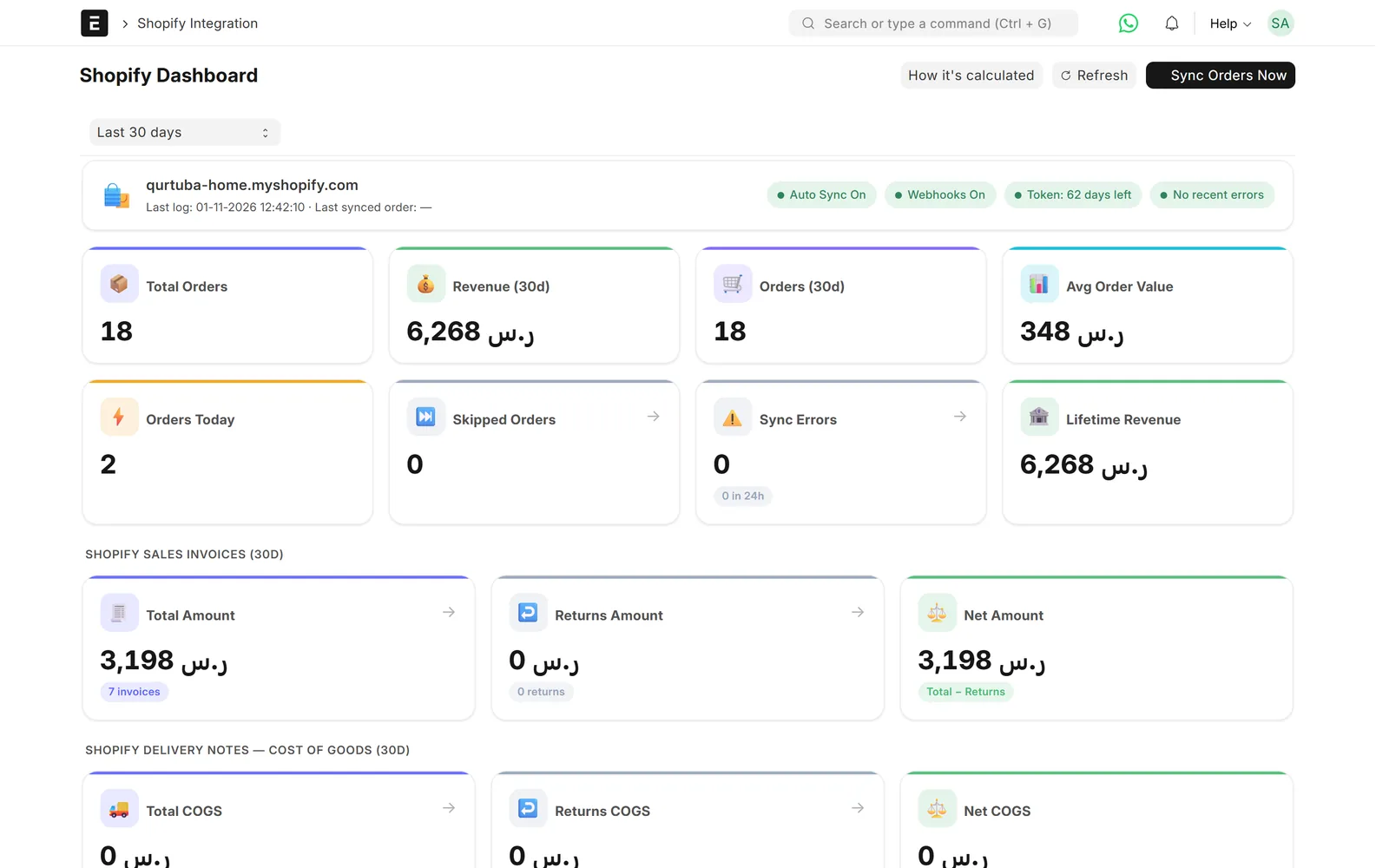
A dashboard for the store
One page shows orders by status and whether syncing is healthy.
- Orders by payment and fulfilment status
- Recent errors at a glance
Limits & versions
What it does not do (yet)
Versions and setup
- ERPNext and Frappe v15.
- One Shopify store per ERPNext site.
- Connected as a custom app in your Shopify admin.
- Items are linked to Shopify variants during setup.
Not covered
- Pushing stock and prices from ERPNext to Shopify.
- Abandoned checkouts, gift cards and marketing data.
- Several Shopify stores on one site.
Setup
How we set it up
- ScopeWe go through your current process, the documents you need and the settings on the other side.
- ConnectYou create a custom app in your Shopify admin, and we connect it and register the webhooks.
- MapWe link variants to items and set the rules for Sales Orders, Delivery Notes and Sales Invoices.
- Test on your dataWe run real cases on a test copy of your site before go-live.
- Go live and supportWe switch it on and support it under a support agreement.
Related
Works together with
ERPNext modules
Runs on these modules
Services
We take care of
FAQ
Frequently asked questions
Does every Shopify order create a Sales Invoice?
Only if you want it to. Each document has its own rules based on the order’s payment and fulfilment status, and you can switch any of them off.
What if a webhook is missed?
A scheduled sync also fetches orders updated since the last run, so a missed webhook does not mean a missing order.
Does it update stock in Shopify?
No. This connector brings orders into ERPNext. Tell us if you also need stock or prices sent to Shopify and we will scope it.
Can it handle cash on delivery?
Yes. Cash-on-delivery and online payments use different payment methods, and courier statements can be uploaded to record fees and collections.
How much does it cost?
Prices are on request. They depend on your setup and the documents you want created.
Shopify ⇄ ERPNext
See your Shopify orders in ERPNext
Book a demo and we will show you orders, rules and logs between Shopify and ERPNext.
Free demo · No commitment · Prices on request