

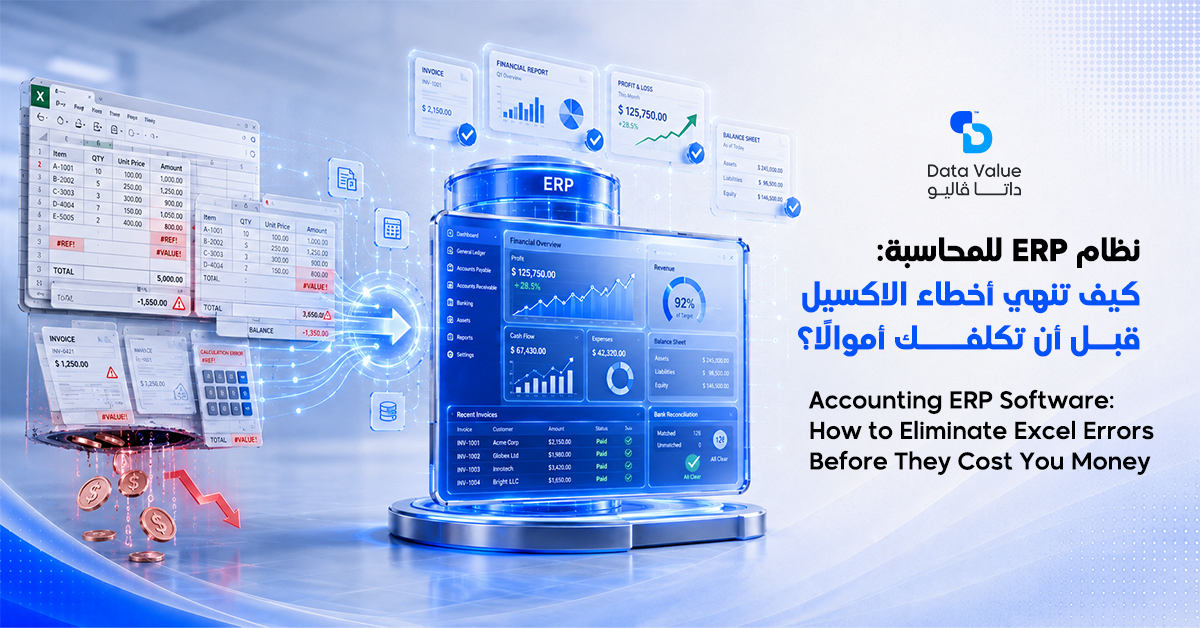
Many growing businesses face the same daily headache: scattered spreadsheets, mismatched numbers, and financial reports that arrive too late to act on. Accounting ERP software solves this problem at its root, giving finance teams one accurate, real-time source of truth.
Data Value has seen firsthand that most companies need a fully connected system, not just a basic bookkeeping tool.
Table of Contents
Why Growing Businesses Need Accounting ERP Software Instead of Spreadsheets
Many companies still rely on separate spreadsheet files for every department or project, and this quickly creates disorganized, duplicated data
. Accountants lose hours copying numbers between files, and human error multiplies with every new version. Accounting ERP software closes this gap by keeping every financial transaction in a single, connected database.
The Real Cost of Manual Errors
A small mistake in a spreadsheet formula can go unnoticed for weeks before anyone catches it. By the time the error surfaces, it may have already affected pricing, budgeting, or a client invoice. Therefore, businesses need a system built to prevent these mistakes rather than simply detect them later.
The Challenge of Managing Multiple Departments or Projects
Companies running several projects or business units at once often struggle to see true profitability for each one individually. Without a unified system, management ends up guessing rather than knowing.
Cost center management inside a connected system solves this by tracking cost and revenue for each unit separately and clearly.
The Problem With Late Financial Reports
Financial reports often arrive well after the decisions they should have informed. In addition, leadership needs real-time visibility into cash flow and operating expenses, not a static report from last month.
Why Decision-Makers Search for the Best ERP for Accounting
Business owners increasingly realize that a partial fix will not solve accumulated data chaos. As a result, they look for the best ERP for accounting that combines financial accuracy with everyday ease of use. Meanwhile, finance teams get tired of re-entering the same data across multiple spreadsheets and tools. An accounting management system saves the team significant time and reduces the likelihood of human error at every step.
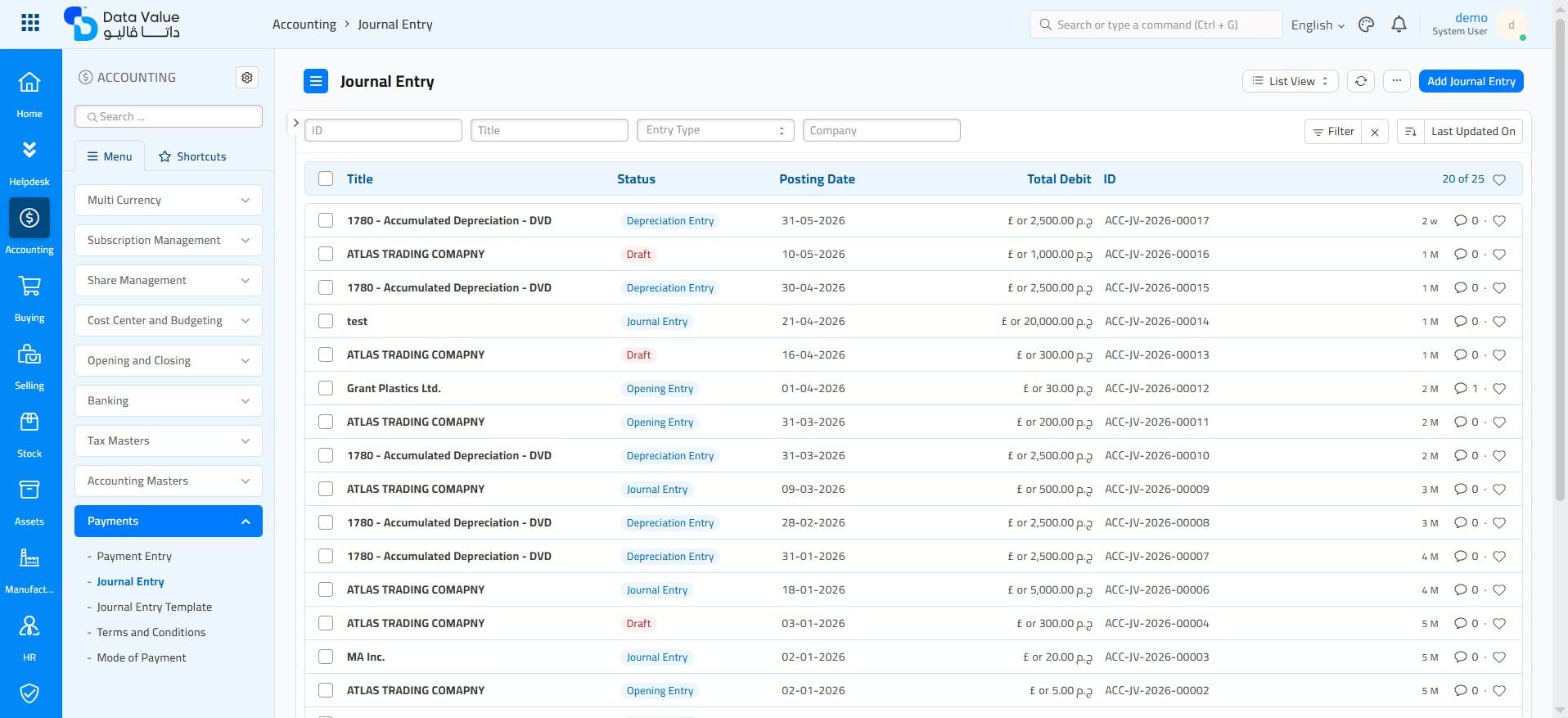
How Accounting ERP Software Organizes the General Ledger and Company Finances
The system starts by structuring the chart of accounts, which becomes the foundation for every financial report generated afterward. The company records every transaction inside a clear, structured ledger that stays easy to review at any time. On the other hand, the platform updates core accounts automatically without repetitive manual work.
Managing Payables and Receivables Accurately
The business tracks accounts payable/receivable in real time, always knowing exactly who owes money and who is owed. This visibility also helps avoid late supplier payments or overlooked customer balances. Furthermore, the system posts journal entries automatically the moment a transaction occurs, reducing dependence on manual data entry.
Larger organizations need ERP accounting software that supports many simultaneous users without slowing down. This capability gives finance teams the freedom to work from multiple locations at the same time.
Asset Tracking and Cost Centers
The platform tracks equipment and other assets under fixed asset management, calculating depreciation automatically according to approved accounting standards. Additionally, the company allocates costs across different cost centers, learning the exact cost of each department or project with high precision. The system also supports multi-currency accounting, which benefits companies working with international vendors or clients.
Planning With Budgets
An accounting ERP solution helps the company prepare a budget for each project before execution even begins. The system then automatically compares planned figures against actual spending in real time. Based on this comparison, management catches financial deviations early, before they turn into a larger problem. This planning still relies on the same chart of accounts the system uses to build every other financial report.
What Is the Difference Between Traditional Accounting Software and Accounting ERP Software?
Many business owners ask about the difference between a standalone bookkeeping tool and a connected platform, and the answer lies in scope. Traditional accounting software only records invoices and basic ledger entries, while accounting ERP software links every department of the company together. As a result, management gets one complete picture instead of financial data that sits isolated from daily operations.
Connecting Accounting With Inventory and Sales
The system connects accounting directly with inventory and sales, so every purchase or sale immediately updates the books without duplicate entry. This also prevents mismatches between inventory records and financial records at month-end close. At the same time, the platform integrates payroll with accounting, calculating employee salaries and entitlements automatically every month.
Linking Branches Under One Financial System
Businesses with multiple branches connect each location to one accounting system, removing the need to manually reconcile separate data sets. For this reason, larger organizations prefer a platform that supports centralized, multi-branch management from a single dashboard.
The Real Benefit of Linking Accounting, Inventory, and Sales
Connecting accounting with inventory and sales saves significant time compared to repetitive manual entry. Every purchase or service sale reflects on the books the moment it’s recorded in the system. This connection also prevents discrepancies between inventory logs and financial records at the end of the month. Additionally, linking company branches under one accounting system makes it much faster to review financial performance branch by branch.
Read next:
How to Choose the Best ERP for Accounting for Your Business
Once you understand these differences, the real question becomes: how do you pick the right system for your business? Data Value works with companies of different sizes to tailor the solution around their actual project volume and branch count. Based on this approach, every client receives a system suited to their real needs without unnecessary complexity.
Features Your Shortlist Should Not Skip
Your business needs ERP accounting software that supports automated balance sheets and income statements without manual rework. The system should also produce financial reporting that’s ready for auditors without additional formatting. This reporting should include period-over-period comparisons, so leadership can track growth or decline over time.
Compliance With Standards and Regulators
The platform should follow International Financial Reporting Standards, and ideally hold approval from the relevant zakat and tax authority where applicable. It should also support tax & VAT compliance and electronic invoicing requirements in full.
Data Value offers an ERPNext Accounting Module that brings all of these requirements together on one reliable platform.
The company also benefits from the platform’s flexibility to scale in the future without a full system replacement a few years later.
New modules, such as contract management or subcontractor tracking — can be added gradually over time. This way, the business protects its initial investment and avoids the repeated cost of switching between different systems.
Best ERP for Accounting vs. Traditional Accounting Software
The difference becomes clear once you compare a modern integrated platform against a traditional bookkeeping tool for larger organizations. A traditional tool is limited to entries and invoices, while an integrated system manages projects, inventory, and payroll together. Many companies also prefer software approved by their local tax and zakat authority to avoid compliance issues later. Audit-ready reports, in this case, give a reliable picture that requires no further adjustment.
Read next:
Companies notice this difference most clearly when they try to unify financial data that came from disconnected systems after scaling up. Manual consolidation can take weeks, while an accounting ERP solution finishes the same task automatically in minutes. For this reason, Data Value recommends moving to a unified system before projects and branches multiply further.
The team at 4devnet explains in a dedicated article how the accounting module inside ERPNext simplifies financial operations for mid-size and large companies. Golive Solutions also walks through practical steps for using the finance module within ERPNext. Wanda Accounting Solutions discusses how this integration reshapes financial management across companies.
Conclusion
Accounting ERP software offers a practical answer to problems that can’t wait: scattered data, delayed reports, and the difficulty of tracking multiple projects at once.
This article covered the real difference between standalone accounting tools and a fully connected platform, and how the right system links accounting with inventory, sales, and payroll in one place.
We also walked through the criteria that matter most when choosing an accounting ERP solution for your business.
In the end, choosing ERP accounting software isn’t only about price — it’s about how well the platform fits your day-to-day operations. Most finance leaders look for a platform that cuts down manual work and frees up time for real analysis instead of data entry.
Decision-makers also tend to favor a solution proven with companies of a similar size and industry, rather than testing something unverified.
Data Value brings hands-on experience implementing ERP solutions for companies across Saudi Arabia, Egypt, and the wider region.
Data Value Solutions builds every implementation around a precise understanding of each client’s needs, without exaggerated promises or one-size-fits-all shortcuts.
If you’re looking for a system that ends financial chaos and gives you clear visibility, learn more about Data Value and read About Us.
You can also explore Our Clients, browse the Blog for more specialized articles, or go directly to the ERPNext Accounting Module.
Frequently Asked Questions About Accounting ERP Software
What is accounting ERP software, and how is it different from traditional accounting tools?
The system brings every financial process together on one platform connected to the rest of the business. A traditional accounting tool, by contrast, only handles bookkeeping entries and invoices. Companies managing multiple projects need the first option to run operations efficiently.
Is ERP suitable for small businesses, or only large enterprises?
Yes, the system works well for small businesses too, especially once they manage more than one active project. It gives them precise cost tracking without needing a large finance team. As the business grows, the platform scales alongside it with ease.
Does the system support electronic invoicing and tax compliance requirements?
Yes, the platform issues electronic invoices in line with official regulatory requirements in Saudi Arabia. It also keeps tax and VAT filings accurate without requiring manual adjustments. This built-in compliance saves the finance team significant time and effort.
How does the system help track project costs accurately?
The platform allocates costs to separate cost centers for each project or work site. This makes the difference between planned budget and actual spend visible in real time. It gives management better control over spending before problems escalate.
Can the accounting system connect with inventory and sales in one company?
Yes, the system links accounting with inventory and sales inside one unified database. Every sale or stock movement updates the books directly, with no duplicate entry required. This connection reduces human error and speeds up monthly close. Learn about module integration in Data Value Solutions.
What financial reports does the system generate for auditors and management?
The platform generates a balance sheet, income statement, and period-over-period comparison reports. These reports come ready according to international accounting standards, with no manual rework needed. This makes life easier for external auditors and shortens the annual close.
How does my company start implementing this accounting system with minimal disruption?
The company begins by assessing its actual needs before selecting the right-sized system. Next comes migrating historical data and training the team gradually on the new platform. Data Value supports companies through every stage of the rollout. Request a Demo with the Data Value Solutions team today.