

Cheque Management for ERPNext
Track every received and issued cheque inside ERPNext, from receipt to clearance: deposit, collection, endorsement, bounce and return, each with its own journal entry, plus a dashboard, ageing and overdue alerts.
| Category | Applications |
| Version |
Version 15
|
Cheque Management app: every cheque tracked inside ERPNext
This ERPNext cheque management app adds the full post-dated cheque cycle to the standard Payment Entry. It covers cheques you receive from customers and cheques you issue to suppliers and employees. Each step posts a balanced journal entry. As a result, your ledger always shows where every cheque is: on hand, at the bank, endorsed, bounced or cleared.
For the wider process, see our cheque management solution and the ERPNext accounting module.
Features of the cheque management app for ERPNext
- Built on the standard Payment Entry. A Payment Entry with your cheque mode of payment becomes a tracked cheque. The form then shows its status and a Cheque Management button group. There is no separate register to keep in sync.
- A journal entry for every step. Send to bank, collect, return from bank, endorse and the other actions each post a two-line journal entry. That entry links back to the Payment Entry. Likewise, cancelling the Payment Entry cancels its cheque entries.
- A clear accounting model. Received cheques sit in Cheques Received, move to Cheques Under Collection when deposited and reach the bank only when collected. By contrast, issued cheques sit in Notes Payable until the bank cashes them.
Received and issued cheque cycle
- The full received-cheque cycle. Send to bank, collect, return from bank, resend, return to customer, endorse, return endorsed and re-endorse. The app allows each action only from the right status. You can also skip the under-collection step.
- Issued cheques too. Mark an issued cheque as collected against the bank you drew it on. Or mark it as returned, which restores the party balance.
- Endorsement. Pass a received cheque on to a supplier, an employee or a ledger account.
- Guided dialogs with real dates. Each action shows the cheque details and lets you pick the bank from your configured accounts. It can also take the real posting date. However, the app refuses dates before the last action or in the future.
Dashboard, reports and reminders
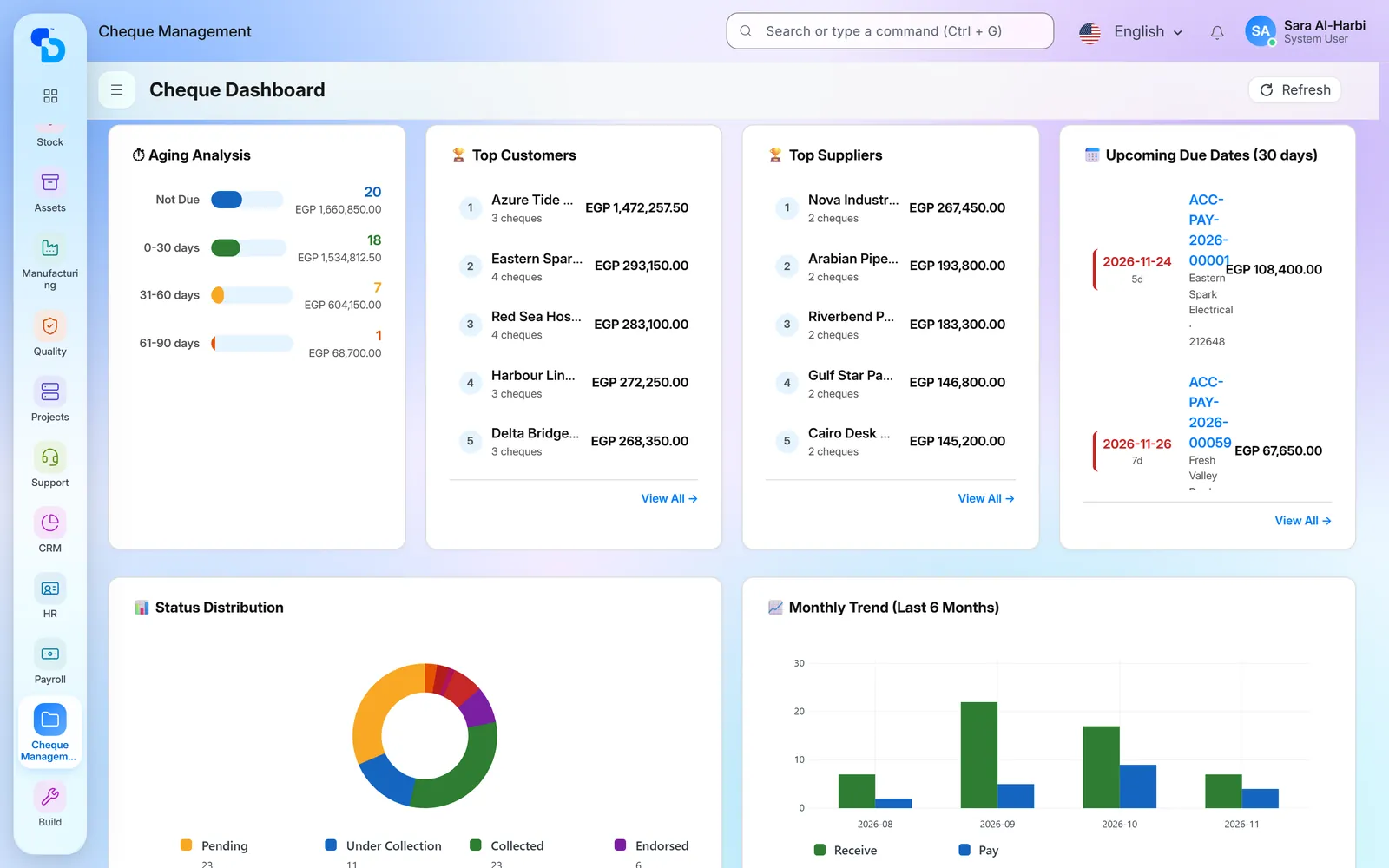
- Cheque dashboard. Counts and values by status, plus ageing buckets (not due, 0-30, 31-60, 61-90, 90+ days). It also shows top customers and suppliers, due dates for the next 30 days and recent cheque actions.
- Cheque status report. Filter by status, type, party, mode of payment, cheque number, bank and dates. Then expand each cheque with its journal entries.
- Overdue reminders. A daily task notifies the roles you choose about cheques still pending, under collection or endorsed around their due date. Email is optional.
- Safe by design. The app checks accounts when you save the configuration, when you submit the Payment Entry and again at every action. It also blocks double clicks. Finally, multi-currency cheques post at the Payment Entry's exchange rates.
Good to know
- Returning a cheque reverses the party balance but does not reopen the invoices it paid. Instead, the app lists those invoices so you can unreconcile them.
- One cheque configuration per site.
ERPNext versions supported by the cheque management app
Frappe and ERPNext version 15.
What is included
- A licence for one production site, plus staging and test copies of that same site.
- Installation by our team on sites we host or can access; otherwise step-by-step installation instructions.
- 12 months of updates and email support from delivery. Renewal is optional.
- Our team confirms that the product fits your ERPNext version and setup before you buy.
Prices for the ERPNext cheque management app are on request. Press Request to Buy and our team will contact you with a quotation.
Built by Data Value, a Frappe Certified Gold Partner with offices in Cairo and Riyadh. Questions before you buy: info@datavalue.solutions, +20 103 016 8687 or +966 50 440 2121.
Buying terms: read our App Store terms, licence and refund policy.