ERPNext Point of Sale module
Sell at the counter. See it in stock and accounts at once.
Data Value sets up the ERPNext POS for shops, showrooms and branches in Egypt and Saudi Arabia: one counter or many, with cashier shifts, several payment methods and e-invoicing at the till.
- Linked to stock and accounts
- Opening and closing per cashier shift
- ZATCA and ETA e-invoicing through our integrations
Module introduction
ERPNext Point of Sale
A browser-based till inside ERPNext. Cashiers search or scan items, take payment in one or more methods and print a receipt. Every sale reaches stock and accounts, at once or when the shift closes, depending on how the counter is set up.
Module introduction
One counter or many, one system
Each branch and counter gets its own POS profile, warehouse and payment methods. Head office sees every shift, every branch and every payment method in the same reports.
Module features
What the ERPNext POS covers
9 capabilities in 3 groups.
Selling at the counter
A fast till for busy counters
Pick items from the grid and build the cart in a few taps, with stock shown for the counter warehouse.
- Item grid with prices and available stock
- Default walk-in customer, or pick a customer
- VAT worked out on every line

Selling at the counter
Find any item by name, code or barcode
Type part of a name or scan a barcode, and the grid narrows to the matching items.
- Search by item name, code, serial number or barcode
- Filter by item group
- USB barcode scanners work like a keyboard

Selling at the counter
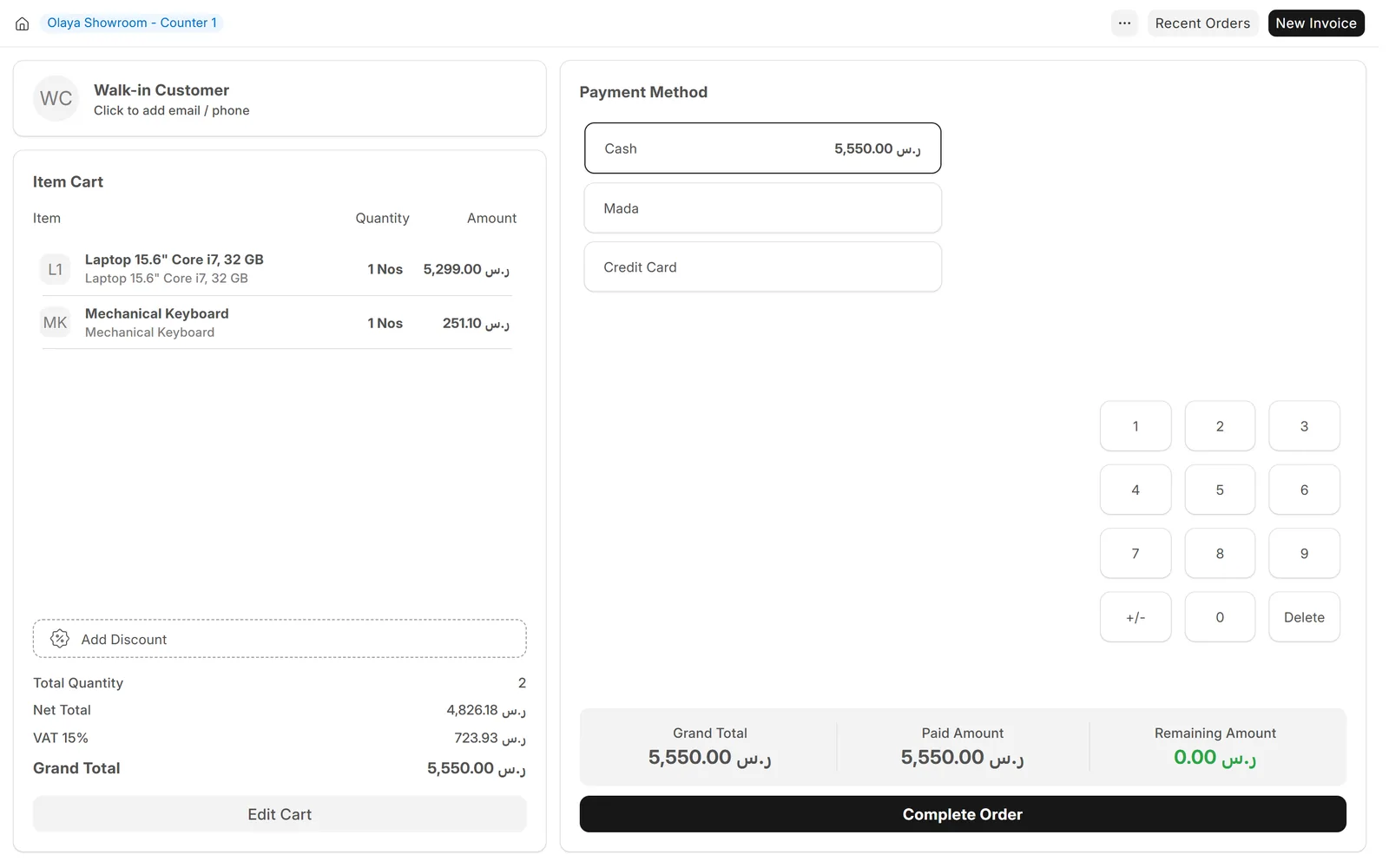
Cash, card and split payments
Take payment in one method or several, and see the change due before you complete the order.
- Payment methods set per counter, such as cash, mada and credit card
- Split one sale across several methods
- Each method posts to its own account
Shifts and control
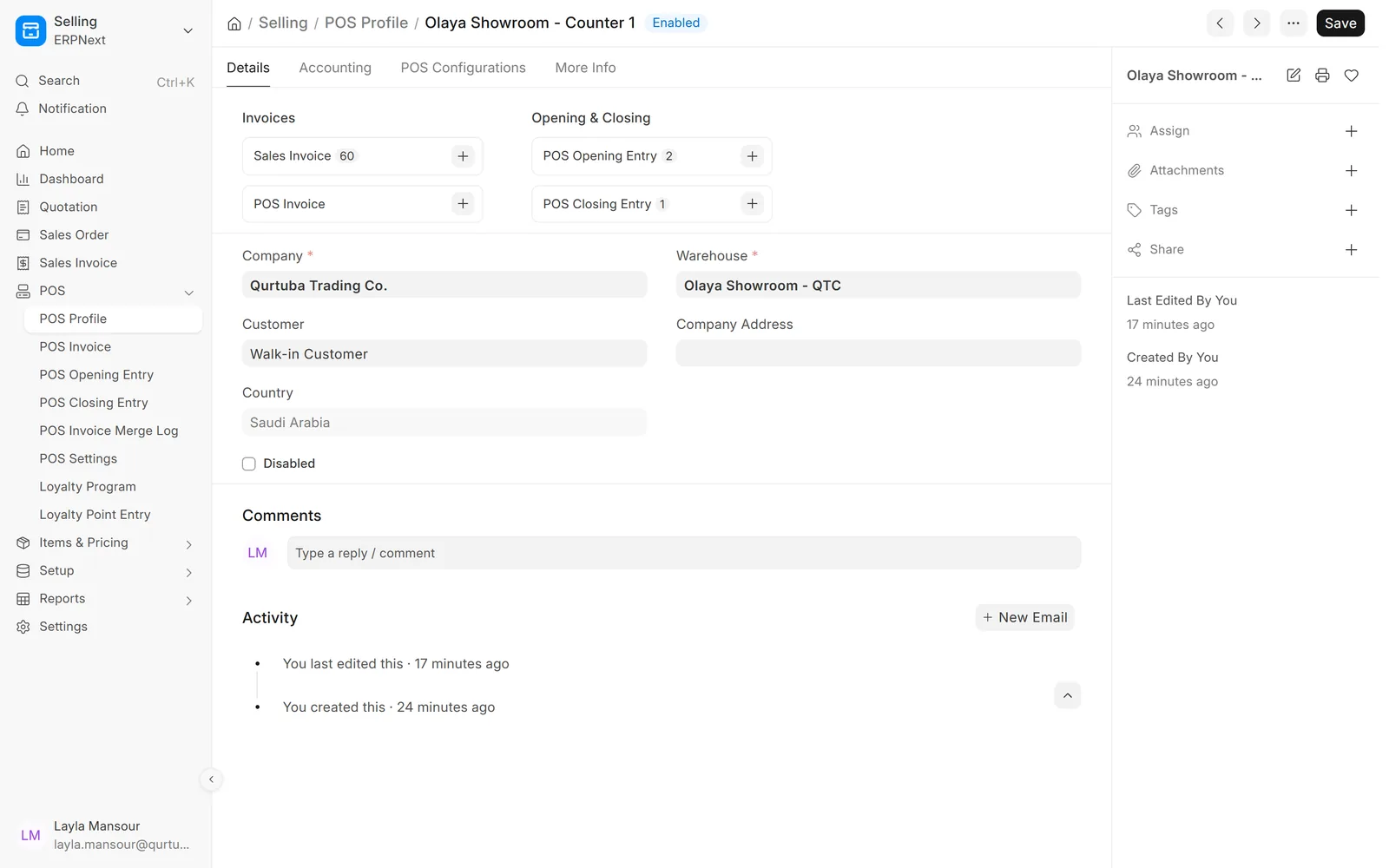
A profile for every counter
Decide what each counter sells, from which warehouse, at which prices and into which accounts.
- Warehouse, price list and cost centre per counter
- Which users may sell at which counter
- Allowed payment methods and receipt format
Shifts and control
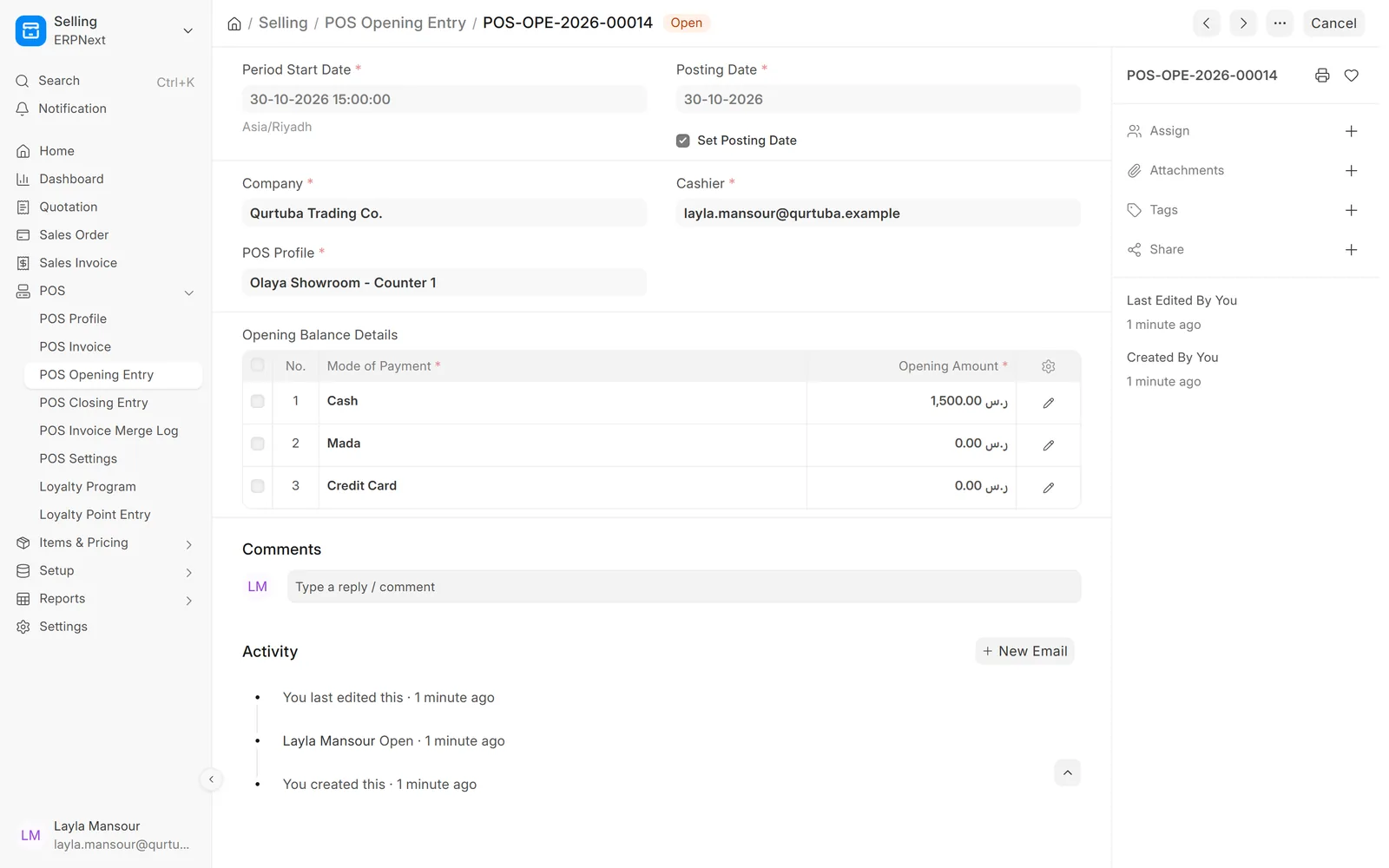
Start every shift with a counted float
The cashier opens the shift with the cash in the drawer, so the closing count has a clear starting point.
- Opening amount per payment method
- One open shift per cashier and counter
- Sales are linked to the shift they belong to
Shifts and control
Shifts that balance, or show why not
At closing the cashier enters what was counted, and ERPNext shows the expected amount and any difference per method.
- Expected against counted, per payment method
- Linked invoices listed on the closing entry
- Sales posted at once or at closing, as you choose

Offers, receipts and reports
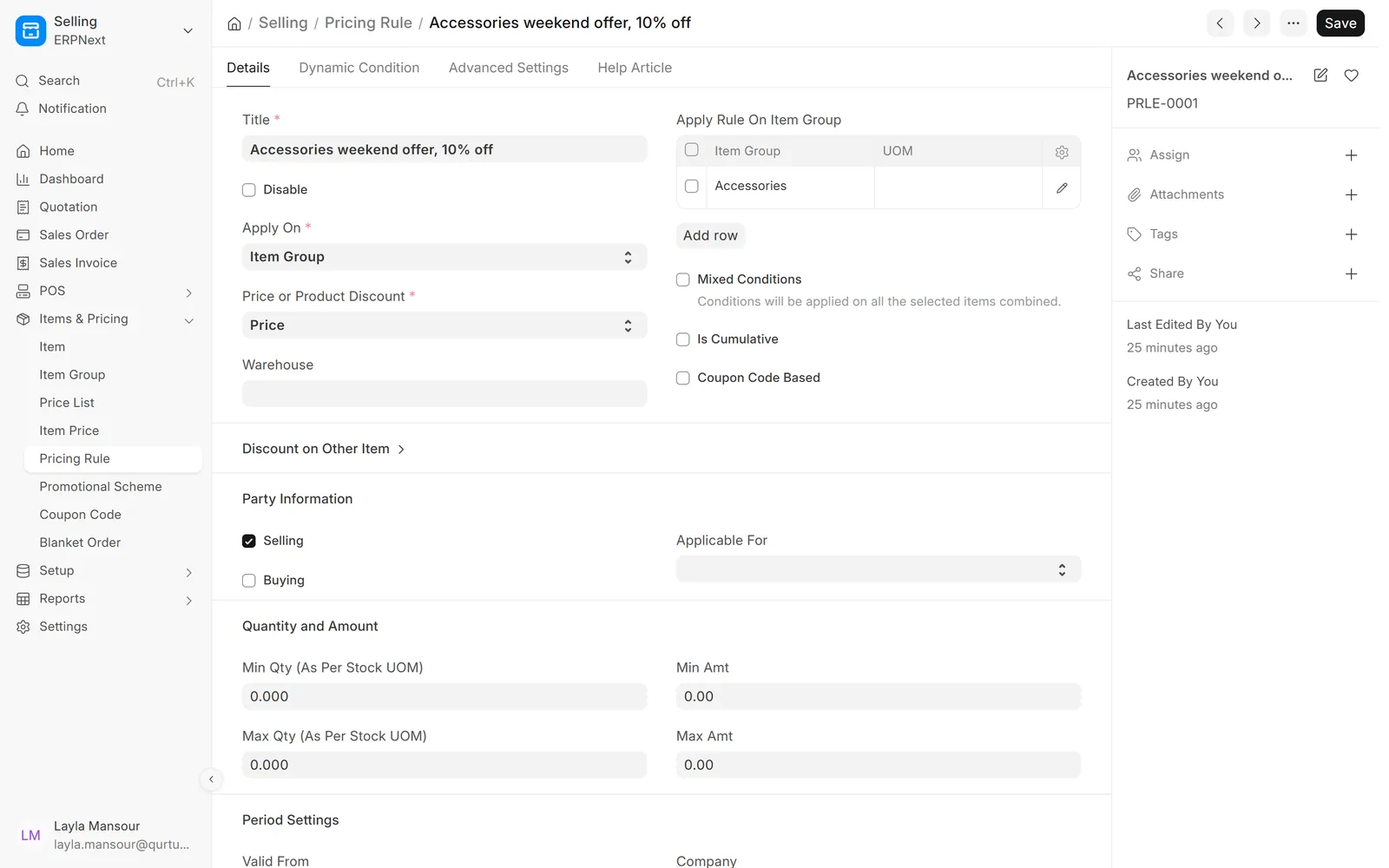
Offers applied at the till
Run discounts by item group, quantity or period without asking cashiers to remember them.
- Pricing rules and promotional schemes
- Coupon codes with validity and usage limits
- Different price lists per branch
Offers, receipts and reports
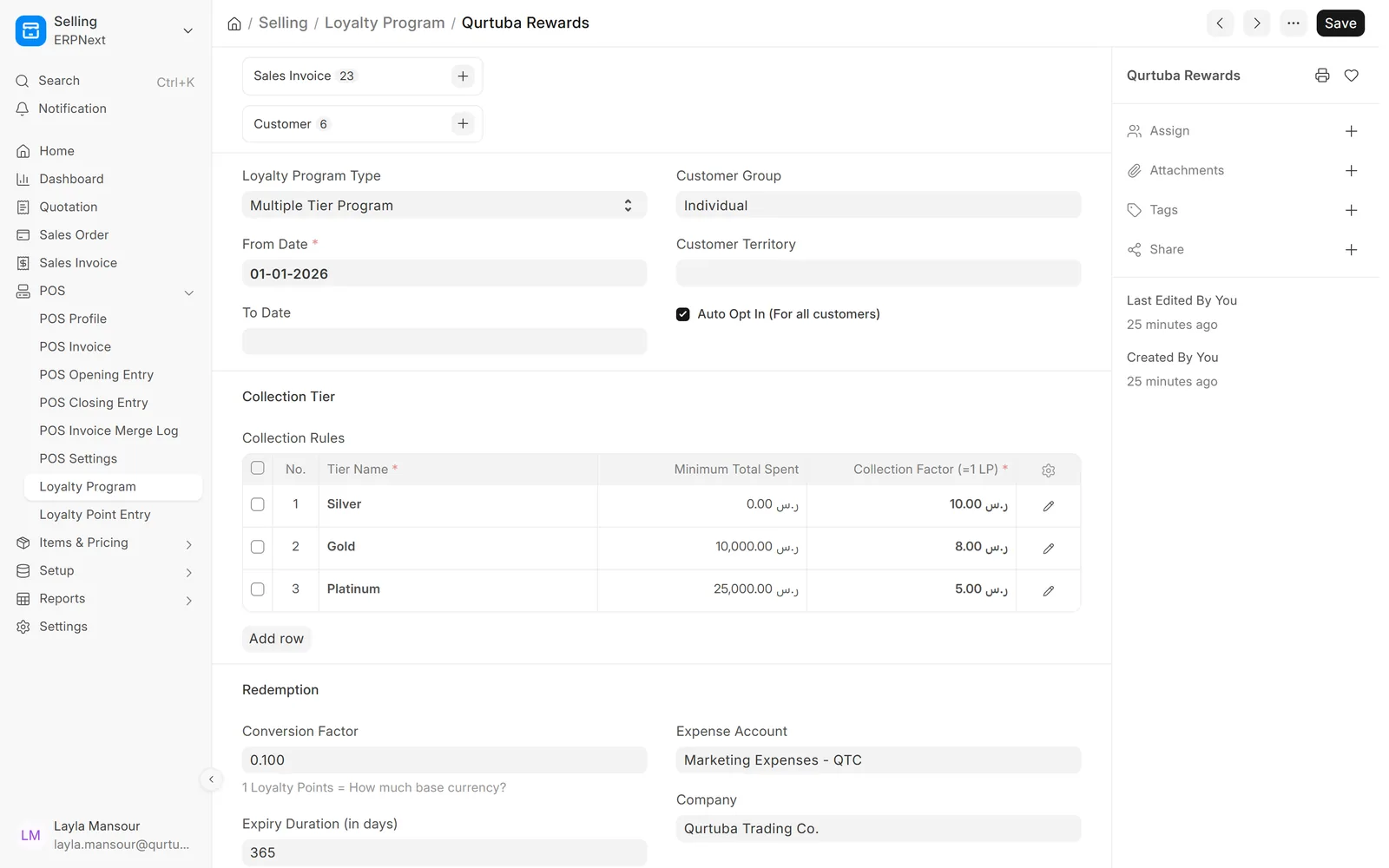
Loyalty points that customers come back for
Customers earn points on every purchase and redeem them at the counter, with tiers if you want them.
- Single or multiple tier programmes
- Conversion rate and expiry you set
- Points shared with sales invoices outside the POS
Offers, receipts and reports
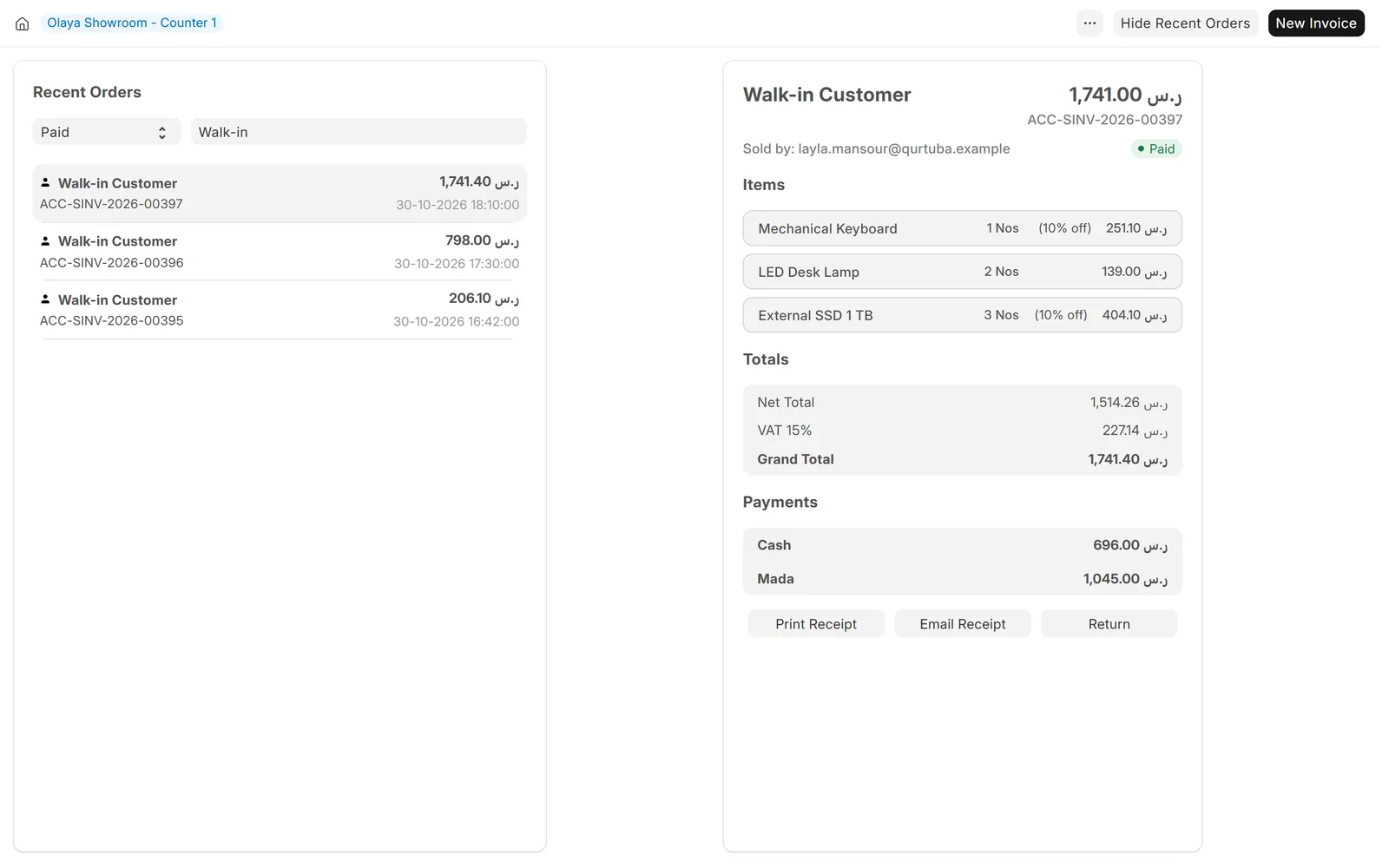
Every order and every shift, on record
Find a past order to reprint or return it, and see sales by day, cashier and payment method.
- Recent orders with reprint, email and return
- Sales payment summary by payment method
- POS sales in the same financial reports as all other sales
Screens show demo data.
Why choose
Why choose ERPNext for Point of Sale (POS)?
One system for stock and money
No end-of-day import between the till and the books.
Every branch in one view
Sales by branch, counter, cashier and payment method.
Shift control
Opening and closing entries show any cash difference.
E-invoicing ready
ZATCA and ETA through Data Value integrations.
Arabic and English
Each cashier works in the language they prefer.
Open source
No licence fee per till for ERPNext itself.
Comparison table
ERPNext POS vs. a standalone cash register
| Feature | ERPNext POS · Data Value | Standalone register |
|---|---|---|
| Stock | Updated from every sale, in the same database | Imported later, or kept apart |
| Accounts | Sales posted by payment method | Daily totals typed into accounting |
| Branches | All counters in the same reports | One report per device or branch |
| Cash control | Expected against counted, per cashier shift | Paper count sheets |
| E-invoicing | ZATCA and ETA through our integrations | Depends on the vendor |
| Offers and loyalty | Pricing rules and loyalty points shared with sales | Set up again on each device |
Related
Works together with
Integrations
Connect your counter
FAQ
Frequently asked questions
Does the ERPNext POS work without internet?
The standard ERPNext POS needs a connection to your ERPNext server. If a branch has unreliable internet, tell us and we will go through the options with you before you decide.
Which hardware does it work with?
It runs in a browser on a PC or tablet. Most USB barcode scanners work like a keyboard, and receipts print through the browser. We check your printers and scanners before you buy anything.
Can it issue ZATCA-compliant invoices?
Yes, with our ZATCA Phase 2 integration, which reports simplified invoices to ZATCA. Each company and branch is onboarded with its own ZATCA credentials.
We already have a POS. Can we keep it?
Often, yes. Sonic POS, Oracle Simphony, Phills, Foodics and Marn are all available today. For other systems, tell us which one you use.
Can several branches share one ERPNext?
Yes. Each branch and counter has its own POS profile, warehouse and payment methods, and all of them report into the same company or group of companies.
Official partner of
Frappe · ERPNext
Certified Gold Partner
Ready to run your counters on ERPNext?
Book a demo and we will show the POS with your items, branches and payment methods.
Free demo · No commitment