

Running an online store on disconnected tools slows everything down, from stock counts to invoices. ERPNext for eCommerce fixes this by putting your store, inventory, and accounting on one platform.
Data Value shares a practical breakdown of how it works and where to start.
Table of Contents
Why Your Online Store Needs ERPNext for eCommerce Today
Most growing stores start with separate tools for sales, stock, and bookkeeping. As order volume rises, this setup slows the team down and increases costly mistakes. That is exactly why more merchants now look for a single unified platform as a single source of truth.
An ERPNext online store runs accounting, inventory, purchasing, and HR from one shared database. As a result, the owner gets a clear picture of the business without switching between five different tools every day.
For a deeper look at current adoption trends, this detailed breakdown of ERPNext for online retail covers real implementation examples worth reviewing.
Common Problems Without a Unified System
Stores running on disconnected software tend to face the same recurring issues:
- Stock counts that don’t match between the website and the warehouse.
- Delayed invoices and messy month-end financial reports.
- Poor visibility into performance across multiple sales channels.
- Duplicate data entry across separate systems.
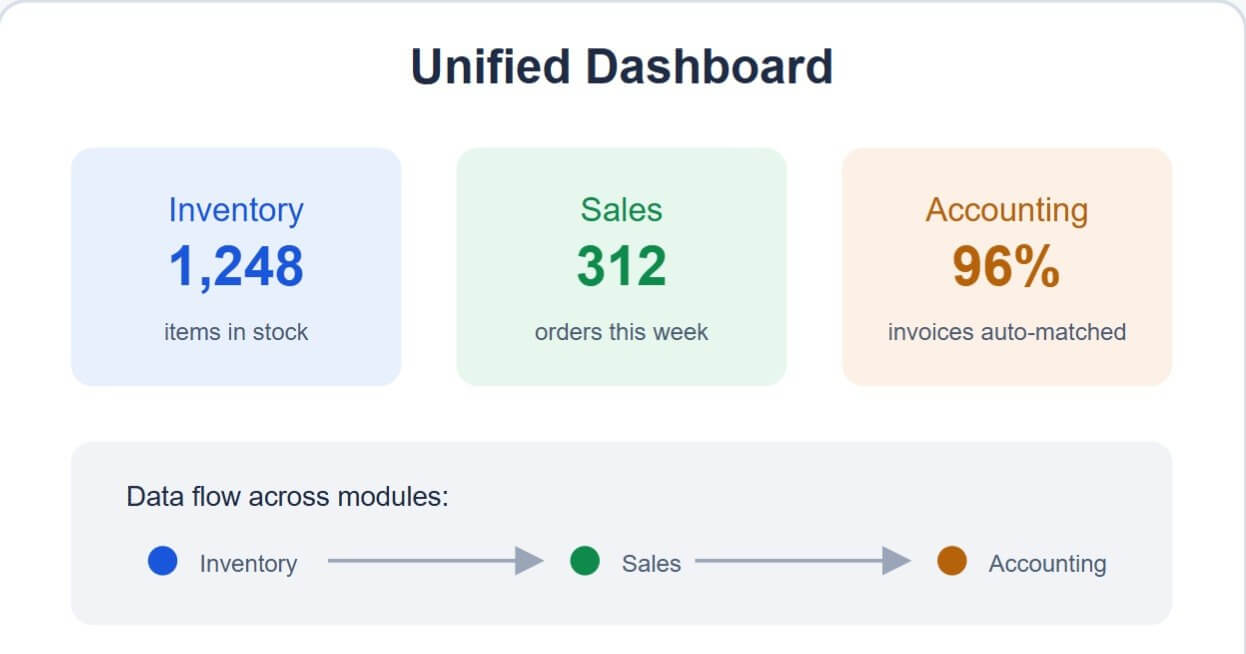
An ERPNext eCommerce module removes most of these problems by keeping one dataset for every department. Consequently, the whole team works from the same numbers, from the warehouse floor up to the finance office. Done well, inventory management for eCommerce stops being a source of constant firefighting.
The Cost of Disconnected Tools for Growing Stores
The real cost of fragmentation shows up as order volume grows. Sales staff spend extra hours reconciling invoices with stock counts by hand at the end of every month.
Employees also end up re-entering the same order into more than one system, which raises the risk of pricing or quantity errors. A unified setup removes this repetitive work entirely.
In turn, management gets more time to focus on growth instead of correcting avoidable mistakes. This is why fast-growing merchants tend to move to a unified platform earlier rather than later.
The same pattern shows up in customer service too. When support staff can’t see accurate stock or order status in real time, response times slip and customers notice. A connected system removes that blind spot entirely, since every team works from the same live data instead of waiting on updates from another department.
How ERPNext for eCommerce Simplifies Store Integration
ERPNext eCommerce integration starts with identifying the platform your store already runs on, whether that’s a hosted storefront or a custom build. The end goal stays the same regardless of the platform: one connected data layer.
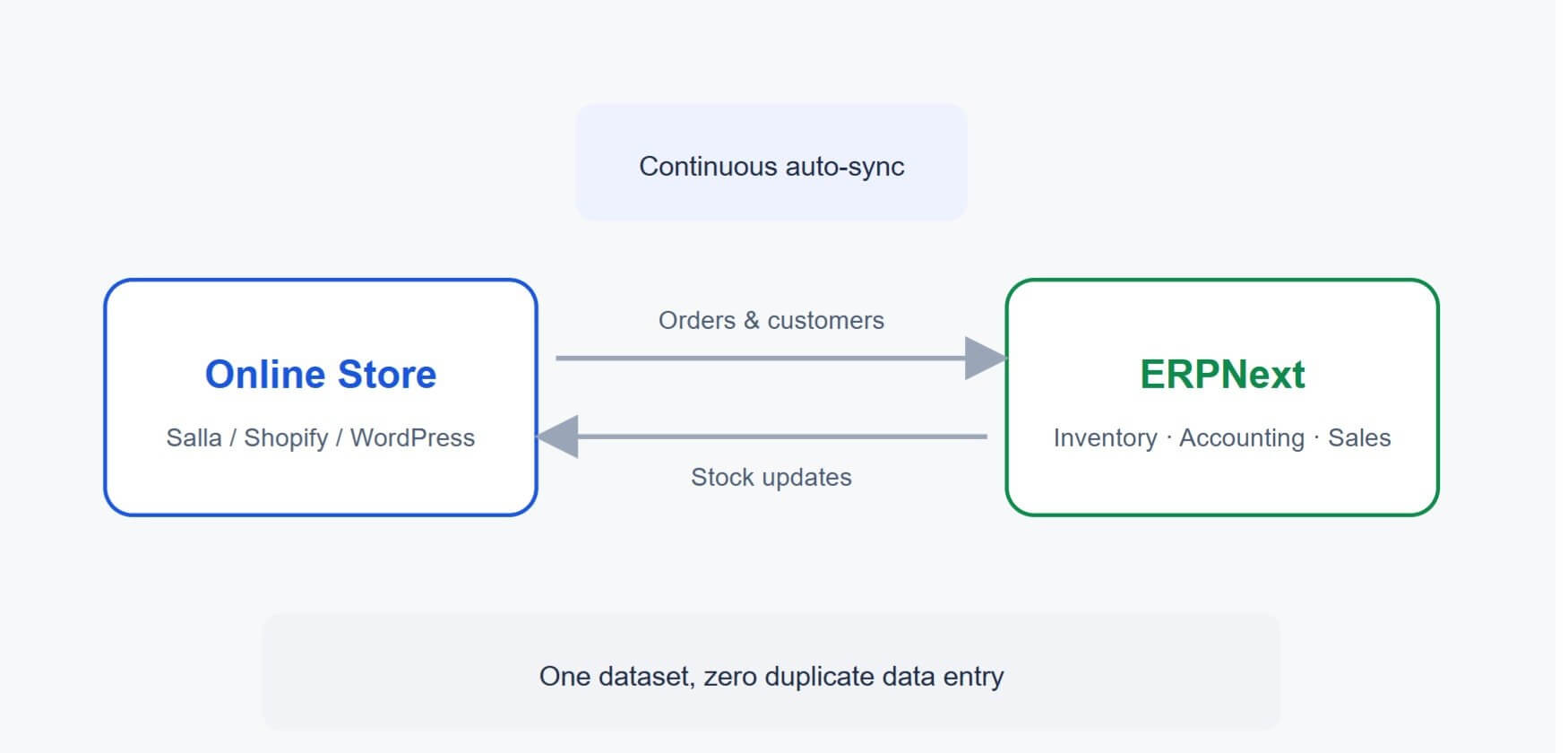
A well-configured integration supports multi-channel selling out of the box, syncing orders, customers, and stock automatically across every connected channel. As a result, no one needs to update numbers manually in more than one place.
This kind of setup also acts as a complete order management system, pulling every sale into a single queue for fulfillment, invoicing, and reporting. This technical reference on connecting ERPNext to online storefronts walks through the integration mechanics in more depth.
Ready Connectors for Salla, Shopify, and WordPress
The team behind this integration maintains pre-built connectors for Salla, Shopify, and WordPress, so a merchant doesn’t need to build the integration from scratch. This shortens setup time considerably compared to a fully custom build.
Because these connectors are pre-tested, a store can move to the unified system faster no matter which platform it started on. That matters most for merchants who can’t afford extended downtime during a switch.
Key Steps for a Smooth Integration
- A clear field-mapping plan between the store and the ERP system.
- Testing the integration on a staging environment before going live.
- Regular monitoring of sync logs to catch errors early.
With these steps in place, building an ERPNext eCommerce integration becomes a structured project rather than a source of ongoing technical risk.
What ERPNext for eCommerce Offers for Inventory and Order Management
The ERPNext eCommerce module brings inventory, orders, and reporting into one place instead of three separate tools.
Real-time stock tracking depends on accurate counts at every moment, especially with several channels selling from the same pool of stock. An ERPNext online store gives the owner a live view of available and reserved quantities.
Stock updates automatically with every sale or return, so the store rarely oversells an item that’s technically out of stock—a common issue that quickly damages customer trust.
Reports and KPIs Store Owners Can Track
| Metric | Why It Matters |
|---|---|
|
Inventory turnover rate |
Shows how fast each product sells |
|
Slow-moving items |
Flags candidates for markdown or removal |
|
Reorder point |
Prevents sudden stockouts |
The system also handles returns and exchanges cleanly, logging each returned item the moment it reaches the warehouse. That keeps available stock accurate instead of waiting on a manual update days later
Returns, Seasonal Demand, and Multi-Warehouse Support
These same reports matter most during peak seasons, such as sales events or holidays, when owners need accurate numbers to plan purchasing without tying up cash in excess stock.
The same data helps stores running more than one warehouse, letting them route stock to the location closest to actual demand. That shortens delivery time and improves how efficiently storage space gets used.
Read next:
More topics like these are available on the Blog.
How to Choose the Right Partner to Implement ERPNext for eCommerce
A successful ERPNext for eCommerce project needs a technical partner who understands online retail, not just the software itself. That’s why most merchants prefer working with a specialized team from the planning stage onward, especially before configuring a live ERPNext online store.
Data value starts every engagement by analyzing what each store actually needs before any technical work begins. The team also oversees e-invoicing integration and POS and online sync requirements from setup through go-live and ongoing support.
Readers can learn more about the team and delivery approach on the Who are we page, or review past work on the Our clients page. Looking at real project outcomes helps gauge whether a given approach fits your store.
The team also handles shipping & fulfillment integration as part of a phased rollout, starting with a limited scope before expanding once the data proves stable.
Read next:
This guide covering ERPNext and eCommerce websites shows similar implementation patterns from other markets.
Practical Selection Criteria
- Prior experience with projects similar in size and product type to your store.
- The ability to explain implementation steps in plain language, not just technical jargon.
- A support plan that extends beyond go-live, not just through setup.
- Flexibility to adjust workflows later as the store grows or changes.
Following these criteria lowers the risk of delays or having to rebuild the system shortly after launch.
A Clear Implementation Timeline
It also helps to agree on a clear timeline for every phase, from needs analysis through final team training. This way, the owner knows exactly when the new system becomes fully reliable for daily operations, without running old tools in parallel indefinitely.
Conclusion: ERPNext for eCommerce Made Practical
This guide shows how ERPNext for eCommerce brings order management, inventory, and accounting together in one place. From ERPNext eCommerce integration to real-time stock tracking, daily operations become more accurate and far less time-consuming.
As covered above, an ERPNext online store gives the whole team one shared view of sales, stock, and finance. On top of that, a solid ERPNext eCommerce module setup cuts down on errors that come from entering the same data twice, especially once several sales channels rely on that same module at once.
Choosing the right platform is only part of the outcome — how the project gets implemented and supported afterward matters just as much. Data Value supports merchants from initial analysis through go-live and continued maintenance.
None of this needs to happen all at once, either. Many stores start with a limited scope, prove the setup works, then expand it module by module as confidence builds.
If you’re planning to scale your store, request a demo to discuss what your setup actually needs.
Frequently Asked Questions About ERPNext for eCommerce
How is ERPNext different from typical store management tools?
ERPNext combines accounting, inventory, and sales in one system instead of several disconnected tools. This reduces manual errors significantly compared to juggling separate platforms.
Does ERPNext work for small and mid-sized stores?
Yes, modules can be activated gradually as the business grows, so small stores aren’t forced into a full rollout on day one.
How long does a typical store integration take?
Timelines vary with data volume and the number of connected platforms, but most projects run from a few weeks to about two months. Early testing tends to shorten the path to go-live.
Can more than one online store connect to a single ERP account?
Yes, the system supports multiple sales channels under one unified account, giving the owner a single combined report across all of them.
What does implementing this kind of system typically cost?
Cost depends on user count and the level of customization each store needs. It’s best to request a demo based on your actual requirements rather than a generic estimate.
Do we need an in-house technical team to run the system?
Not necessarily — implementation partners typically provide training and support for your existing staff. That said, having one internal point of contact helps with day-to-day monitoring.
What’s the difference between the free open-source edition and a supported commercial plan?
The open-source edition is free to run but requires a technical team to manage hosting and updates. A supported plan includes hosting, maintenance, and regular updates handled for you.